Deactivated users

  • March 7, 2024
  • 8 replies
  • 268 views

Forum|alt.badge.img+1

How to remove deactivated users from the root branch, into a separate Deactivated users only branch.  I have power users who run reports on specific courses to determine if training has been completed, but through this option the PU can not filter to remove deactivated users.

Thanks for any insights 😀

8 replies

  • Novice III
  • March 7, 2024

I dont have the answer, but I like the question!

And to add to it: if we put deactivated users into a different Branch/Sub-Branch, is it possible to automatically unenroll them from ILT sessions _they did not complete_ so that deactivated users dont “clog” ILT sessions?  


maricela.jimenez
Contributor I

Hello Suzy - In our platform we have a user field for Active/Inactive and I filter from that column. Do you have a user field for their status? I will comment that our HR System feeds the active/inactive status to our LMS. 

Best of Luck!


lrnlab
Hero III
Forum|alt.badge.img+10
  • Hero III
  • March 7, 2024

I dont have the answer, but I like the question!

And to add to it: if we put deactivated users into a different Branch/Sub-Branch, is it possible to automatically unenroll them from ILT sessions _they did not complete_ so that deactivated users dont “clog” ILT sessions?  


Docebo does not do any type of automated un-enrolment when users are deactivated. Keep in mind that learner history is directly tied to their enrolment so if you were to unenroll users who had completed courses, you would actually be removing their learning history and affecting your historical reports.


lrnlab
Hero III
Forum|alt.badge.img+10
  • Hero III
  • March 7, 2024

How to remove deactivated users from the root branch, into a separate Deactivated users only branch.  I have power users who run reports on specific courses to determine if training has been completed, but through this option the PU can not filter to remove deactivated users.

Thanks for any insights 😀

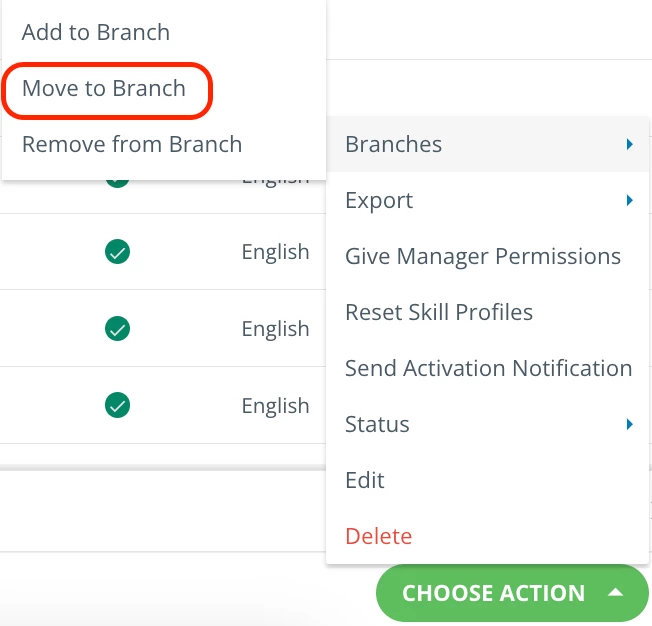
yes you can easily move users from one branch to another. You can use the CSV import to do this, or you can search and select the affected users on the user management page, then use the option to move them to another branch


dklinger
Hero III
Forum|alt.badge.img+12
  • Hero III
  • March 7, 2024

How to remove deactivated users from the root branch, into a separate Deactivated users only branch.  

GOod morning @Suzy_q - everyone is talking about moving things to branches but not coming back to an important distinction (IMHO). Think of it like a law of “quantum docebo physics” (I am giggling as I say this) and user account duality. All users exist in the root and most of the time by best practice another branch specified. A user must exist at least in the root to have an account in the system. Users will not receive notifications if they are only in the root (I believe I heard this one somewhere).


trose23
Helper III
Forum|alt.badge.img+4
  • Helper III
  • March 7, 2024

We use the Automation App to do this.  We run a Termination report from our HRIS every two weeks.  The Automation App is set up that when we load the CSV file into an FTP, it updates their employment status and date of departure for our additional fields, AND deactivates their profile and moves them to a “Deactivated” branch from the same report.

The essential fields for the Automation App set-up and CSV is:

  • Username
  • Active = “No” to Deactivate the profile
  • branch_code = the destination branch
  • Any Additional Fields that need to be updated


We like this because then we don’t have to manually search for and deactivate users/update their information.  The only thing we have to do now that we have the reports set is save the report and load it into the FTP and the system does the rest.


JUJanet
Novice III
Forum|alt.badge.img+3
  • Novice III
  • March 7, 2024

We’ve been using Automatic Groups for this. When someone’s status is moved in Inactive, they are Automatically removed from the Group(s) they were in. So if the Power User has permission to that Group - they select the Group rather than the Branch and none of the inactive people will be included in the report. 


KMallette
Hero II
Forum|alt.badge.img+10
  • Hero II
  • March 7, 2024

We’ve created a folder at the root level specifically for retired/deactivated accounts. We gave the folder a branch code, so when we do a batch via .csv, we add the branch code and the users get moved.