Question

ILT Session Change Notifications.

  • February 21, 2025
  • 3 replies
  • 120 views

Hello everyone,

I am currently working on setting up notifications for ILT sessions in Docebo. I have successfully configured notifications to inform users when there is a change in the schedule of their sessions. However, the current setup only includes the session name and the new date.

I would like to know if there is a way to include a link in the notification that redirects users to view all sessions of the ILT course, but that also the notification can work for multiple different courses of the same branch. The only link I have found so far directs users to the homepage.
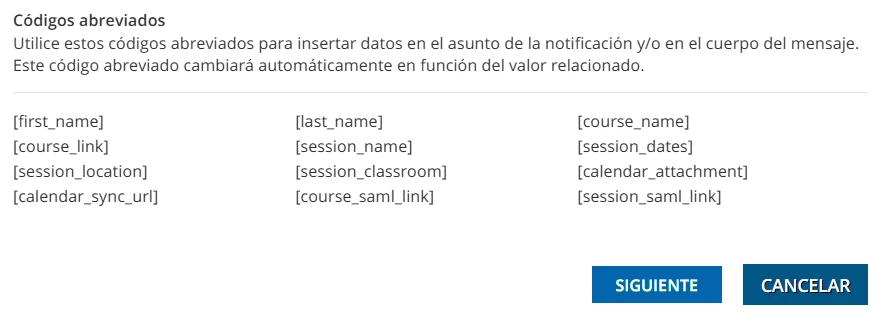
Additionally, is it possible to add other codes besides the ones provided at the end of the emails?
 

Any guidance or suggestions would be greatly appreciated.

Thank you in advance for your help!

3 replies

Davefox
Helper III
Forum|alt.badge.img+3
  • Helper III
  • February 24, 2025

The short answer to your question is that what you can choose to include in the notification is limited to what appears below the text box. And it is a different list of items depending on how or from where you are sending the notification. 

The admin notifications, class notifications and session notifications all have different options and you can’t use one that doesn’t appear on the list.

I have done something similar to what you are looking to so and added a direct class link as part of the text in the message as a workaround. 

Which is great when you are creating a single class based notification, but not so great when you are looking to create a universal notification for all ILT’s.

I know changes are coming to notifications, looking forward to them. 


lrnlab
Hero III
Forum|alt.badge.img+10
  • Hero III
  • February 24, 2025

You can always try adding short codes from other templates but there is no guarantee this will work.

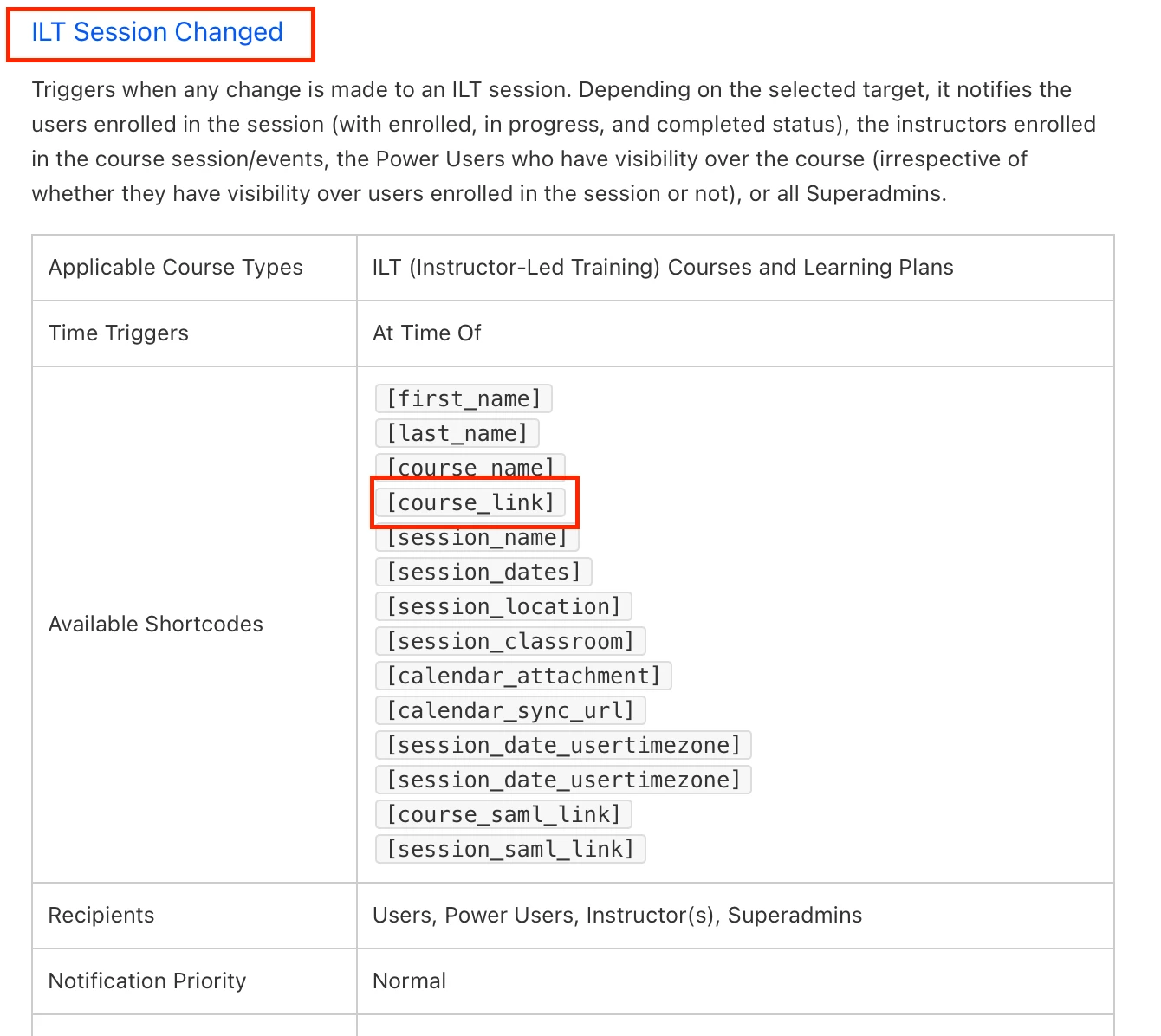
I usually opt to use the [course_link] to get the user back to the course where they will see the updated details.

https://help.docebo.com/hc/en-us/articles/4429113070226-Notification-events-and-conditions#Course.IltSessionChanged


Davefox
Helper III
Forum|alt.badge.img+3
  • Helper III
  • February 25, 2025

I have had no success is trying to use shortcodes from one notification that aren’t listed in another one. Test heavily here.