Home Sweet Home

  • March 14, 2022
  • 4 replies
  • 142 views

steveninfinger
Helper III
Forum|alt.badge.img+8

As EXE our use of the LMS comes with some extra considerations for UX and UI, so what does your home page look like and why?




4 replies

steveninfinger
Helper III
Forum|alt.badge.img+8

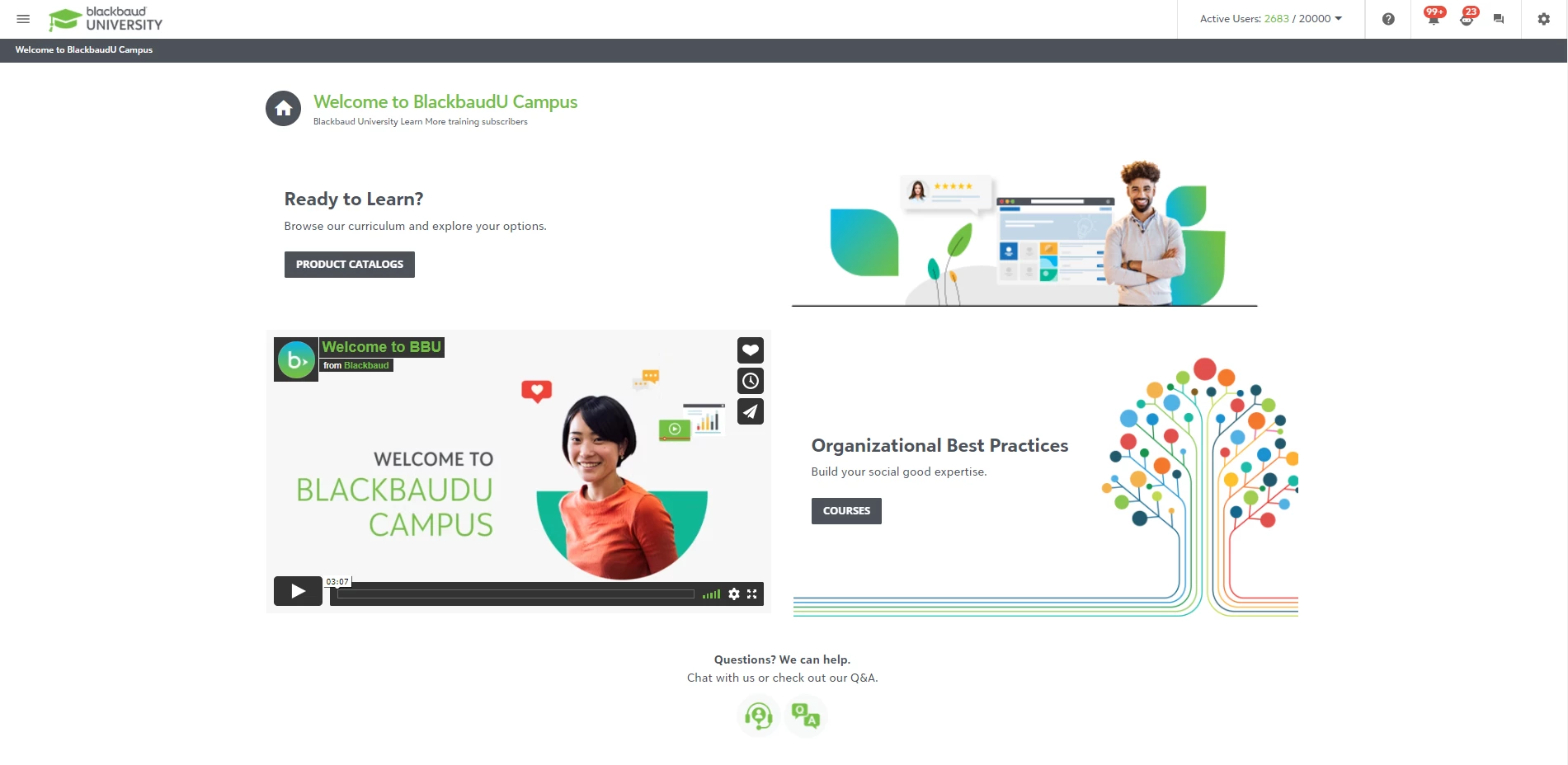
Our home page is meant to be quick and clean. 

  1. provides a brief video on the basic navigation of our new LMS since we we moving from another LMS vendor that we were with for 9 years
  2. simple images that point you to specific custom pages that gets customers to the available training for our various products. Whether you’re a new customer or been with us for a long time, you just want to get to training so you can learn. 
  3. marketing space for training we want to spotlight, like our product agnostic Best Practice courses
  4. a way to contact our training support team


Annarose.Peterson
Hero III
Forum|alt.badge.img+7

In my previous organization, the home page a user saw was based on the following:

Audience:

Was the user any of the following:

  • Employees
  • External Clients with Subscriptions
  • External Clients without Subscriptions
  • Clients of our external clients (external clients twice removed?)

User Level: Is the user a Power User or User.  We found our power users wanted easier access to the administration functions they had access to rather than spending a lot of time for learning, so they had homepages with easy access to those administrative functions (user profile management, reporting, access to course management to enroll their users). They also had access to the Learner homepage which was linked via a Custom Content Widget

Non-Power Users generally wanted to get in and either take training that was already assigned to them, or search for training based on our products.  So the two most prominent features of the users homepages were listings for their current enrollments (In progress and Not Started), and quick access to catalogs for each product. 

(Since I am no longer that organization I cannot provide screen shots).


I’m doing some re-designs with my new Organization, so I am excited to see what people will post here, and I will put up some updates when I get them!


steveninfinger
Helper III
Forum|alt.badge.img+8

@Annarose.Peterson, I like that you still gave the PUs the ability to see the customer home page. We wanted our internal people to be able to see it as customers see it in case there were questions, but that seems like a simple solution to allow them easy access to what they need but still be able to go in and help troubleshoot. 

What did you find was the easiest way to set up customized experience based on the audience? We’ll eventually do that, and have ideas, but curious how others prefer to do it. 


dklinger
Hero III
Forum|alt.badge.img+12
  • Hero III
  • March 14, 2022

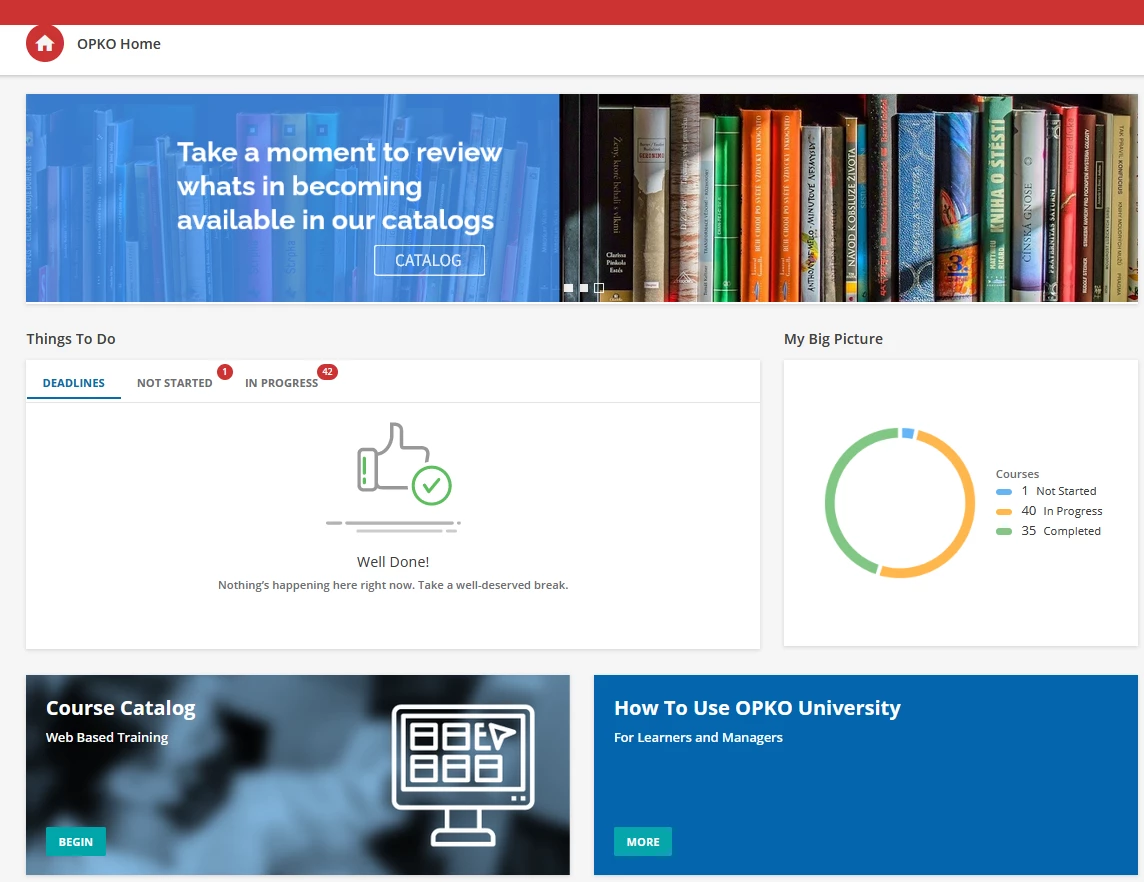
So being in the healthcare industry? We overdose people with ALOT of screens and apps. So we went towards minimal and effective for our internal branches. I got a lot of accolades for “keeping it clean”.
Just a start...but it does the job - and no complaints yet.

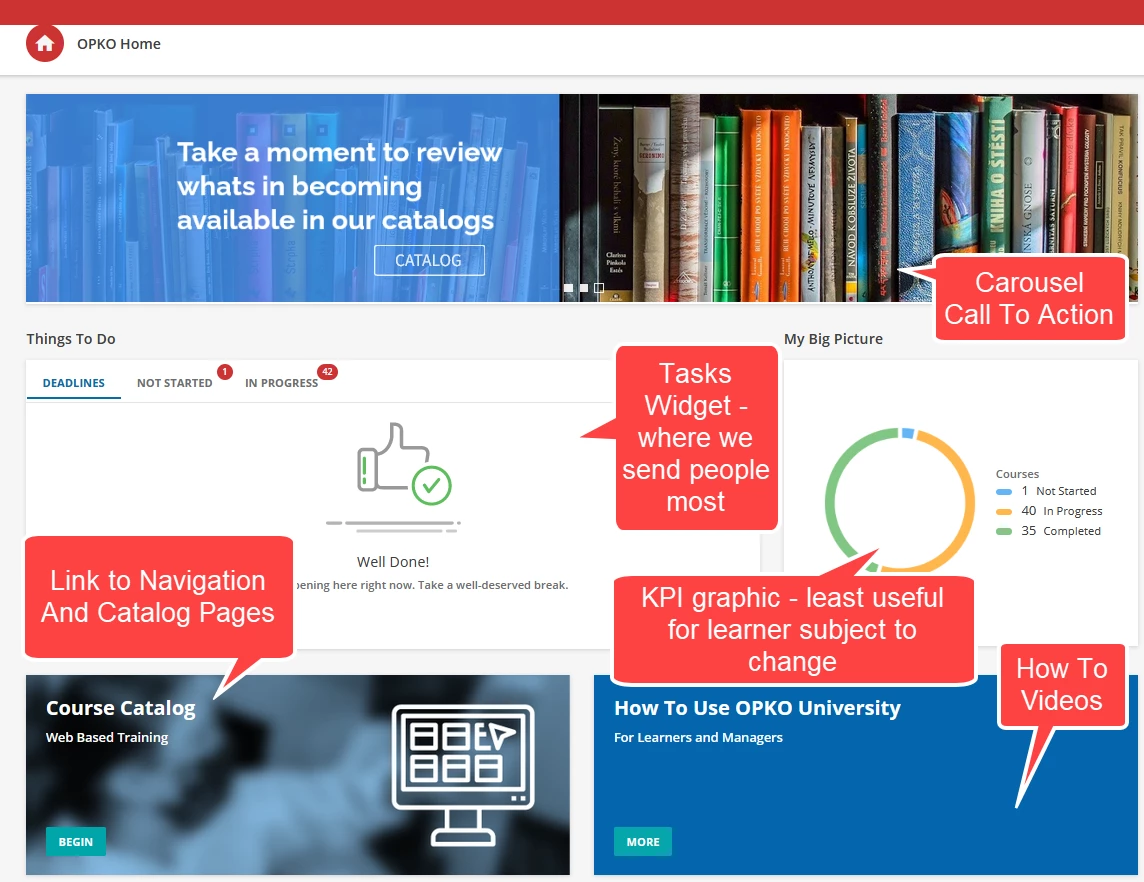
Without a breakdown of widgets and purpose.

And now “with some feeling”….an explanation of what is one level deeper OR the widget that is “doing its thing”.

Other branches get even a more minimal experience currently….but that will change.