
Subscription to an extended enterprise

  • March 14, 2022
  • 8 replies
  • 131 views

Lucy.blake
Helper II

​Hi lovely extended enterprise people (I'm assuming people, but I'll accept help from anyone, even a Klingon)

I'm hoping to set up an automated way to allow 1 month of access to our external Docebo site for our recruitment team. In the past, we have uploaded the details of everyone via a CSV and just given them an expiration date. Is there a better way to do this? Either via subscription codes, self-registration or another means? We are mainly internal but are moving to work with organizations, so we need to up our external game. 

8 replies

dklinger
Hero III
Forum|alt.badge.img+12
  • Hero III
  • March 14, 2022

Hmmmm…...ak takk….gleen….guuut….just kidding. Yeah I am not too sure with this one.


dklinger
Hero III
Forum|alt.badge.img+12
  • Hero III
  • March 14, 2022

@Lucy.blake - a question how are the users currently created for the external site? That will probably drive the answer better for folks. The only thing that I can currently think of is do some type of custom registration approach with a form elsewhere and you leverage the detail from that form - where you are setting the expiration date upon registering them.

I actually need this one answered because we are standing up an external site or two...and turning off accounts after X time will be a request to come down the pike.

If you have a budget? I would imagine that Docebo’s Consulting Services (I am sorry I dont have the name down pat) could support something a custom build like what you are thinking of for you.


Bfarkas
Hero III
Forum|alt.badge.img+6
  • Hero III
  • March 14, 2022

From your base description the csv with expiration date seems like nice and simple way to achieve the goal. I agree with @dklinger depending on the process for them to be allowed access to the external are might make a difference, tagging onto his form, I could see having a registration form with an approval process (or appearance of one) so that users fill in info and then uses the API to generate the new user automatically upon submission/approval and can trigger other tracking and emails and things, but would require knowing the entire process. The csv batch seems pretty simple on surface value right now.


lrnlab
Hero III
Forum|alt.badge.img+10
  • Hero III
  • March 14, 2022

HI @Lucy.blake you can use the Automation App to find users in a specific group or branch and have it scheduled to set their expiry date after a set number of days.

https://help.docebo.com/hc/en-us/articles/360020082520-Creating-a-Rule-for-the-Automation-App#h_01FHZ4BD8A3KJBKH7GN4JSZGGR


Annarose.Peterson
Hero III
Forum|alt.badge.img+7

@lrnlab beat me to it!  That was the approach I was going to toss out there.


dklinger
Hero III
Forum|alt.badge.img+12
  • Hero III
  • March 14, 2022

@lrnlab@Annarose.Peterson - gonna have to leverage that one...we currently bring people into a branch that should most probably be expired after 10 days at the very most.

Thanks for the heads up….this will lead to improvement!


Lucy.blake
Helper II
  • Author
  • March 21, 2022

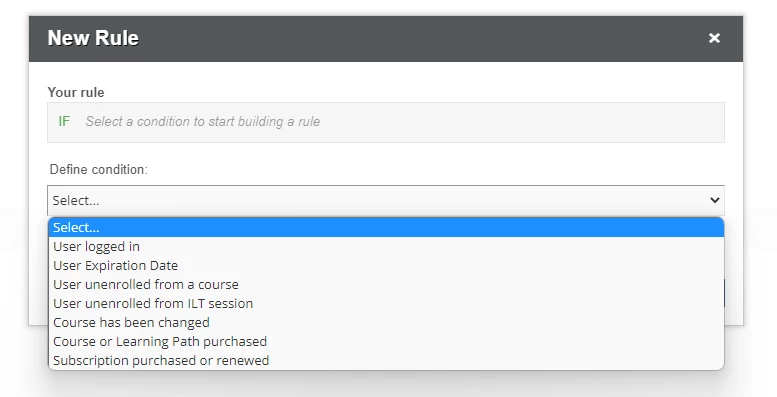
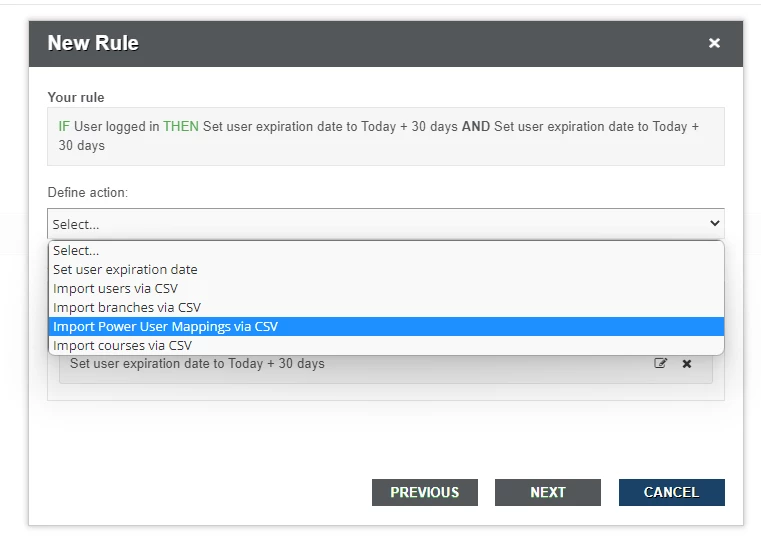
@lrnlab I have read through the automation information so many times, but although it says that you can limit this to a particular group or branch, I can’t work out how to. I only see these options when setting up a rule. I’m assuming it’s not there on all systems or I’m missing a really easy step. With Docebo it’s always hard to tell.

(I’ve also asked our Docebo contact about this, I think something might not be activated somewhere)


lrnlab
Hero III
Forum|alt.badge.img+10
  • Hero III
  • March 21, 2022

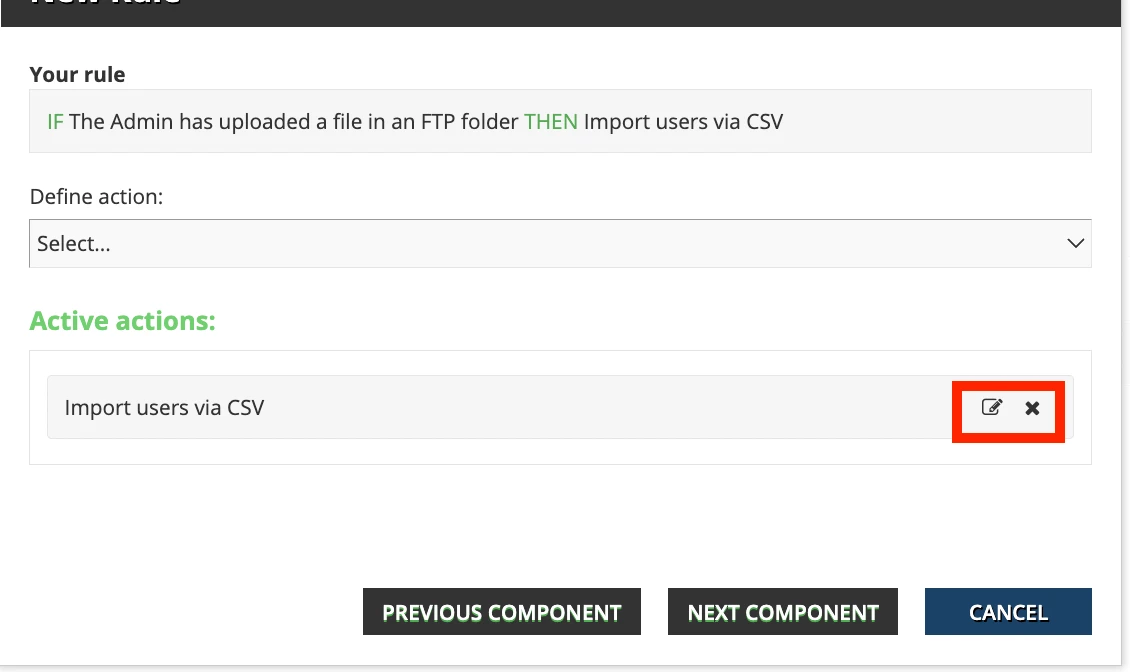
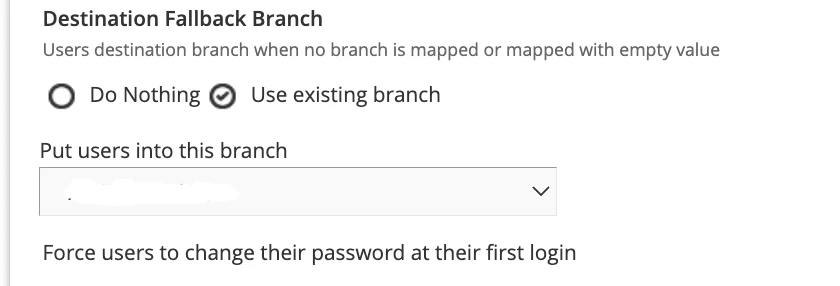
If you’re looking to place your imported users into a specific branch, you can set that up once you identify the action of importing. You need to click the small box on the right to set this up:

hope this helps