

Best Answer

Editing the Scheduled Report Notification

  • November 10, 2022
  • 4 replies
  • 145 views

ebarrett
Influencer I
Forum|alt.badge.img

Hi everyone,

Is anyone aware of a way to edit the email notifications that are sent when you’ve scheduled a report to be emailed to someone? What I’m trying to achieve is remove the part that says, “ You can view this report online at [XYZ]
Have a nice day!”

This report is going to a “regular ol’” user so they aren’t able to access [XYZ], so I’d rather it not be there at all.

Thanks in advance!
Emily
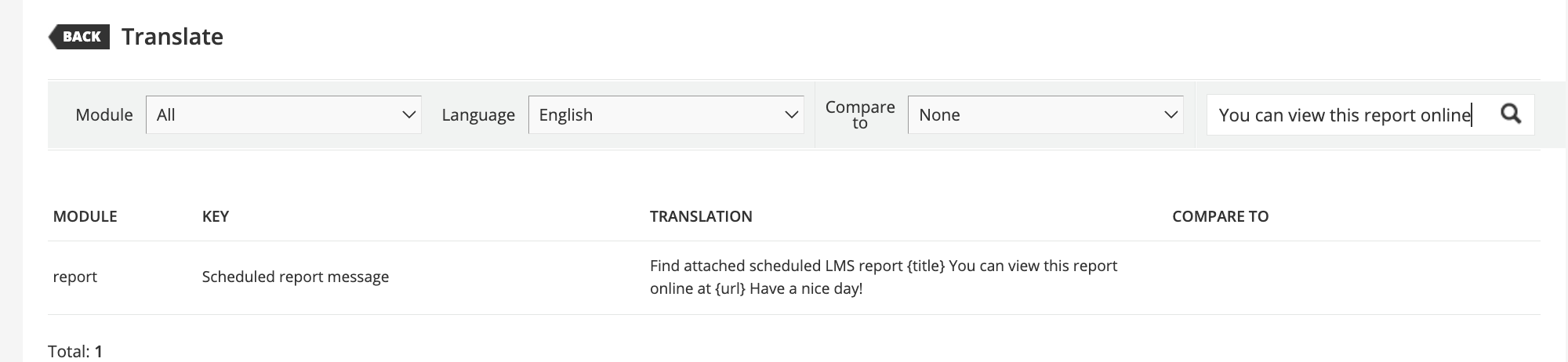
Best answer by lrnlab

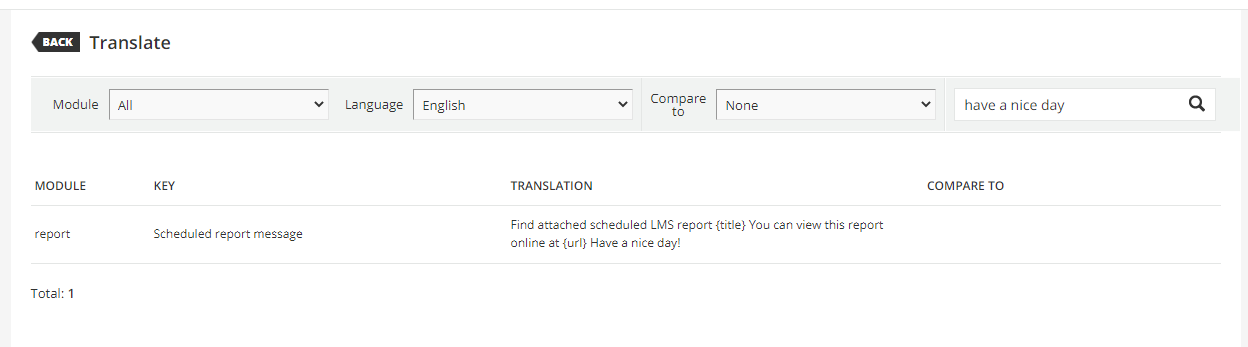
Is this what you are looking for? Seems you can edit via Localization


4 replies

lrnlab
Hero III
Forum|alt.badge.img+10
  • Hero III
  • Answer
  • November 10, 2022

Is this what you are looking for? Seems you can edit via Localization


Bfarkas
Hero III
Forum|alt.badge.img+6
  • Hero III
  • November 10, 2022

Looks like it is available in the localization tool to update:


ebarrett
Influencer I
Forum|alt.badge.img
  • Author
  • Influencer I
  • November 10, 2022

Whoops, should have checked there first.
Perfect, thanks!


Vmueller
Contributor II
Forum|alt.badge.img+2
  • Contributor II
  • May 16, 2024

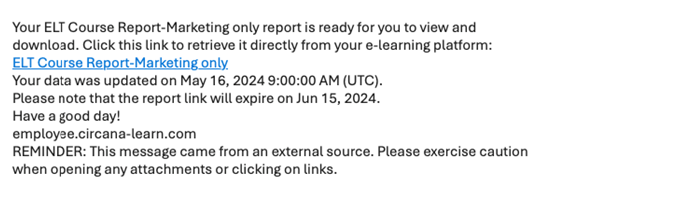
I am also wondering about this. Were you able to edit? I saw that piece in localization tool but I want to edit the full email that receivers get. I don’t see this anywhere in localization tool unless I missed it.