Question

Can we send individual notifications to individual users?

  • October 25, 2024
  • 15 replies
  • 135 views

Hi All! Is there a way I can send a single user a notification or a workaround for that?

I am hoping to be able to send in-platform notifications to a single user to re-take or take a course they should revisit. Is there any way we can do that?

15 replies

lrnlab
Hero III
Forum|alt.badge.img+10
  • Hero III
  • October 25, 2024

depends on what you want to send...while the standard notifications could do that, you probably need to create a group with single user and use that for your recipient list...or, if the user its enrolled in a course, you can use the “Send Email” option on the Enrolments tab to send a single personalized email.

  1. On the enrolment tab, locate the user and check the box beside their username on the left
  2. Then, on the bottom right, click Choose Action
  3. Then Send Email
  4. Compose your email and send it. You can use the “short codes” to grab data from the LMS and show it in your email if you like.
  5.  


  • Author
  • Novice III
  • October 28, 2024

@lrnlab Thank you!


Forum|alt.badge.img+1
  • Influencer III
  • January 28, 2025

Hi ​@lrnlab I also want to do this but the single user is actually the email of our organisation IT Team and therefore is a support ticket system so anyone from the IT team will pick it up but it needs to go to that address.  I can't make this email address a user.  Is there a workaround for this that you know of?  Cheers


lrnlab
Hero III
Forum|alt.badge.img+10
  • Hero III
  • January 28, 2025

Hi ​@lrnlab I also want to do this but the single user is actually the email of our organisation IT Team and therefore is a support ticket system so anyone from the IT team will pick it up but it needs to go to that address.  I can't make this email address a user.  Is there a workaround for this that you know of?  Cheers

Not sure I follow you...you want to send an email to a specific address but the email address is a group box? Who are you trying to send the email to?


Forum|alt.badge.img+1
  • Influencer III
  • January 29, 2025

Thanks for replying ​@lrnlab.  Our IT team, who have a group email, require notification when a user has completed a specific course which will them enable them to grant permissions to this user on another system and issue them with IT hardware.


lrnlab
Hero III
Forum|alt.badge.img+10
  • Hero III
  • January 29, 2025

@Suzy_q only way to use automated emails is with a proper user profile so you would need to create one for that group mailbox. 


JEntis
Helper I
Forum|alt.badge.img+4
  • Helper I
  • August 15, 2025

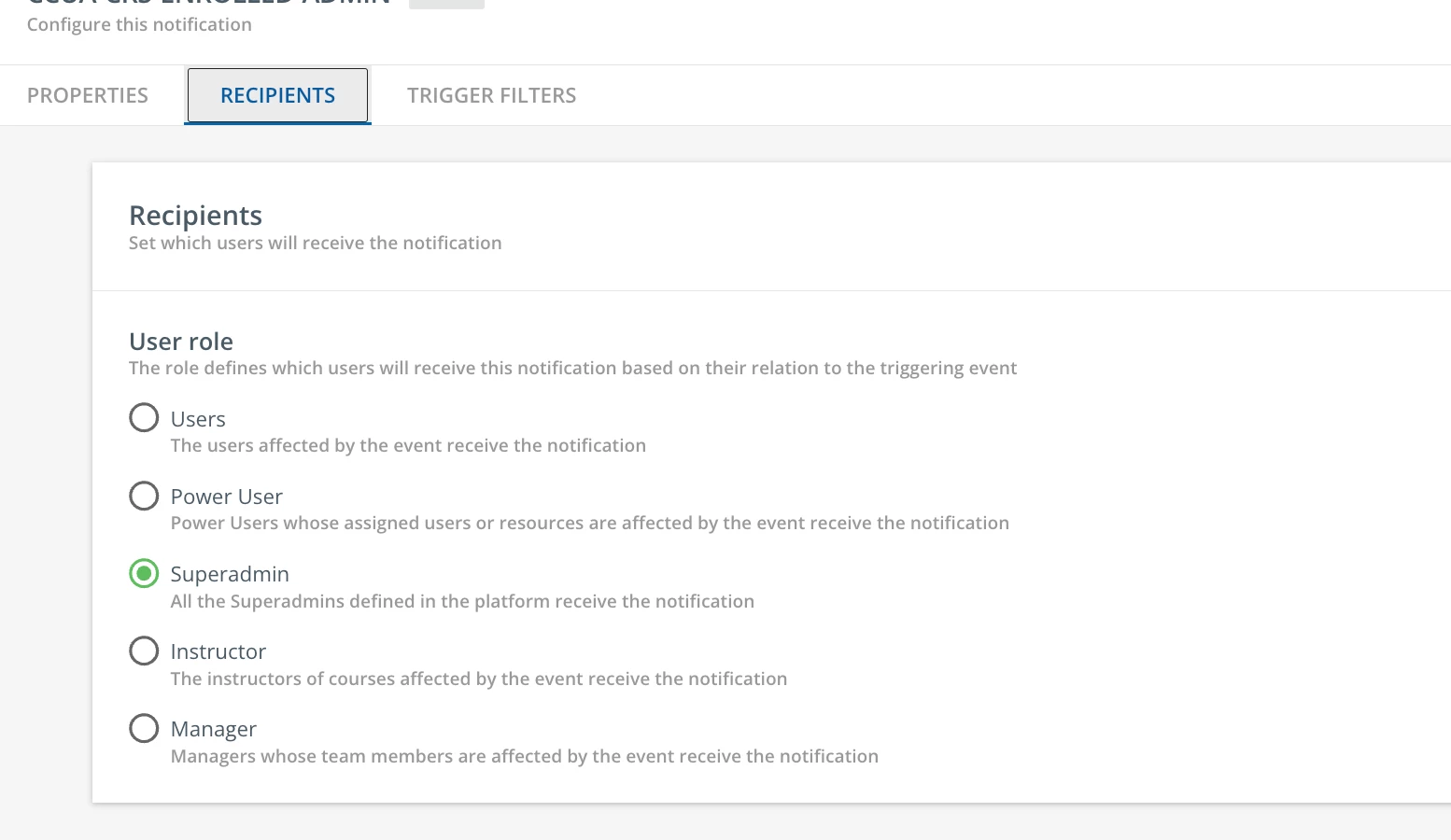
Hey ​@lrnlab I think I have another version of this request. In the Notifications engine (and we have been upgraded to the new one at this point) there are just four options for recipients: User, Power User (you can specify a profile), Superadmin, and Instructor. I have a superadmin colleague who needs to get a notification when one of her trainee managers completed their learning plan, but she doesn’t necessarily want this email going out to ALL superadmins (there are several of us). Because she’s not a power user I can’t use that to isolate the notifications to just go to a profile with 1 person assigned to it. You mentioned a group being a recipient...is that actually possible to do, and if so how?


lrnlab
Hero III
Forum|alt.badge.img+10
  • Hero III
  • August 18, 2025

Hey ​@lrnlab I think I have another version of this request. In the Notifications engine (and we have been upgraded to the new one at this point) there are just four options for recipients: User, Power User (you can specify a profile), Superadmin, and Instructor. I have a superadmin colleague who needs to get a notification when one of her trainee managers completed their learning plan, but she doesn’t necessarily want this email going out to ALL superadmins (there are several of us). Because she’s not a power user I can’t use that to isolate the notifications to just go to a profile with 1 person assigned to it. You mentioned a group being a recipient...is that actually possible to do, and if so how?

You might try placing that super admin in a group and then using the group as one of the triggers. Haven't tried it so make sure to test it thoroughly.


JEntis
Helper I
Forum|alt.badge.img+4
  • Helper I
  • August 18, 2025

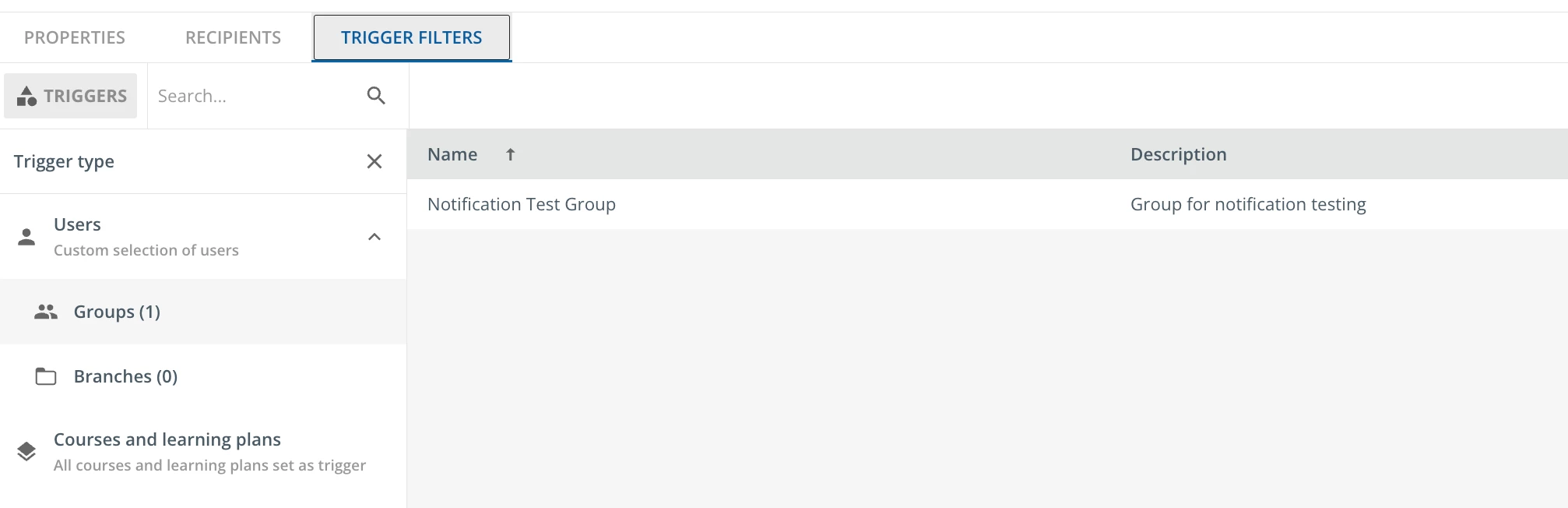
@lrnlab I guess that’s where I’m not understanding. Of course I can use a group as a trigger for a notification, but my only recipient options are superadmin, user, power user, and instructor. I don’t see any option to make the recipient a group, so I don’t see how putting a superadmin in one would help?


lrnlab
Hero III
Forum|alt.badge.img+10
  • Hero III
  • August 18, 2025

@JEntis you should be able to configure it to go the super admins on the Recipients tab AND at the Group to the Triggers tab

+

is what I meant...hope that works. Please let me know if it does. Thx


JEntis
Helper I
Forum|alt.badge.img+4
  • Helper I
  • August 18, 2025

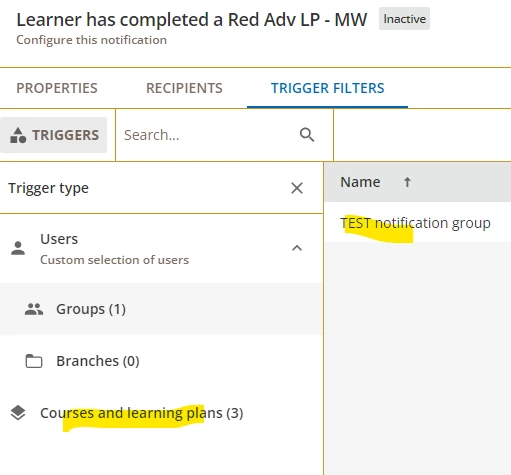
@lrnlab huh okay...but what I’m trying to do here is, when one of a set of learning plans is completed (I’ve added that in the Courses and learning plans section of the trigger filter) this specific superadmin gets the email vs all superadmins. Doesn’t the group of 1 in the trigger filter mean it would trigger if just THAT user completes the learning plan vs any of the enrolled learners?


lrnlab
Hero III
Forum|alt.badge.img+10
  • Hero III
  • August 18, 2025

Sorry ​@JEntis yo are correct. my bad on Monday…

If you dont mind having a 2nd profile just for that super user in order to drive the notification, you could create a PU role just for that admin and link that under the recipients tab. Could that work?


gstager
Hero III
Forum|alt.badge.img+8
  • Hero III
  • August 19, 2025

I have tried making a group called Notifications and only put two superadmins in the group. The email still went to all the superadmins. Admittedly - that was some time ago now but I agree we should be able to have the ability to simply type in an email address (or multiple) to target who we want (user or not).

If you have not already voted this up - please do so.


JEntis
Helper I
Forum|alt.badge.img+4
  • Helper I
  • August 19, 2025

@gstager I have upvoted and added a comment in support of this enhancement to notifications. I hope Docebo will act on it!


JEntis
Helper I
Forum|alt.badge.img+4
  • Helper I
  • August 19, 2025

Sorry ​@JEntis yo are correct. my bad on Monday…

If you dont mind having a 2nd profile just for that super user in order to drive the notification, you could create a PU role just for that admin and link that under the recipients tab. Could that work?

Perhaps, I’ll work with that individual to see if that’s a direction we want to go. It’s such a cumbersome workaround, but it may be the only option at the moment :(