


Question

Catalog name not changing

  • May 23, 2022
  • 3 replies
  • 25 views

Forum|alt.badge.img

Hi, I have changed the catalog name, icon in the Manage Pages-All catalogs- HTML /WYSIWYG from Material Science to Laboratory water, also changes are done on CSS accordingly..- However when I click on the link it opens Material Science-
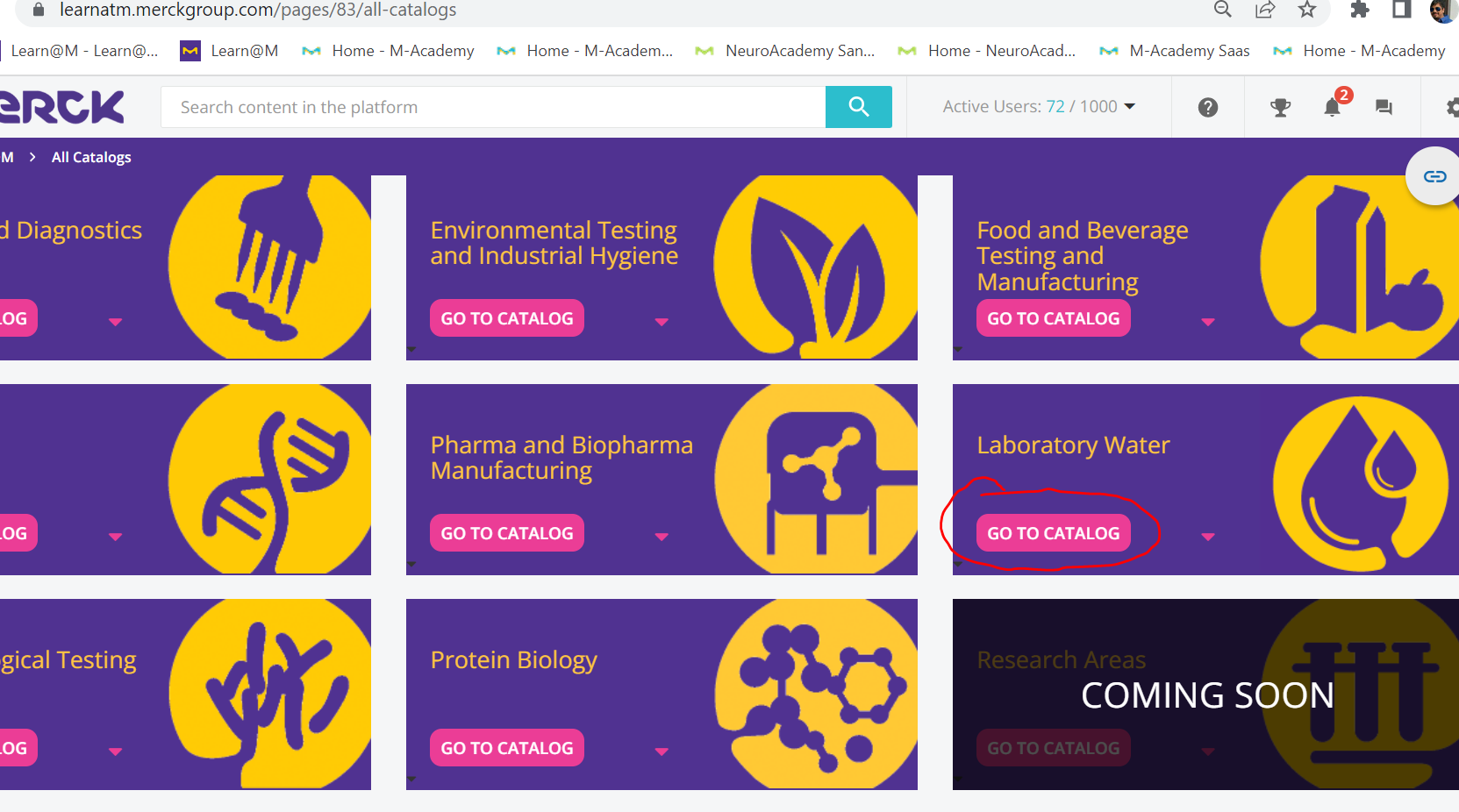
 

Although URL is correct but it opens previous “Material Science” catalog instead of Laboratory Water-
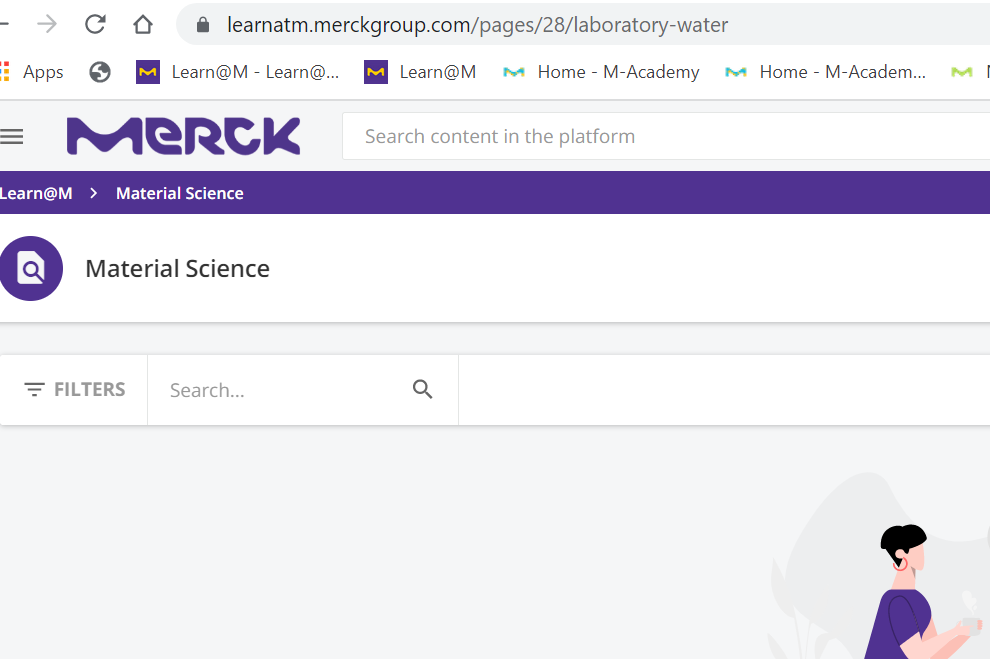

 

3 replies

lrnlab
Hero III
Forum|alt.badge.img+10
  • Hero III
  • May 23, 2022

Hi @arnab.duttagupta hard to say from the info you provided but you may want to clear your cache to see if that helps at all...are the boxes created with the Custom Content Box widget or HTML? If the former, you should check the settings there and also have a look to see if perhaps the localization was used. Do this for your catalogue as well as the link looks correct but the name clearly doesn't match.


Forum|alt.badge.img

Hello Irnlab, I have tried clearing cookies and caches but didn’t work. The boxes are created with the Custom Content Box.


lrnlab
Hero III
Forum|alt.badge.img+10
  • Hero III
  • May 24, 2022

again, it’s hard to tell what I am seeing in the 2nd pic...could this be the page name? Have you checked that? Is your catalogue created as a custom page?

