Answer

Center title on widget

  • April 21, 2022
  • 12 replies
  • 106 views

ebarrett
Influencer I
Forum|alt.badge.img

Is there any way to center the text on page widgets?

Best answer by gstager

@ebarrett

Here is what you can do for your custom content boxes.

/** Center Widget Title **/
custom-content-box-widget widget-title div.common-widget-title {
text-align: center;
}

#doc-widget-95 widget-title div.common-widget-title {
text-align: left;
}

There are two snippets above.

The top one will affect many widgets and the second one will target a specific widget but you would need to discover the ID of your particular widget.

In my example it is #95 and I push it back to the left
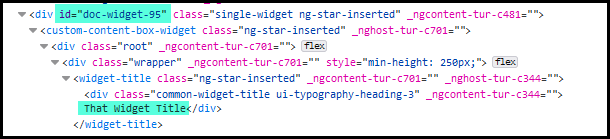


Hopefully that makes some sense.

12 replies

lrnlab
Hero III
Forum|alt.badge.img+10
  • Hero III
  • April 21, 2022

HI @ebarrett what widget are you asking about?


ebarrett
Influencer I
Forum|alt.badge.img
  • Author
  • Influencer I
  • April 21, 2022

@lrnlab Really any widget, but especially Custom Content Box and Task List.


lrnlab
Hero III
Forum|alt.badge.img+10
  • Hero III
  • April 21, 2022

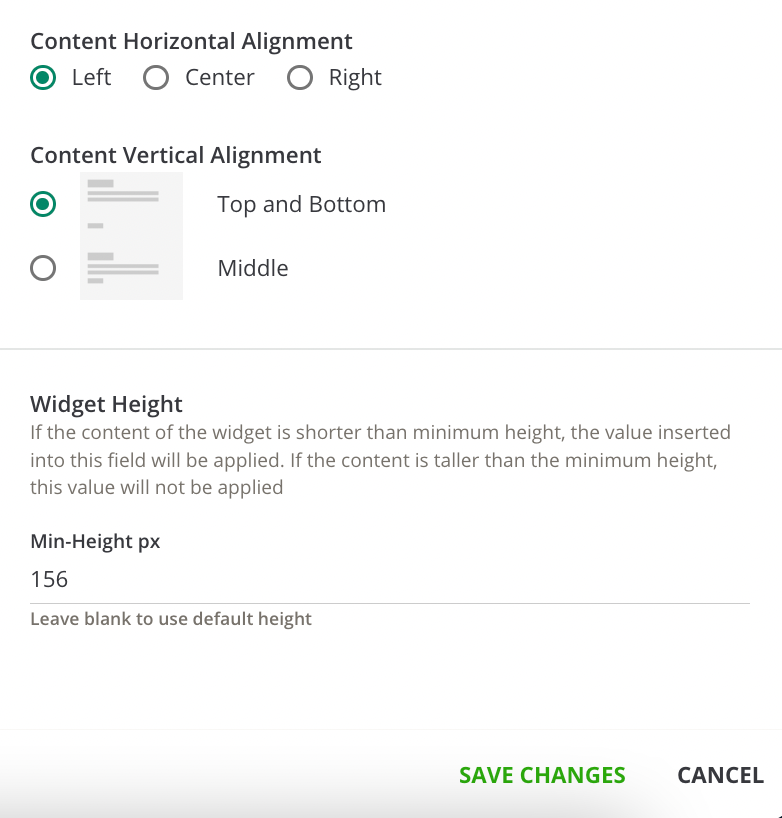
For the custom content box, you can adjust that with the settings at the bottom of the panel however not all widgets have this option. The Task List looks like it’s all pre-formatted...I suppose you could use CSS to adjust if you wanted.


ebarrett
Influencer I
Forum|alt.badge.img
  • Author
  • Influencer I
  • April 21, 2022

It seems like those settings don’t control the title that would appear outside of the widget; is that right?


I’d have to look into the CSS option some more as I am still learning about how to write my own.


Thanks!


gstager
Hero III
Forum|alt.badge.img+8
  • Hero III
  • April 21, 2022

@ebarrett 

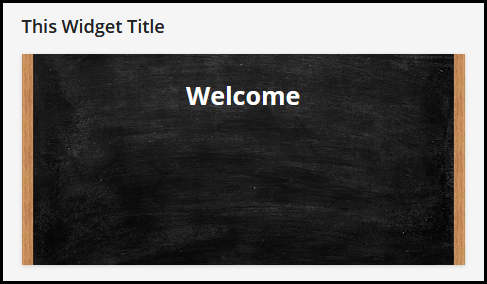
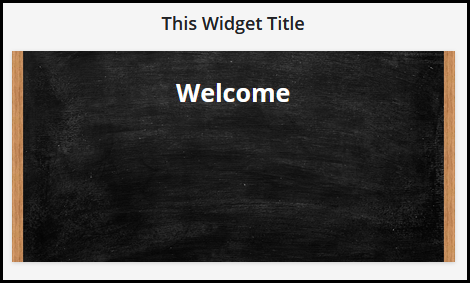
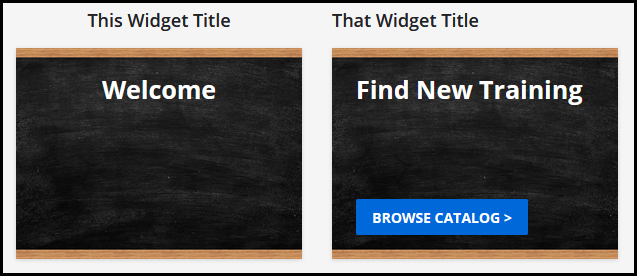
Is this what you’re looking to do?

Before:


After:


lrnlab
Hero III
Forum|alt.badge.img+10
  • Hero III
  • April 21, 2022

Ahhh, our CSS guru @gstager to the rescue 🤓


ebarrett
Influencer I
Forum|alt.badge.img
  • Author
  • Influencer I
  • April 21, 2022

@gstager  Exactly that!


gstager
Hero III
Forum|alt.badge.img+8
  • Hero III
  • Answer
  • April 21, 2022

@ebarrett

Here is what you can do for your custom content boxes.

/** Center Widget Title **/
custom-content-box-widget widget-title div.common-widget-title {
text-align: center;
}

#doc-widget-95 widget-title div.common-widget-title {
text-align: left;
}

There are two snippets above.

The top one will affect many widgets and the second one will target a specific widget but you would need to discover the ID of your particular widget.

In my example it is #95 and I push it back to the left


Hopefully that makes some sense.


ebarrett
Influencer I
Forum|alt.badge.img
  • Author
  • Influencer I
  • April 21, 2022

Perfect. Thanks so much, Greg!

--Emily


gstager
Hero III
Forum|alt.badge.img+8
  • Hero III
  • April 21, 2022

The Task List Widget required a different approach.

task-list-widget widget-title div.common-widget-title {
margin-left: auto;
margin-right: auto;
}

You could target an individual one with the same method as above for the custom content box.


gstager
Hero III
Forum|alt.badge.img+8
  • Hero III
  • April 21, 2022

Perfect. Thanks so much, Greg!

--Emily

Most welcome! 

I see these sorts of requests like puzzles.

Whether it is Sudoku, standard Logic Puzzle, crossword variety, or some other novelty brain teaser, - I always enjoy a good puzzle.


gstager
Hero III
Forum|alt.badge.img+8
  • Hero III
  • April 21, 2022

Ahhh, our CSS guru @gstager to the rescue 🤓

@lrnlab - thanks for the promotion…

There are many others in this community more skilled and deserving.
I just like trying to figure it out. 🙂