Does anyone know how to change the button verbiage? I want to change the “Start Learning” to “Start Now.” The Localization tool does not impact this.
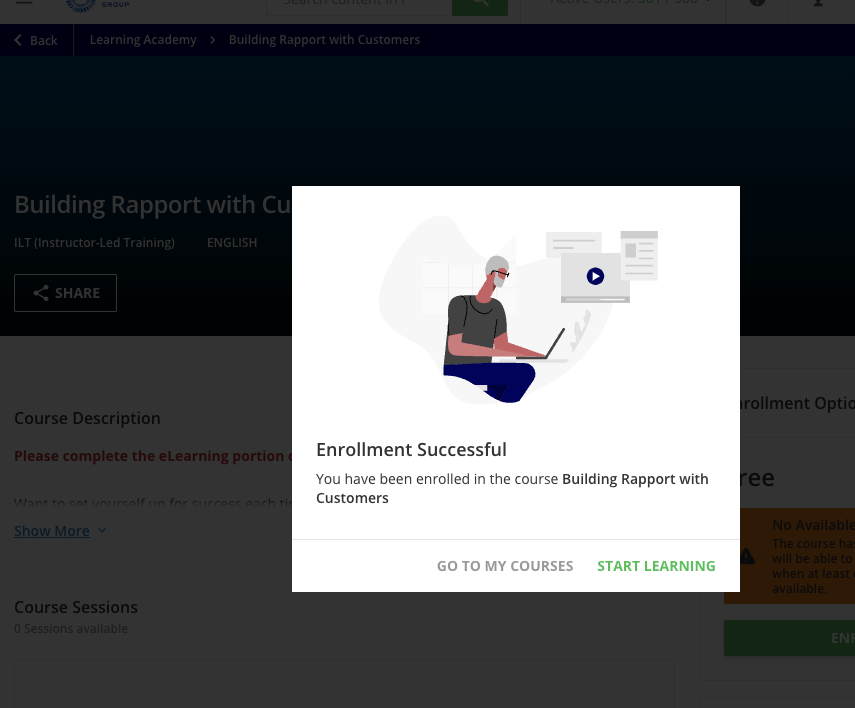




Does anyone know how to change the button verbiage? I want to change the “Start Learning” to “Start Now.” The Localization tool does not impact this.
Best answer by Gary Jarvis
You should be able to do this via the localization tool, however are you still in preview mode for the new player? I noticed that the localization settings were not activated until I made the player permanent. Luckily, we have a sandbox so I could test it out.
Hope this helps.
Gary
Enter your email address or username and password below to log in to Docebo Community. No account yet? Create an account
Enter your E-mail address. We'll send you an e-mail with instructions to reset your password.