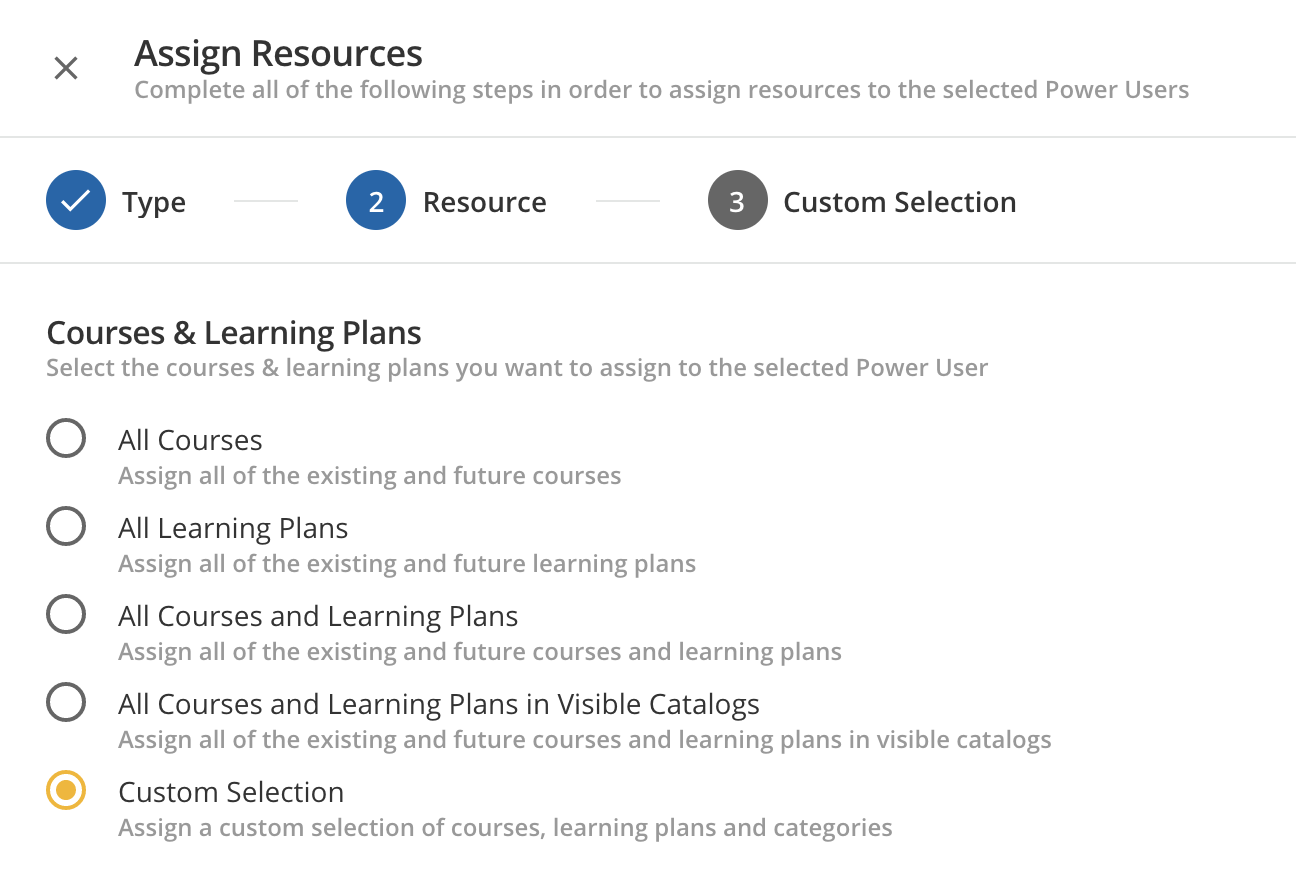
Sure thing @karilynnrussell. By “freely assign visibility”, I mean that you could give these Power Users visibility to courses not assigned to them as resources in Power User Management. Course visibility is set via catalogs. Assigning a user visibility of a catalog will ensure that the user has visibility of all Courses and Learning Plans within that catalog (assuming that the Learning Plan Settings are set to Show this learning plan in the course catalog).
The permissions and resources you assign to the Power User will trump whatever course/learning plan visibility and enrollment settings you configure for the user. If your Power User is assigned a profile that includes Edit permissions for courses, then that Power User will be able to view and edit any courses you select via the custom selection when assigning resources. Any courses not selected when assigning resources that the user is subsequently either enrolled into or has visibility of via catalog would be visible to the user, but the user wouldn’t be able to edit those courses.
The following Knowledge Articles might also help you better understand how Catalogs and Enrollments function:
Please feel free to continue asking questions if things still aren’t clicking. I’m confident we can crack this one!