Best Answer

Users cannot take LinkedIn Learning courses imported into Docebo

  • June 7, 2024
  • 6 replies
  • 134 views

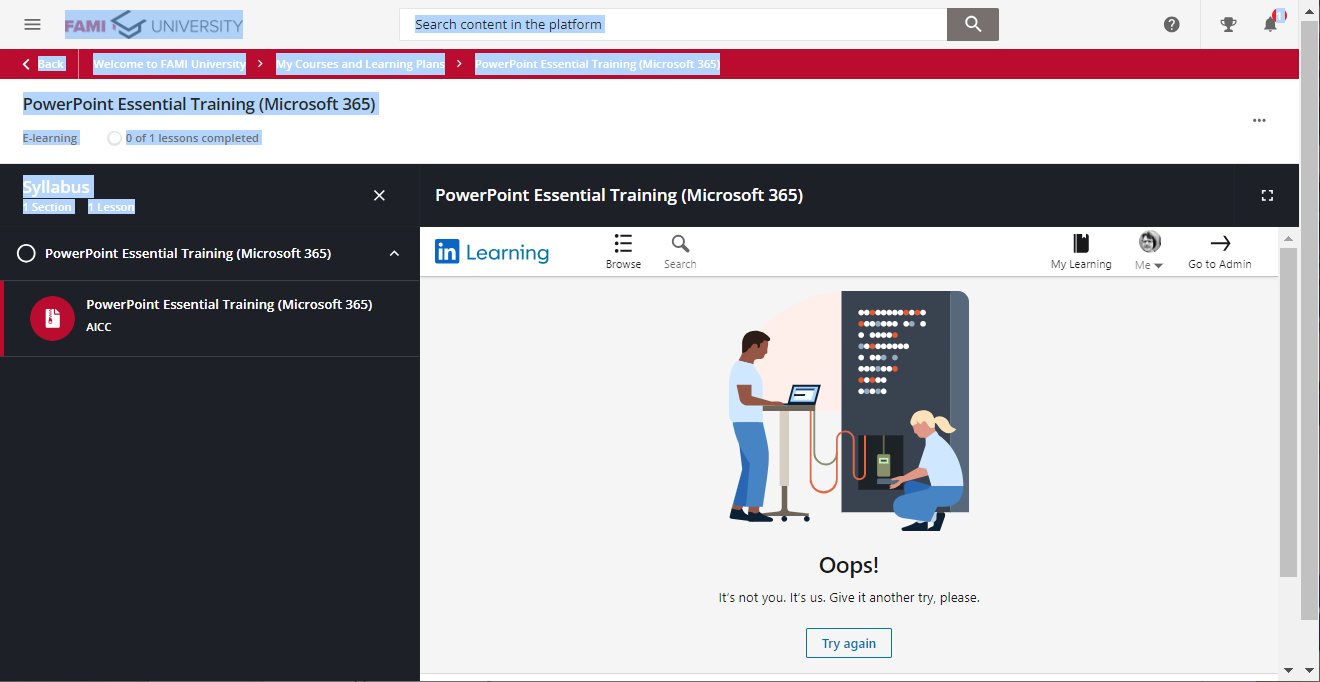
Previously we had successfully imported courses from LinkedIn Learning into Docebo.  Users could see the courses in Docebo, enroll, and take the courses.  Users noticed this week that they are unable to get into the courses.  I’ve even imported yet another course today and users cannot complete those courses either.  They get this “oops” error screen from LinkedIn Learning.  This all worked fine previously.


Best answer by twine2024

We discovered that in LinkedIn Learning Admin, in the Integrate screen, while Configure AICC was still enabled, our hostname, which was previously listed, was no longer in place.  Adding our docebo host name back in solved our problem.

6 replies

lrnlab
Hero III
Forum|alt.badge.img+10
  • Hero III
  • June 7, 2024

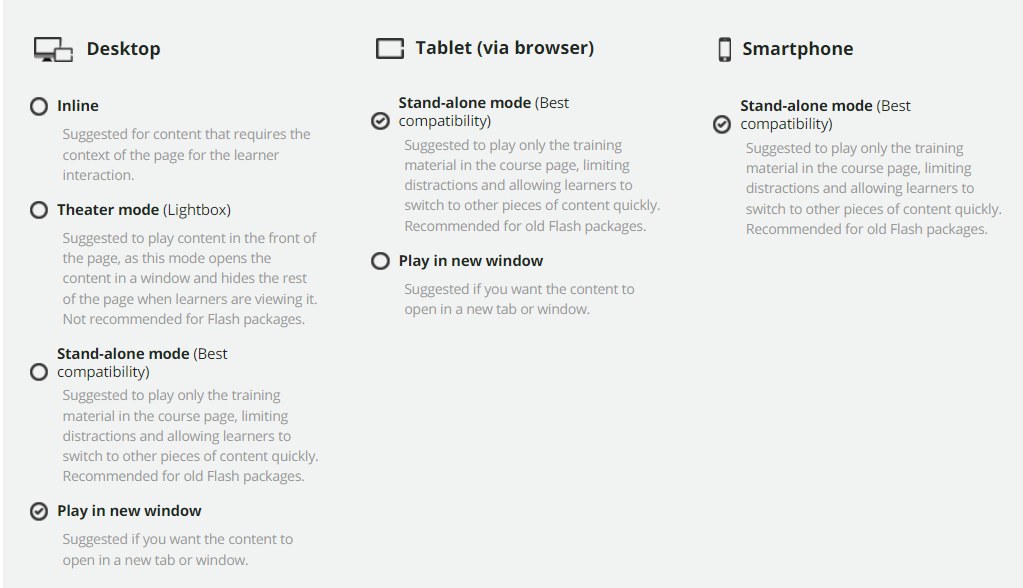
did you try to have them play in a new window, instead of inline?


  • Author
  • Novice III
  • June 7, 2024

Hello @lrnlab I assume you are talking about in the Central Repository setting as below?  We didn’t initially have them set this way last month when they worked fine.  But I’ve since changed them to play in a new window as follows and it still doesn’t work.


lrnlab
Hero III
Forum|alt.badge.img+10
  • Hero III
  • June 7, 2024

yes...we had to use that option and have had no issues since.

Maybe try to clear your browser, cache, etc. and try it again…

From the looks of the error message, it looks like you are on the LinkedIN site...does the account you're using to test have a valid license? Seems like a LinkedIN issue...


  • Author
  • Novice III
  • June 7, 2024

Yes all the users are licensed in LinkedIn Learning.  On the screenshot I provided with the “Oops… try again” message you can see that it has the photo of the logged in user in LinkedIn.  The user can take the course directly in LinkedIn learning.  They just can’t take it via Docebo.  I did open a ticket with LinkedIn Learning.  I was just hoping someone else in the Docebo Community had seen this issue.


lrnlab
Hero III
Forum|alt.badge.img+10
  • Hero III
  • June 7, 2024

Also make sure that course is part of your licensing agreement with LI


  • Author
  • Novice III
  • Answer
  • June 11, 2024

We discovered that in LinkedIn Learning Admin, in the Integrate screen, while Configure AICC was still enabled, our hostname, which was previously listed, was no longer in place.  Adding our docebo host name back in solved our problem.