Answer

Calendar

  • June 7, 2022
  • 11 replies
  • 462 views

Forum|alt.badge.img

Hi everyone,

I have added the calendar widget on my menu. I can see that all the courses the user is enrolled on will come notified on the calendar. Just wondering if there is any chance to set it up to have the upcoming meetings on the calendar although the user is not enrolled on them?

Thanks for your help in advance.

Best answer by gstager

There was a couple discussions on this that took place a while back.

You can change some colors but when you do - it is for everyone.

I don’t know of a way for CSS to change based on the enrolled state of a user without resorting to JavaScript.

If we could do custom JavaScript snippets, we could run a conditional statement of sorts.

if (user=="enrolled") {
calendarEntry="blue";
}

Or some other such nonsense... 

Alas, as @Neil Patterson stated

...it is what it is.

Feel free to check out  the information in these two posts and see if any of it will help you. 


11 replies

Neil Patterson
Guide I
Forum|alt.badge.img+2

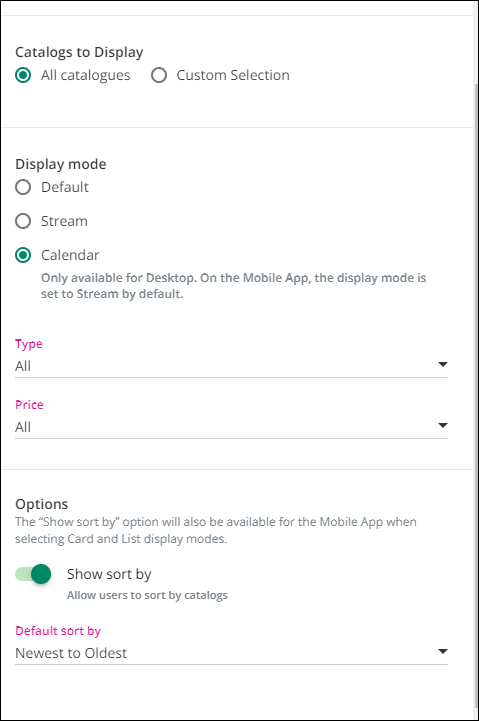
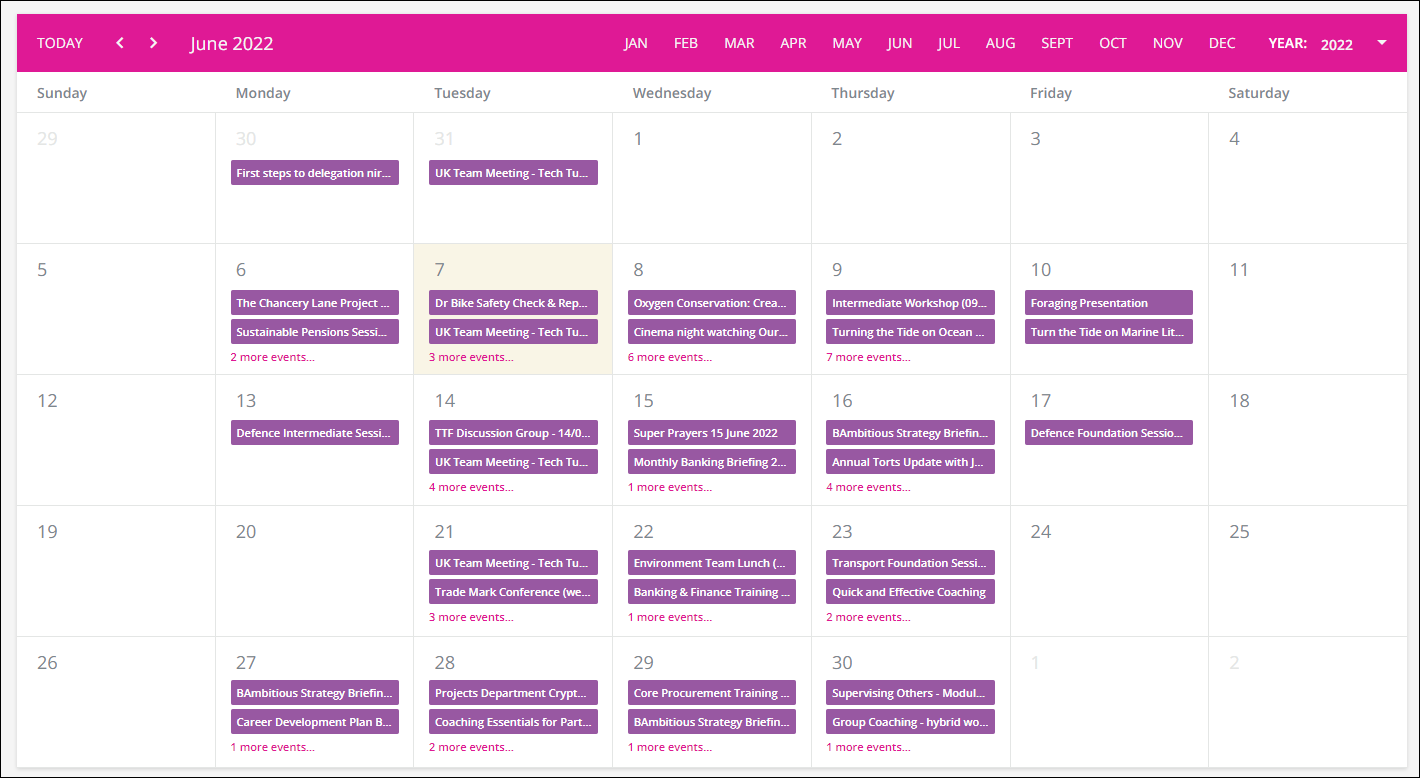
Hi @JavierPuertas.  If you want upcoming training that people can enrol onto, you will need the Catalog widget.  When adding it, there is an option for calendar view.  This will then show any courses within the catalogues you select (or all catalogues) that the user has access to.

Hope this helps 😊


Forum|alt.badge.img
  • Author
  • Contributor I
  • June 7, 2022

Hi @Neil Patterson, thank you very much for your response. I have tried to do it that way but still the courses I am enrolled on are the courses coming on the calendar.


Neil Patterson
Guide I
Forum|alt.badge.img+2

Strange.  Assume you have Superadmin rights, so should see everything in all catalogues?

This is how mine is configured:

and then this is the result I get:


Forum|alt.badge.img
  • Author
  • Contributor I
  • June 7, 2022

My fault @Neil Patterson, the problem came because I had not created the actual events yet, all sorted now. Thanks very much for your help.


Neil Patterson
Guide I
Forum|alt.badge.img+2

Ah ok.  Brilliant - glad it’s working.  No problem 😀


Forum|alt.badge.img
  • Author
  • Contributor I
  • June 7, 2022

Is there any possibility I can set different colours depending if the user is enrolled or not? @Neil Patterson 


Neil Patterson
Guide I
Forum|alt.badge.img+2

Good question.  I don’t think there is.  @gstager is a wizz with all things CSS so may know differently, but imagine it is what it is I’m afraid


gstager
Hero III
Forum|alt.badge.img+8
  • Hero III
  • Answer
  • June 7, 2022

There was a couple discussions on this that took place a while back.

You can change some colors but when you do - it is for everyone.

I don’t know of a way for CSS to change based on the enrolled state of a user without resorting to JavaScript.

If we could do custom JavaScript snippets, we could run a conditional statement of sorts.

if (user=="enrolled") {
calendarEntry="blue";
}

Or some other such nonsense... 

Alas, as @Neil Patterson stated

...it is what it is.

Feel free to check out  the information in these two posts and see if any of it will help you. 


steveninfinger
Helper III
Forum|alt.badge.img+8

@Neil Patterson I don’t know if I love you or hate you for sharing this, but thank you just the same. 


Neil Patterson
Guide I
Forum|alt.badge.img+2

Haha @steveninfinger - I don’t know whether to be offended or not by your comment 😂


steveninfinger
Helper III
Forum|alt.badge.img+8

Haha @steveninfinger - I don’t know whether to be offended or not by your comment 😂

🤣 I’ll save the really offensive comments for another day.