For example, I work in the real estate industry so I don’t have users who are building and maintaining nuclear power plants or managing textile manufacturing or newspaper print shops.

Best Answer
Can i edit (shorten) the list of available skills for users to choose from?


 +6
+6Best answer by Marco.T
Hi
This is Marco, PM for this area
Yes you can define what skills are selectable by people
you have to go to configuration, skills management
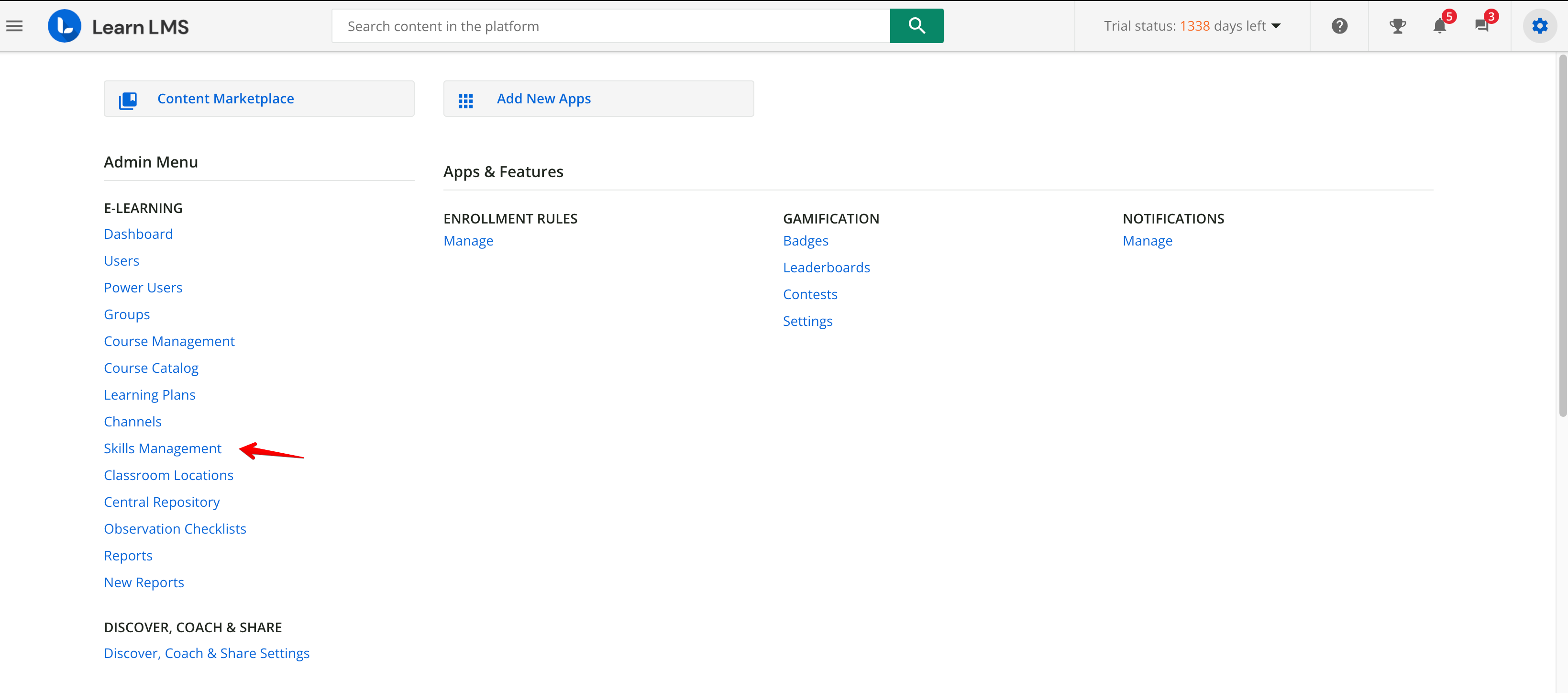
You’ll see several “Skill Sets”
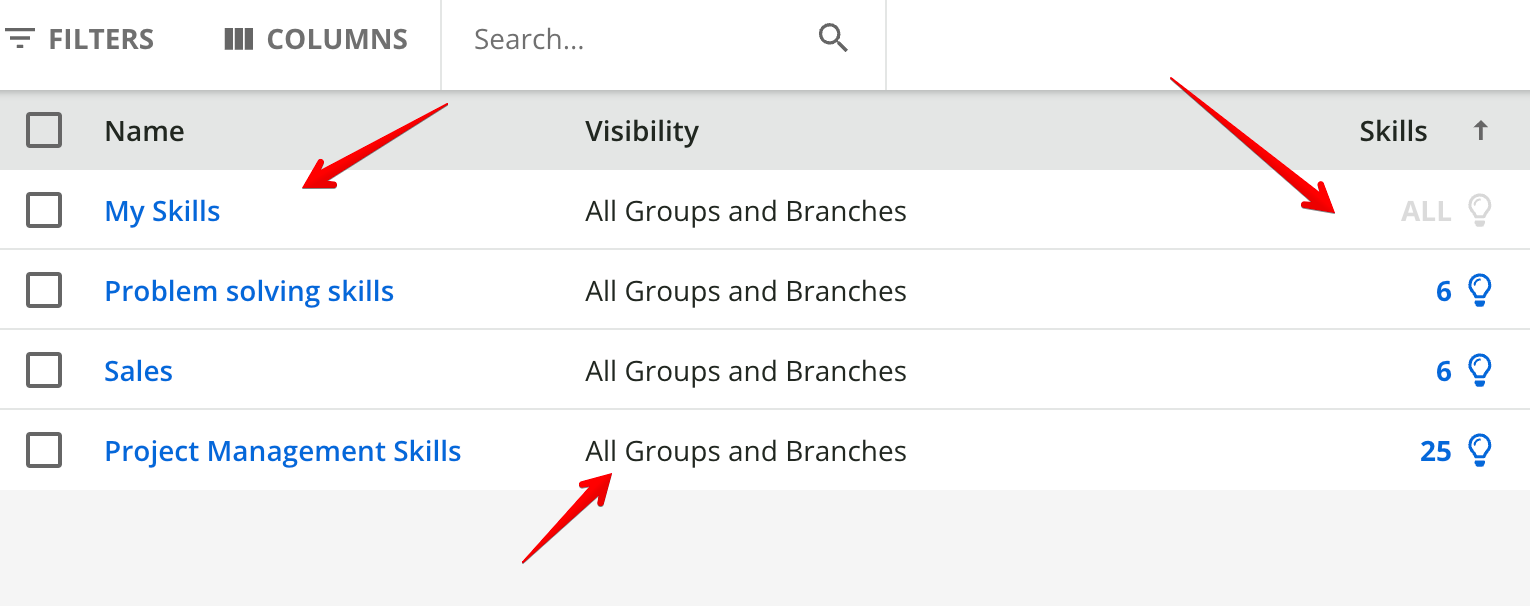
each skill set:
- Has a visibility by group and branches , and by default have all group and branches.
- Has skills associated (please note there is a “super” skillset with all the 13000 skills, the one with “all” label in skills, all the others have specific skills associated, you can see them clicking on skills, the other skillsets are templates with already selected skills for specific areas)
The result is that each person can select all the skills that are in a skillset visible to him
How to create skillset with the skills you need for your company.
So now assuming you want to select your skills for your learners, proceed in this way
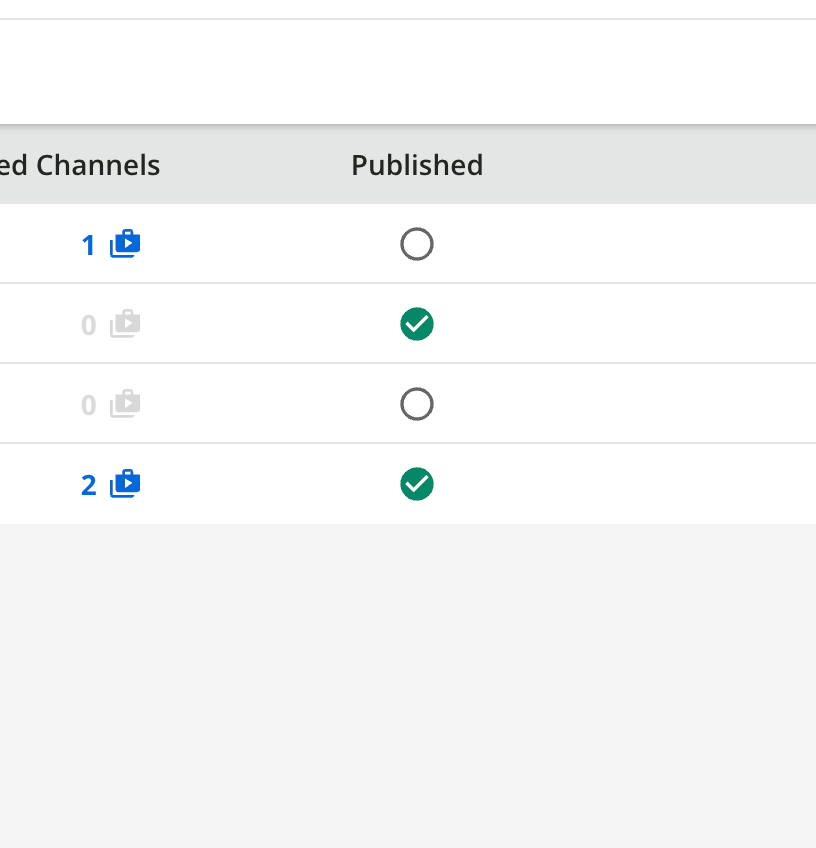
Un-publish all the existing skillsets (you can click on the icons in the published column)
Now, create a skillset , you will add later the skills you need. Click on the + button
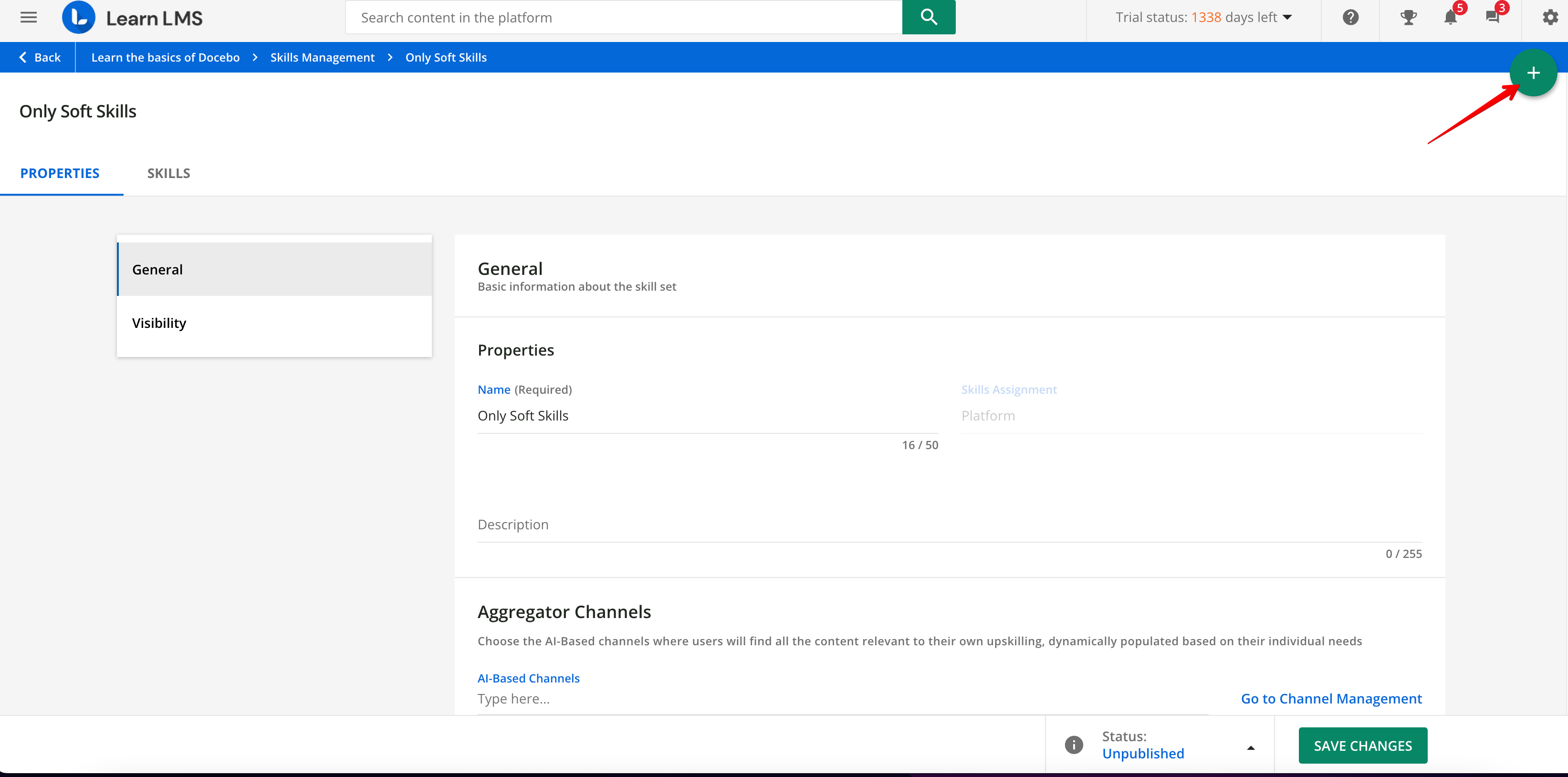
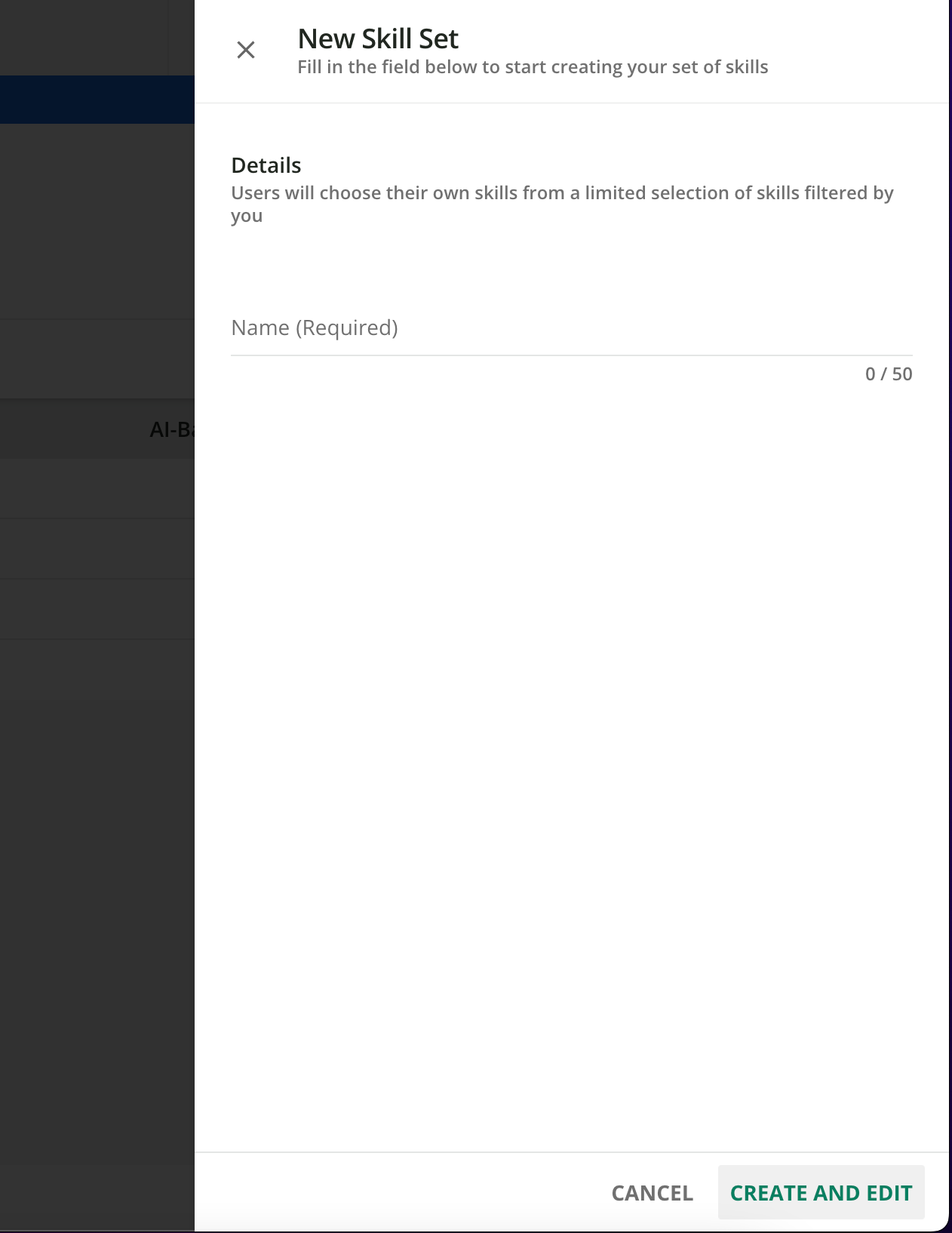
And once within the skillset you can add the skills you need using the + button
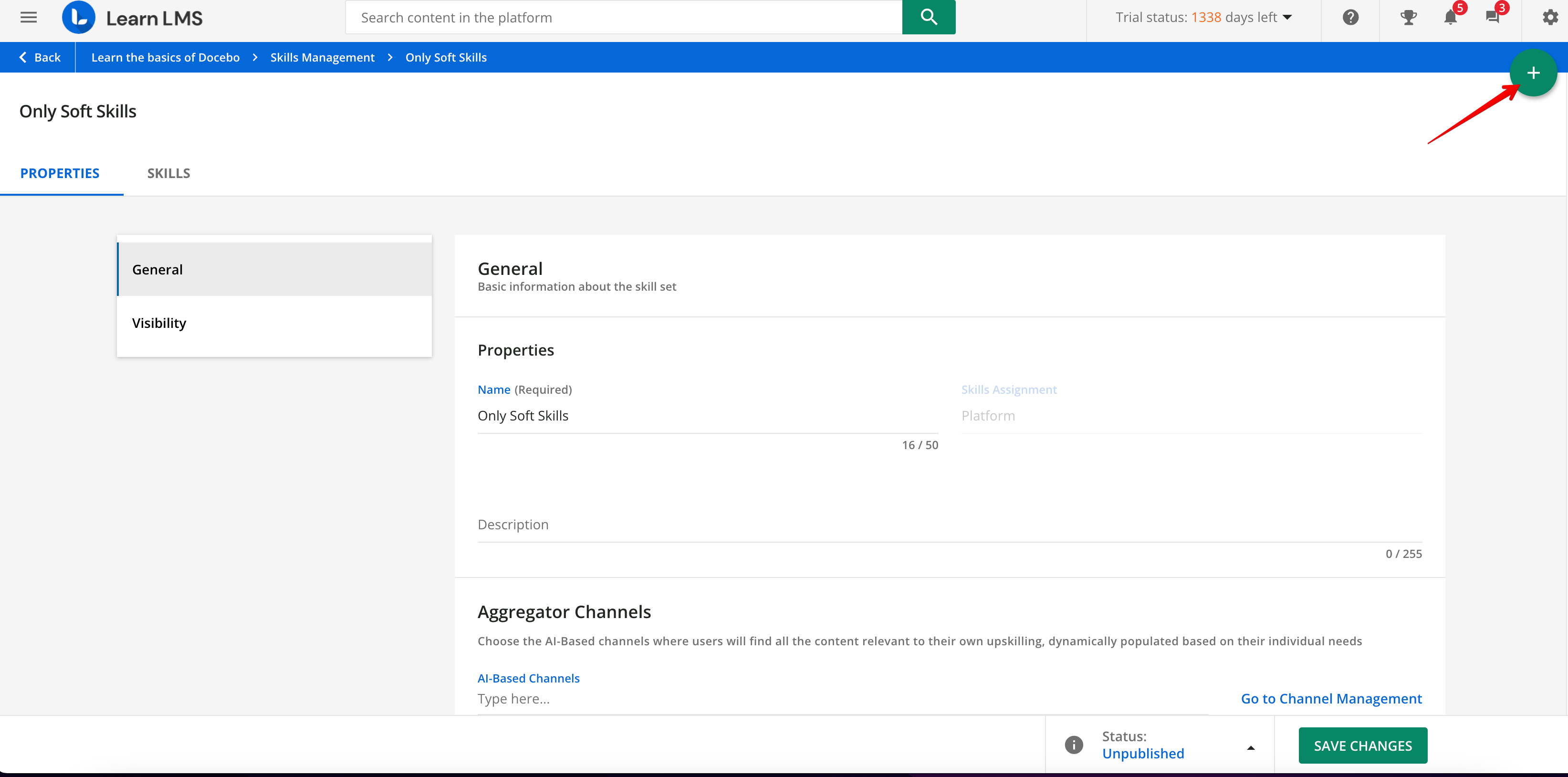
you can search skills by text search, or filter by job or area, and add the skills you want to make available to your users
The default visibility of these skill-sets will be all group and branches, so everyone will see these skills, but you can create also multiple skillsets, with different skills, and different visibility, to have different skills available to different people
hope this help
Marco




Log in to Docebo Community
Enter your email address or username and password below to log in to Docebo Community. No account yet? Create an account
Docebo Employee Login
or
Enter your E-mail address. We'll send you an e-mail with instructions to reset your password.