


Answer

Error Message for Expired User Account

  • May 25, 2023
  • 5 replies
  • 106 views

Forum|alt.badge.img+4

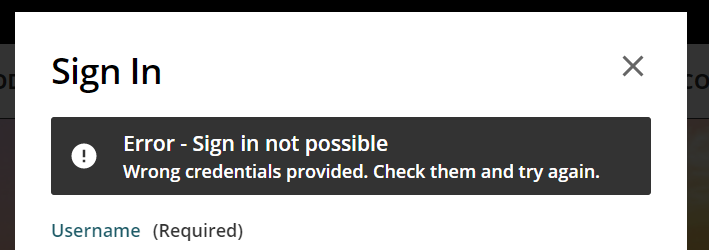
At present, if an expired user attempts to log into the Docebo platform, they receive the following message: 

Error - Sign in not possible

Wrong credentials provided. Check them and try again.

This message us confusing to expired users. Is there a way to modify the message specifically for expired accounts?


Best answer by lrnlab

You can use the Localization app to make these changes. Think these are the labels you are looking for but please make sure to test thoroughly and document your changes in case you need to revert to the originals...looks like you'll need too update 2 labels


5 replies

lrnlab
Hero III
Forum|alt.badge.img+10
  • Hero III
  • Answer
  • May 25, 2023

You can use the Localization app to make these changes. Think these are the labels you are looking for but please make sure to test thoroughly and document your changes in case you need to revert to the originals...looks like you'll need too update 2 labels


Forum|alt.badge.img+4
  • Author
  • Guide I
  • May 26, 2023

If I make changes to the text in localization, will the updated text be shown to both users who attempt to log in with an expired account and those who enter incorrect credentials?


lrnlab
Hero III
Forum|alt.badge.img+10
  • Hero III
  • May 26, 2023

not sure...this is why it’s so important to test these changes...hopefully you have a sandbox you can try first. If not, you might want make these changes when your users are offline, just in case.


Forum|alt.badge.img+4
  • Author
  • Guide I
  • May 26, 2023

Got it! Thanks for clarifying!!


Forum|alt.badge.img+5
  • Influencer III
  • May 26, 2023

@Chelsy Koshy Based on my onboarding sessions if I remember right, it’s truly a “Find and Replace” and will list every instance that appears in the platform within that “module” as listed while searching. Because it’s listed as “standard” I would imagine it will apply everywhere regardless of the situation causing the error messages. Like @lrnlab mentioned the best way to know is to test!

Here’s an article on the Localization tool for more information as well if it’s helpful!






