

Answer

HELP! - Embedded/Linked Videos in PPT not playing in VILT Recordings

  • January 3, 2024
  • 4 replies
  • 78 views

Jtischler
Helper II
Forum|alt.badge.img+1

Hello Docebo Guru’s!

I have a facilitator who has uploaded a video, post VILT session, for enrolled users to view for credit or review. The session/event used a custom TEAMS URL, and a PPT was used through the session and was a seamless event with no issues.  

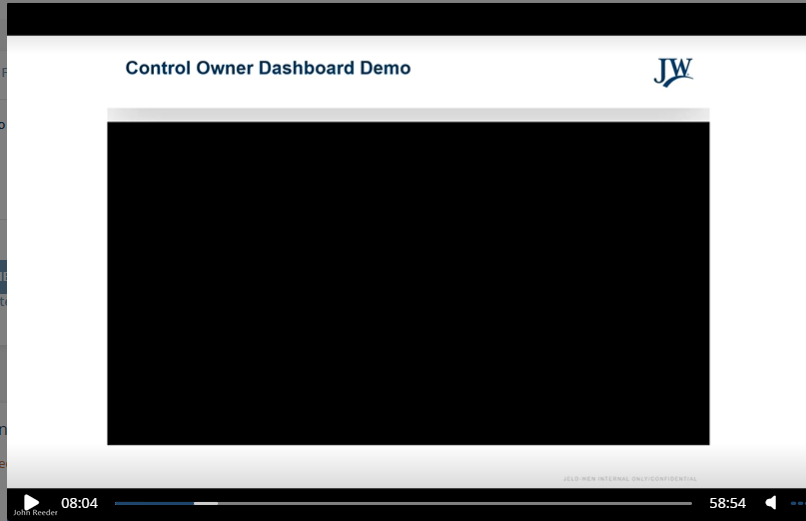
Once the recordings were uploaded, it was realized that where an embedded video (using a link to MS Stream) was played, it just showed a blank visual with no audio in the recording.  

Has anyone experienced, or are there known issues regarding embedded/linked videos in PPT’s not playing for the audience watching the recording of the session?


Thanks in advance for any help!



Best answer by lrnlab

almost feels like it may be a Teams thing...did you try and search the web to see if there may be any info on this?

didn't read the whole thing but it may have some options for you:

https://techcommunity.microsoft.com/t5/microsoft-teams/teams-meeting-recording-does-not-include-embedded-video-from/m-p/3899382

4 replies

lrnlab
Hero III
Forum|alt.badge.img+10
  • Hero III
  • January 3, 2024

Do you mean that you had a video shown during your Teams session that is not playing from the recored session? Sorry, confused about there the PPT comes in...


NateC
Helper I
Forum|alt.badge.img+2
  • Helper I
  • January 3, 2024

Hi @Jtischler 

Is it possible that you need to clarify the ‘Clickjacking Prevention’ options in Advanced Settings>Advanced Options?


Jtischler
Helper II
Forum|alt.badge.img+1
  • Author
  • Helper II
  • January 3, 2024

@lrnlab Short answer is Yes, the video was played without issue in the session utilizing TEAMS.


To further clarify, the PPT that was being used for the presentation had the video embedded into the slide utilizing a STREAM URL.  The video played inline in the PPT for the session without issue, but when the recordings are being viewed, its just a black screen without audio:


lrnlab
Hero III
Forum|alt.badge.img+10
  • Hero III
  • Answer
  • January 3, 2024

almost feels like it may be a Teams thing...did you try and search the web to see if there may be any info on this?

didn't read the whole thing but it may have some options for you:

https://techcommunity.microsoft.com/t5/microsoft-teams/teams-meeting-recording-does-not-include-embedded-video-from/m-p/3899382