

Best Answer

Internal Waitlist Email Notifications?

  • August 1, 2023
  • 9 replies
  • 123 views

kferguson
Helper I
Forum|alt.badge.img

We have a small number of courses that are waitlisted.  The internal team reviews the courses to determine if the registrants get approved into the course or not.  I understand you can view the waitlist inside Docebo.  Is there anyway an email can be triggered to a shared inbox when someone is added to the waitlist?  Is this possible?  

 

Best answer by lrnlab

yes there is one called, “user waiting to be enrolled in a course”...it should work with approvals.

9 replies

lrnlab
Hero III
Forum|alt.badge.img+10
  • Hero III
  • Answer
  • August 1, 2023

yes there is one called, “user waiting to be enrolled in a course”...it should work with approvals.


Forum|alt.badge.img+4
  • Helper I
  • April 5, 2024

Following up on this question, we noticed by complete accident that a user had been waitlisted. No notification had gone out. 

Is there a way to set up a notification to a SuperAdmin? 


lrnlab
Hero III
Forum|alt.badge.img+10
  • Hero III
  • April 5, 2024

Following up on this question, we noticed by complete accident that a user had been waitlisted. No notification had gone out. 

Is there a way to set up a notification to a SuperAdmin? 

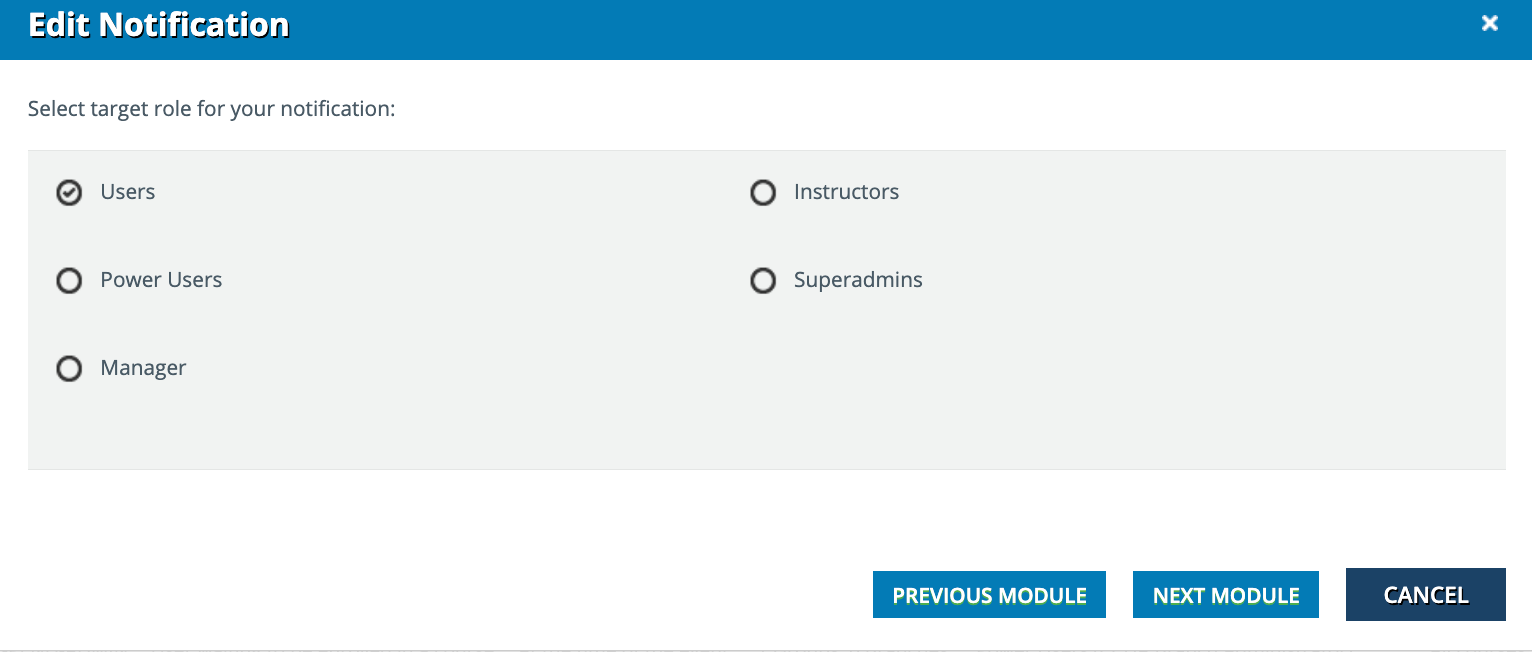
if you're asking about the notification cited above, there should be an option to send it to supers when you configure it. Remember that if you want the same notification to go to 2 different audiences, you must create 2 versions; one for each audience.


Forum|alt.badge.img+4
  • Helper I
  • April 5, 2024

Following up on this question, we noticed by complete accident that a user had been waitlisted. No notification had gone out. 

Is there a way to set up a notification to a SuperAdmin? 

if you're asking about the notification cited above, there should be an option to send it to supers when you configure it. Remember that if you want the same notification to go to 2 different audiences, you must create 2 versions; one for each audience.


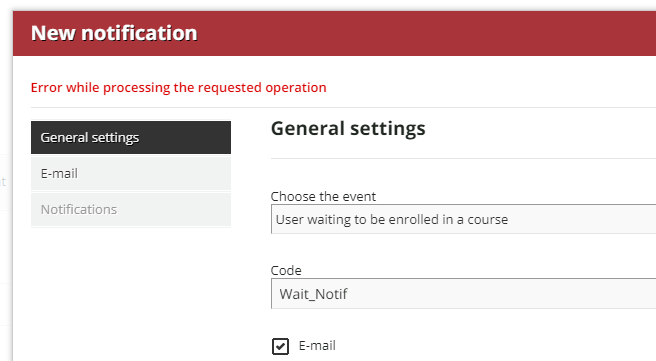
Thank you, that is exactly what I was looking for. I am running into an error at the moment: 


lrnlab
Hero III
Forum|alt.badge.img+10
  • Hero III
  • April 5, 2024

you need to configure the email...the next button goes to the next page so you need to click the “Email” tab on the right to create your email. A little confusing, I know...


Forum|alt.badge.img+4
  • Helper I
  • April 5, 2024

I did that, still receiving an error so I went completely out and back in and still seeing the message. I’m chatting with Docebo now…


lrnlab
Hero III
Forum|alt.badge.img+10
  • Hero III
  • April 5, 2024

I did that, still receiving an error so I went completely out and back in and still seeing the message. I’m chatting with Docebo now…


did you make sure to fill in the required fields? 

  • chose a language
  • from email
  • subject line
  • message body

that’s usually the cause...


Forum|alt.badge.img+4
  • Helper I
  • April 5, 2024

I did that, still receiving an error so I went completely out and back in and still seeing the message. I’m chatting with Docebo now…


did you make sure to fill in the required fields? 

  • chose a language
  • from email
  • subject line
  • message body

that’s usually the cause...

I did. We discovered that our internal IT needs to adjust some our settings. Thanks so much for your help @lrnlab I appreciate it!


lrnlab
Hero III
Forum|alt.badge.img+10
  • Hero III
  • April 5, 2024

ah!