Best Answer

Keeping cancelled sessions around for tracking...

  • January 16, 2024
  • 6 replies
  • 103 views

Question I can’t seem to find an answer to: We have sessions that we have to cancel (say 15 days prior to start).  I want to keep the session in the list so I can track it’s existence. We have a way to mark it as “Cancelled” in Docebo, but users can still see it.


What are the best ways to “keep” the session without deleting it, but ensure that no one can enroll in it or see it in the session lists?


Best answer by Bfarkas

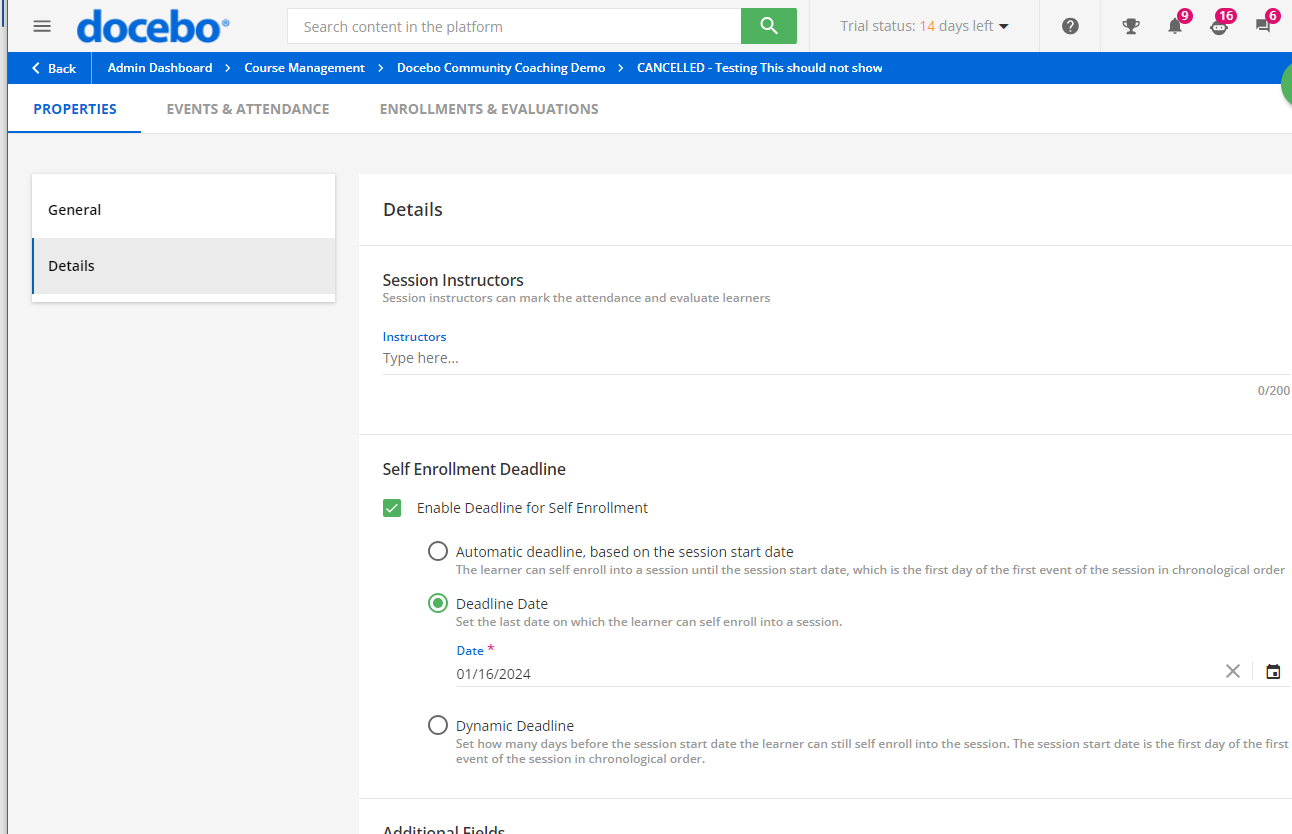
We update the name to basically be “Cancelled - “ and then also turn on the enrollment date option and set the enrollment date to in the last so it is no longer an option for users. 

6 replies

lrnlab
Hero III
Forum|alt.badge.img+10
  • Hero III
  • January 16, 2024

Since there is no real “cancel” option, only ting I can think of would be to close registration options, remove the waitlist and if they still show, you would need to change the date to something in the past. You might want to use the same date for all canceled  sessions but keep the original date somewhere in the description...would that work for you?


Bfarkas
Hero III
Forum|alt.badge.img+6
  • Hero III
  • Answer
  • January 17, 2024

We update the name to basically be “Cancelled - “ and then also turn on the enrollment date option and set the enrollment date to in the last so it is no longer an option for users. 


  • Author
  • Newcomer
  • January 17, 2024

I do that, but when I do the “Learner View”, I can still see the session. Is that because I have Power User access?

The thing I don’t want is for users to still be able to see the session (even if they can’t enroll in it). Too much confusion on their end...


Bfarkas
Hero III
Forum|alt.badge.img+6
  • Hero III
  • January 17, 2024

Sounds like maybe a PU thing, or is the user still enrolled in the cancelled one?

I just went in made a new course, 3 sessions, 1 I cancelled and set the ‘Self Enrollment Deadline Date’ to yesterday:


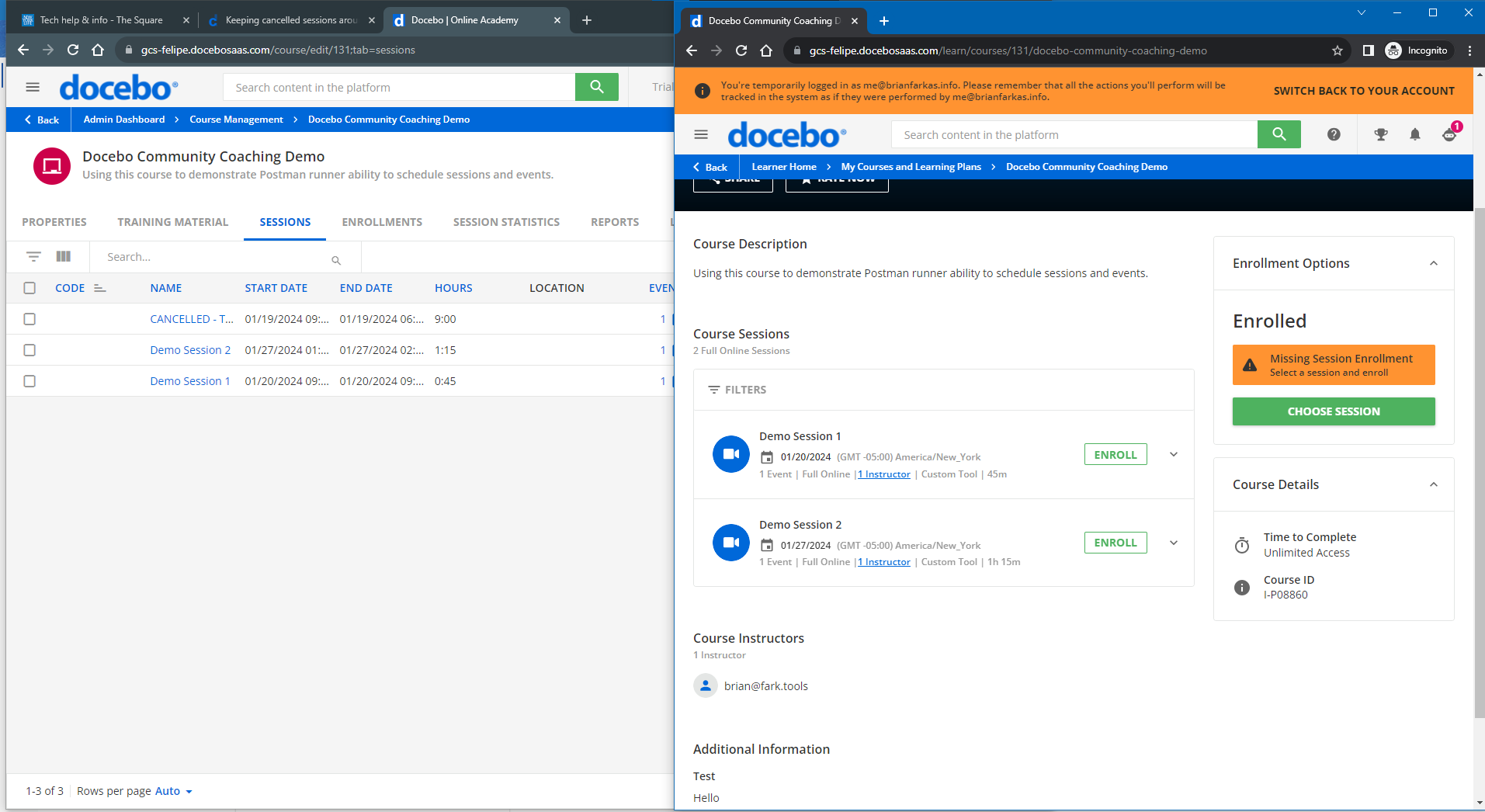
On the left you can see system admin viewing the 3 sessions, on the right, standard user only presented the 2:


  • Author
  • Newcomer
  • January 17, 2024

Perfect. It’s my Power User access that makes it look funky!


Bfarkas
Hero III
Forum|alt.badge.img+6
  • Hero III
  • January 17, 2024

Makes sense!