Answer

Manually Change the Score Field

  • September 20, 2022
  • 8 replies
  • 255 views

Is there a way to change/enter the score manually in the score field for users who completed a course?  We do a practical skills assessment on our platform and would like to enter the score they received for their course assessment. If not, are there any workarounds you would suggest?


Thank you in advance!

Best answer by lrnlab

Oh, oops...for ILT courses there is no overall course score unless you choose the Session Completion method, “Evaluation Based” at which point you or the instructor can assign a final score when marking attendance


8 replies

lrnlab
Hero III
Forum|alt.badge.img+10
  • Hero III
  • September 20, 2022

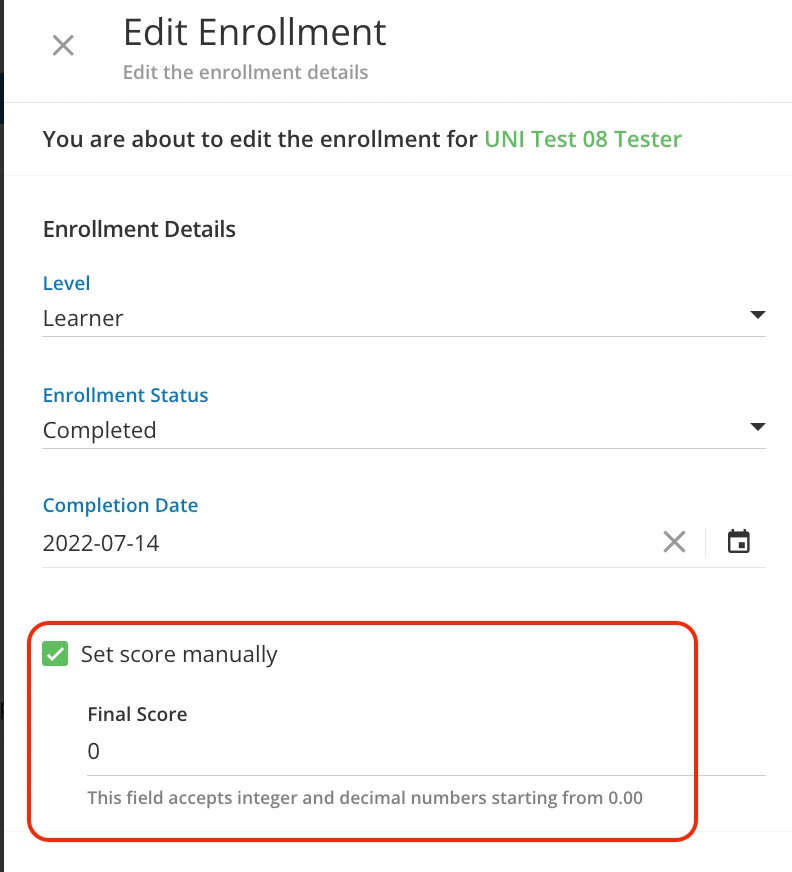
HI @kgalindo yes you should be able to do that via the Enrolments tab on the course

  • Locate the user
  • At the end of the row, click the ellipse and select Edit Enrolment
  • Click “Set score manually” and you can change the overall course sore


  • Author
  • Novice II
  • September 20, 2022

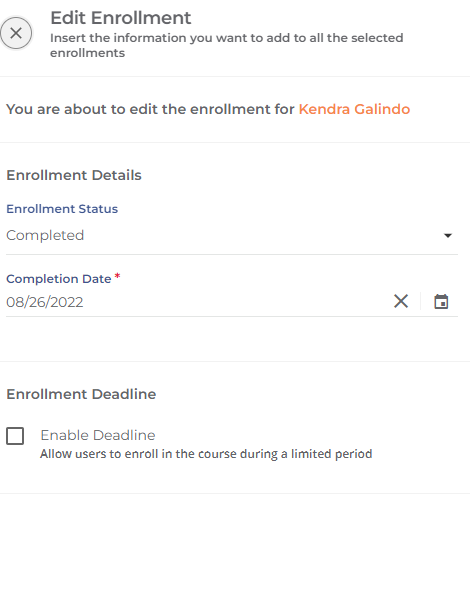
Thank you @lrnlab This is exactly what I’m looking for, however, I’m not seeing this as an option when I follow your instructions. Is there something that I need to set up/checkmark in order to see the score field in this screen? I don’t see the level either.  This is a ILT Course, if that makes a difference :-) 


lrnlab
Hero III
Forum|alt.badge.img+10
  • Hero III
  • Answer
  • September 20, 2022

Oh, oops...for ILT courses there is no overall course score unless you choose the Session Completion method, “Evaluation Based” at which point you or the instructor can assign a final score when marking attendance


  • Author
  • Novice II
  • September 20, 2022

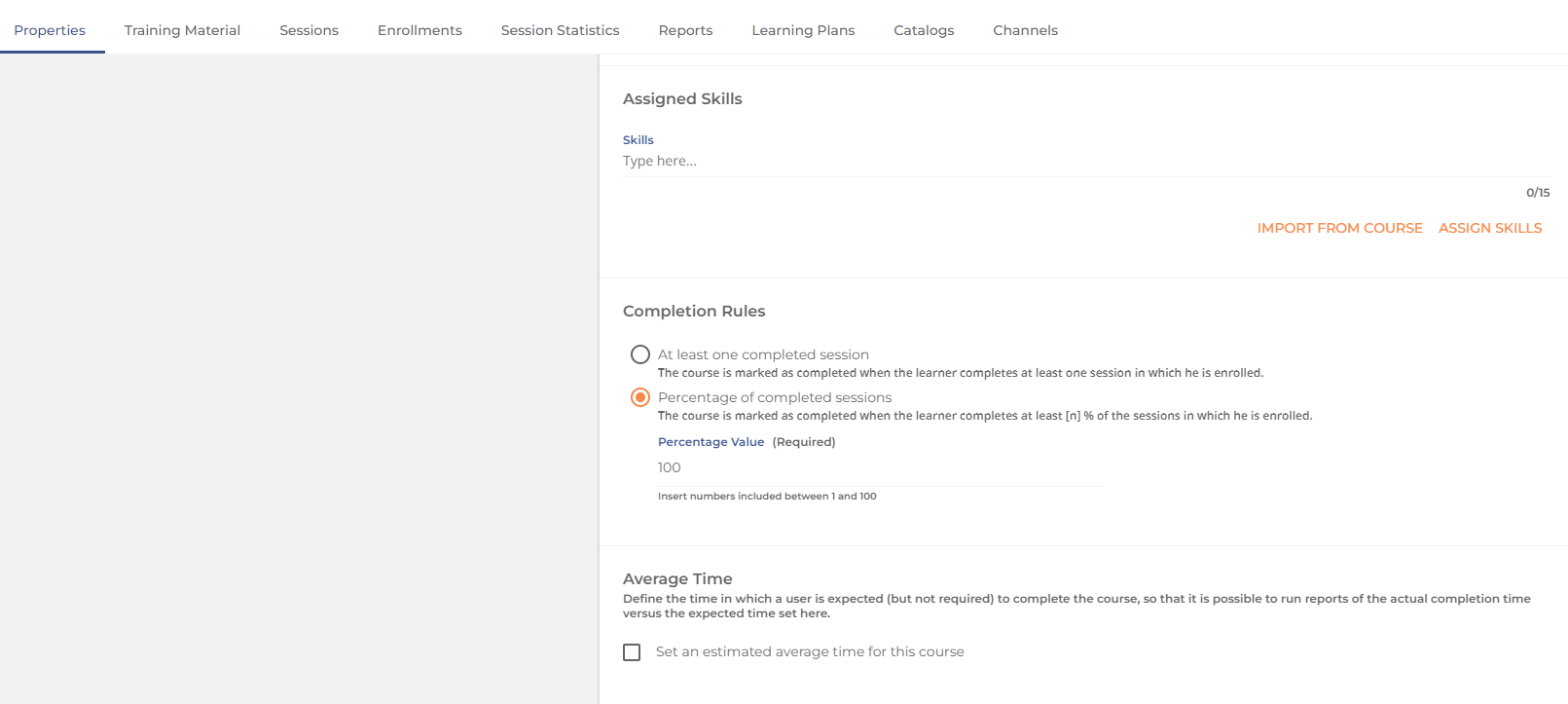
@lrnlab, you are giving me all of the answers I was hoping for, but I don’t have “evaluation based” as an option under the completion rules.  :-) I navigated to Properties>Details and scrolled down to Completion Rules.  Am I missing something? 


lrnlab
Hero III
Forum|alt.badge.img+10
  • Hero III
  • September 20, 2022

Sorry, it’s part of the Session set-up, not under Course Properties…

  • Goto the Sessions tab
  • Select the session you want to edit
  • on the Session Properties tab, you’ll see the option there

  • Author
  • Novice II
  • September 20, 2022

@lrnlab Never-mind….I found it!  I need to do it at the session level.  Thank you so much for your help!!


  • Author
  • Novice II
  • September 20, 2022

@lrnlab….You beat me to my response! :-)  You rock!  Thank you, again!


lrnlab
Hero III
Forum|alt.badge.img+10
  • Hero III
  • September 20, 2022

😁