Is there any way to know what type of SCORM files course has from the central repository, course management table, or anywhere? It would be great to be able to run a report that would give us the type of SCORM package in a course (ie: SCORM 2004, SCORM 1.2)?

Best Answer
SCORM Type - training material report


 +3
+3Best answer by Adam Ballhaussen
There may be easier ways to do it, but I’m only aware of one option to find the version of a single training material (not en masse).
Here are the steps you can follow to identify the version of any SCORM package in your platform:
- Follow the steps in the Download Training Materials guide to download the SCORM file in question
- Unzip the package contents of the downloaded file
- Follow the How do I check the SCORM version? instructions in this article to find the package version via the
<schemaversion></schemaversion>section of theimsmanifest.xmlfile
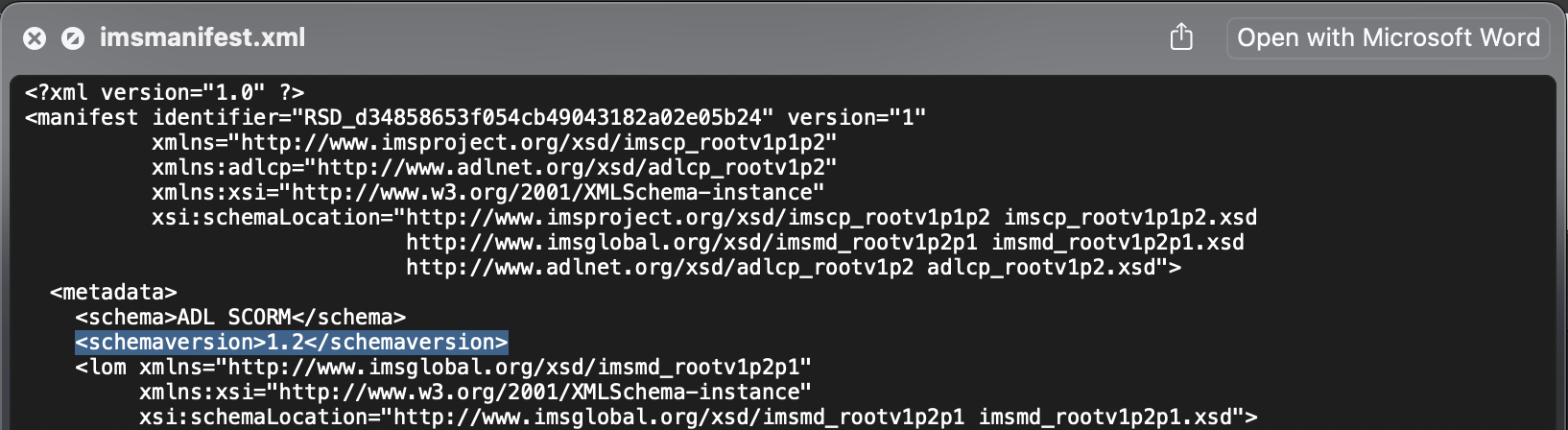
I hope this helps! (and that someone follows up here with a simpler solution for you 🙂)



Log in to Docebo Community
Enter your email address or username and password below to log in to Docebo Community. No account yet? Create an account
Docebo Employee Login
or
Enter your E-mail address. We'll send you an e-mail with instructions to reset your password.