
Answer

Using iframes with content from Canva

  • April 13, 2023
  • 3 replies
  • 975 views

Hello!

We are just getting started with Docebo. My design coworker has created a very nice header to help White Label our account. It is designed in Canva. I have added Canva as an allowed iframe in e-learning. 

The system shows me that Canva won’t communicate:
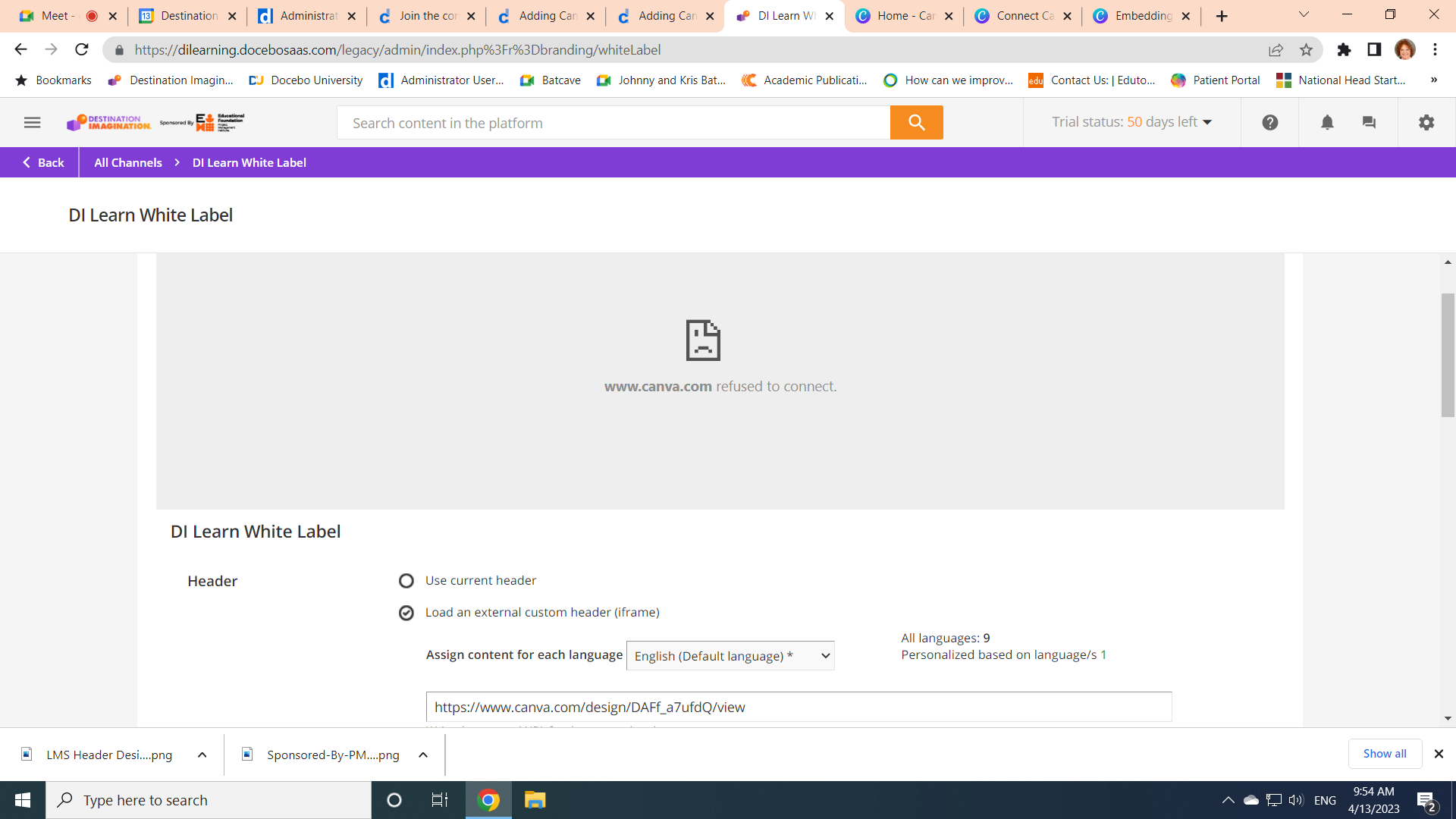
What am I doing incorrectly.


Kris

 

Best answer by Brupert

So sorry Kristine, I just noticed you were in the white label menu, and not the configure branding and look or page setup menu. With that being said, if you are just looking to add an image to your login page or your home navigation page those would be the places to do it.  There was a question posted about this last year and there are some great answers there as well.


https://community.docebo.com/docebo-superadmins-46/how-do-i-load-an-iframe-1798

3 replies

Brupert
Forum|alt.badge.img+1
  • Newcomer
  • April 13, 2023

Instead of using the iframe use the “custom content” widget instead and upload the downloaded header.


Hi!


Thank you! I a real newbie; I do not know where the custom content widget is… Can you send me in the right direction?


Thanks!

Kris


Brupert
Forum|alt.badge.img+1
  • Newcomer
  • Answer
  • April 13, 2023

So sorry Kristine, I just noticed you were in the white label menu, and not the configure branding and look or page setup menu. With that being said, if you are just looking to add an image to your login page or your home navigation page those would be the places to do it.  There was a question posted about this last year and there are some great answers there as well.


https://community.docebo.com/docebo-superadmins-46/how-do-i-load-an-iframe-1798
