


Answer

Remove Screencast from Assignment

  • August 23, 2021
  • 4 replies
  • 142 views

nicole.roman
Influencer I
Forum|alt.badge.img+1

We created an assignment for the purpose of having learners submit their assignment with a document but the assignment shows an option to record their screen or submit a video link (as shown below). We would like to remove that option but I can’t seem to find where that option can be removed.
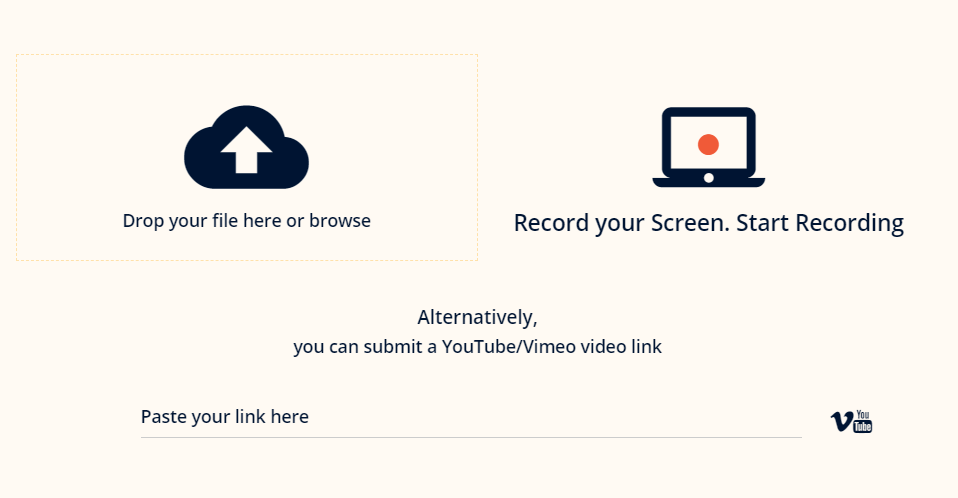
As always, everyone’s insight is appreciated!


Best answer by Adam Ballhaussen

Hi @nicole.roman! @lrnlab is correct: the best way to achieve this is via CSS. You can find the steps to hide certain assignment submission options in the following post:


I hope that helps!

4 replies

lrnlab
Hero III
Forum|alt.badge.img+10
  • Hero III
  • August 23, 2021

Hi @nicole.roman searched through KB and I don't think you can remove that option as a setting in Docebo. You might try to hide it with CSS if your comfortable with CSS coding...or perhaps someone in the community has been able to that and can share the code used. Have you tried reaching out to support to ask?


Adam Ballhaussen
Guide III
Forum|alt.badge.img+7

Hi @nicole.roman! @lrnlab is correct: the best way to achieve this is via CSS. You can find the steps to hide certain assignment submission options in the following post:


I hope that helps!


lrnlab
Hero III
Forum|alt.badge.img+10
  • Hero III
  • August 23, 2021

Thx @Adam Ballhaussen !


nicole.roman
Influencer I
Forum|alt.badge.img+1
  • Author
  • Influencer I
  • August 23, 2021

Hi @nicole.roman@lrnlab is correct: the best way to achieve this is via CSS. You can find the steps to hide certain assignment submission options in the following post:


I hope that helps!

Thank you @lrnlab as always for your help and thank you for the link @Adam Ballhaussen! You guys rock!