Question

Easiest way to unenroll from multiple courses?

  • June 6, 2025
  • 5 replies
  • 248 views

Forum|alt.badge.img+6

What’s the easiest way to unenroll a user from multiple courses?  We have HR team members who show other users how to enroll in courses and as a result are now enrolled in dozens of courses that they won’t ever actually take.  Is there an easy way to unroll a user from a large number at once.

5 replies

jibbotson
Novice II
Forum|alt.badge.img
  • Novice II
  • June 6, 2025

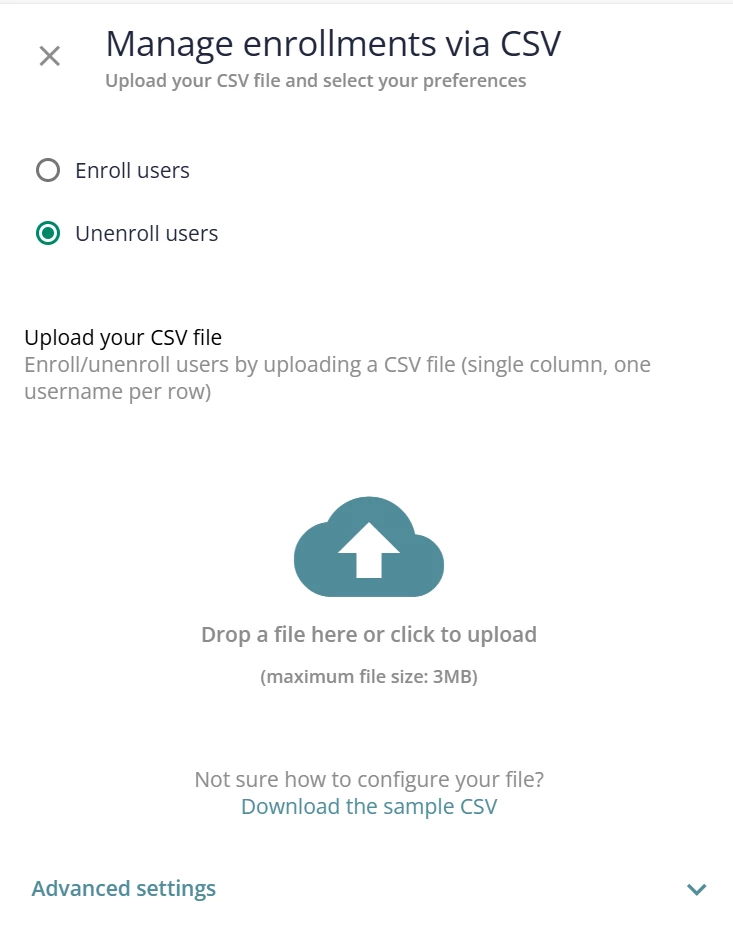
@mzirnhelt - Go to ‘course management’, ‘manage enrollments via CSV’ and select the ‘unenroll users’ option. Then follow the steps on the screen, you can download the sample csv if you are unsure of what field information you need.


dklinger
Hero III
Forum|alt.badge.img+13
  • Hero III
  • June 7, 2025

CSV upload is one way. Using the API is the another.

You can also unenroll with the UI from the enrollments tab…and that may be technically the easiest way to do it. 
But if you have their completions in a bulk format with the many courses? Unenroll with the API is probably the quickest.


  • Novice III
  • December 8, 2025

I’d really love to be able to unenroll directly from the user level, that would be a much better experience ​@Docebo 


I’d really love to be able to unenroll directly from the user level, that would be a much better experience ​@Docebo 

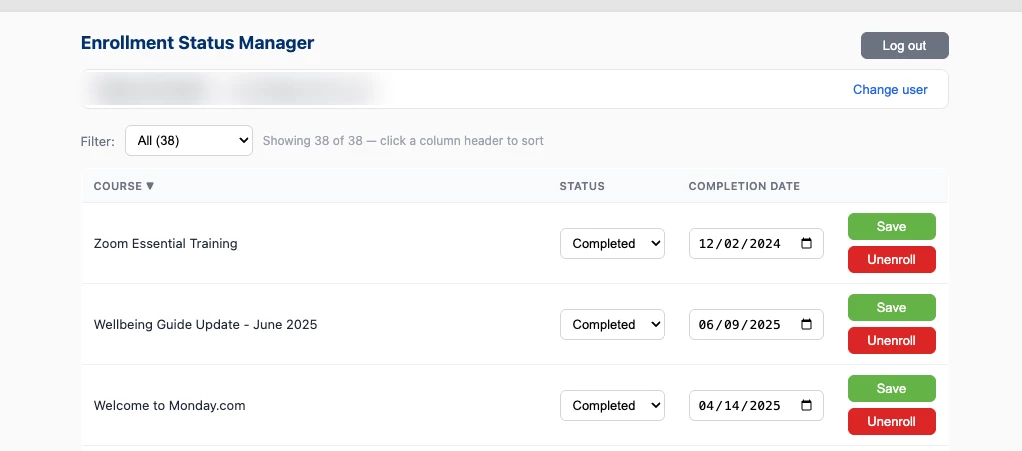
Yeah I would want a page that shows me all enrollments for a specific user AND allow me to unenroll them or mark them as completed. Having to go to each course is a lot of work.


Forum|alt.badge.img+6
  • Author
  • Helper III
  • August 20, 2026

I did end up solving my own problem by building a web app that calls the API.  I can choose a user and then edit their enrollment or unenroll.  I’ve got it embedded in a iFrame on a Docebo page so it’s easy for Power Users to get to and feels native-ish.