Check Your Data

  • February 17, 2022
  • 12 replies
  • 289 views

JZenker
Guide II
Forum|alt.badge.img+2

We’ve just been made aware that the automatic Data Refresh module for Reporting no longer works. If you want to have the data generated in Reports to be fully updated, you now have to manually run a refresh once a day:
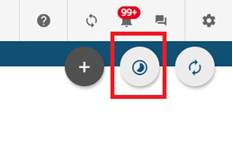


Here is the direct verbiage from support:


“The automatic data refreshes aren't running correctly, so data isn't being refreshed, even though your platform says the data refreshed overnight. You are correct that you should run manually data refreshes daily until this has been resolved.

I've gained some more clarity on the issue. We are in the process of completely replacing the component that causes this error. This is a large update, and we need to ensure it is tested and done correctly, so we are unable to rush the implementation. The update is expected to go live in April. I have linked this ticket to the active issue, so that we can more accurately track affected users.

As a workaround, you can run a daily manual data refresh from the New Reports page. The manual refresh will run as a background job, and can take a few hours, so it is recommended to run it at night, when users are less likely to have to download reports.”


P.S. Could someone start keeping the known issues page in Community more up to date? Thanks

March 2, 2022

Hi everyone, improvements were deployed a week ago so please let us know if you are experiencing issues related to this.

12 replies

Lenny Saucier
Novice III
  • Novice III
  • February 17, 2022

Thanks for the heads up. Would love to see it happen automatically more then once a day as is. 


Annarose.Peterson
Hero III
Forum|alt.badge.img+7

Thank you @JZenker for sharing! 


Annarose.Peterson
Hero III
Forum|alt.badge.img+7

@erin.brisson or @HawleyKane is this something that can be added to known issues?


dklinger
Hero III
Forum|alt.badge.img+11
  • Hero III
  • February 19, 2022

Wait a minute - is this really happening at the product or is it impacting instances? This will be a huge problem for me if it is global - but I havent detected it as of yet.


JZenker
Guide II
Forum|alt.badge.img+2
  • Author
  • Guide II
  • February 23, 2022

@erin.brisson Hi Erin, any official updates for this? Can the Known Issues page be more frequently updated? @Adam Ballhaussen 


erin.brisson
Docebian
Forum|alt.badge.img+3
  • Docebian
  • February 25, 2022

Apologies for the delay here @JZenker. We are working hard to ensure the Known Issue page is updated as quickly as possible. We have an internal process that we are continuing to refine but we still have work to do to improve. If a situation like this happens again, can you please tag me in your post? This way I can take the appropriate action as quickly as I can. Thank you!


JZenker
Guide II
Forum|alt.badge.img+2
  • Author
  • Guide II
  • February 28, 2022

Thank you so much @erin.brisson it’s super helpful!


Jessica Tart
Helper II
Forum|alt.badge.img+4

Yikes...Is this affecting all customers? If so, Docebo needs to post this in the Known Issues section ASAP as it directly impacts all reporting data.


erin.brisson
Docebian
Forum|alt.badge.img+3

Hi everyone, improvements were deployed a week ago so please let us know if you are experiencing issues related to this.


  • Novice II
  • April 12, 2022

@erin.brisson has this issue been resolved? above message says April. So just checking in. thanks


  • Novice II
  • April 12, 2022

@erin.brisson  nevermind, i see your above comment. I asked because we had an automatic report totally fail to send last week Friday and thought it might be related. sorry for the oversight of your previous message though.


Neil Patterson
Guide I
Forum|alt.badge.img+2

I must get better at looking at the date of the original post.  As this popped up on the recently active area, I thought it was a new post.  Keep forgetting it could also be replies!  Worried me for a while, but then saw it was fixed ages ago 😂