Question

Test attempt indicator

  • March 12, 2025
  • 2 replies
  • 32 views

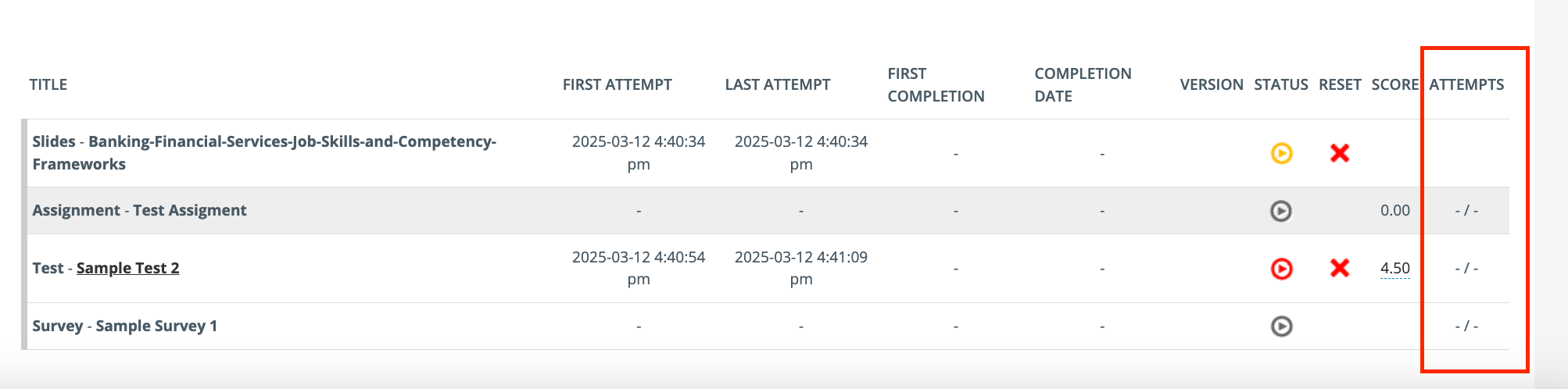
I set the number of attempts to 5 for an assessment. Is there an easy way to determine if a learner has reached the maximum number of attempts? Initially, I believed that by clicking the user stats, which show the entire progress of the user in a course, the play button beside the assessment served as an indicator:

  • Red: The learner has reached the maximum number of attempts.
  • Gray: The learner hasn't attempted the test yet.
  • Yellow: The test is either in progress, or the learner still has attempts left.

Can someone confirm if this understanding is accurate? Or is checking the report the only way to see whether the learner has reached the maximum number of attempts? Thank you!

2 replies

lrnlab
Hero III
Forum|alt.badge.img+10
  • Hero III
  • March 12, 2025

I don't see any fields or options on the admin side that tell you what attempt the user is at.

The only thing I could get to show the number off attempts is tied to course properties > navigation > Max number ion attempts that when enabled, shows this on the admin side:

Problem is this only for the overall course and not about the exam.

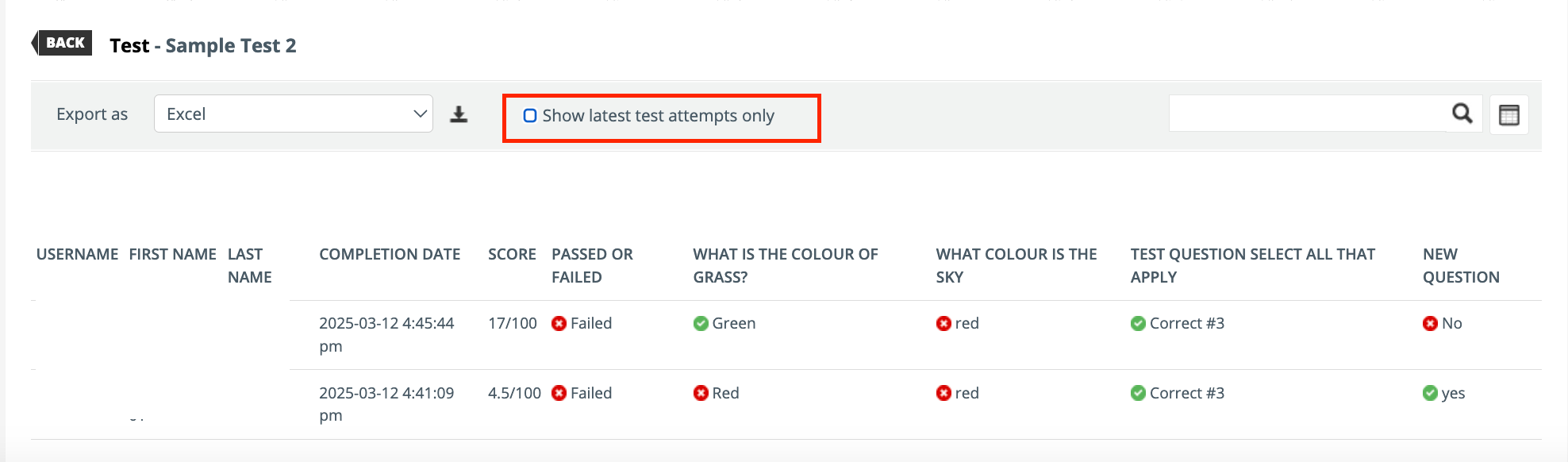
That said, I found the option you may be looking for. To see all the exam attempts for a user, open the Training Material Statistics tab (under Reports) and un-check the box, “Show latest attempt only”. You will need to count them manually


  • Author
  • Novice I
  • March 12, 2025

Thank you!