Last Updated: August 26, 2026
Picture this: You have a Docebo learn sandbox, but it doesn’t match your production platform. You’ve determined it’s time to sync the two up! So… where do you start?
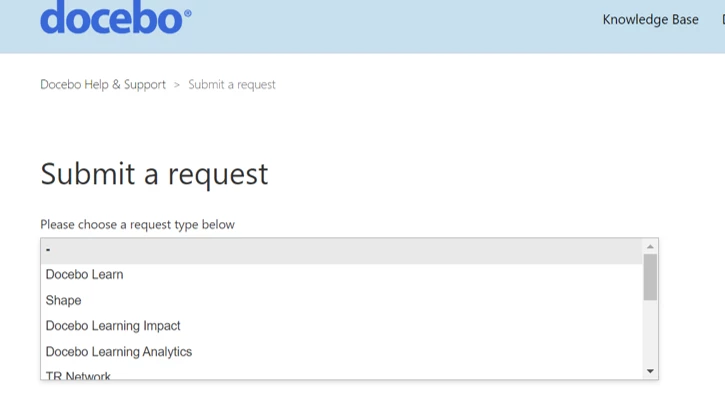
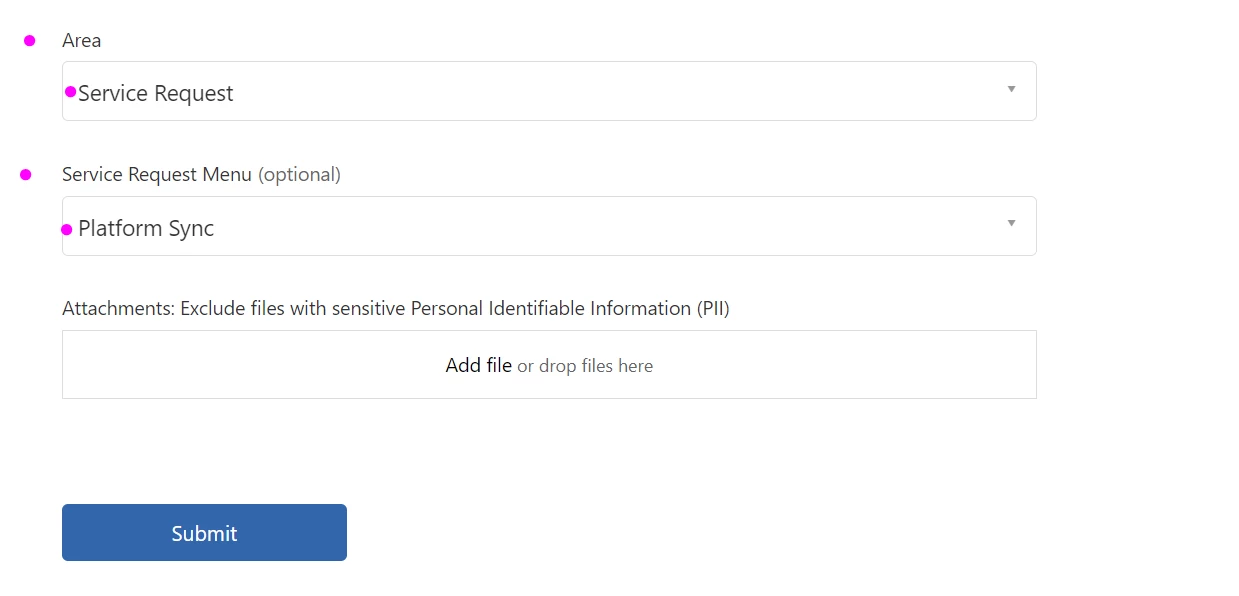
Your Support team is here to help! All you have to do is request it by submitting a ticket with our Help Desk. But before you do, please take a look through the steps laid out below.
Welcome to Docebo’s Production to Sandbox Sync Checklist. This checklist will help you ensure you have everything in order for your sync—and that your sync has worked as expected after the fact!
Please note: Docebo is able to perform 4 sandbox syncs per customer per year with some flexibility for special circumstances. If you require additional syncs, please let us know and we'll evaluate these requests on a case by case basis.
Table of Contents

IMPORTANT: THIS ACTION WILL REPLICATE YOUR PRODUCTION ENVIRONMENT IN SANDBOX.
EXISTING SANDBOX CONFIGURATIONS MUST BE RECREATED AFTER. THIS IS AN IRREVERSIBLE ACTION.
Pre Sync Action Items
Prior to a sync you may like to take some of the following precautionary steps relevant to your use case.
-
Document any Sandbox specific settings for ease of re-configuring where necessary
-
Communicate change dates and expectations to relevant stakeholders
-
Integrations – Double-check any key integrations for your platform. ie: SAML metadata. We recommend documenting all integration configurations prior to a sync to streamline the validation process and re-configure as needed.
-
Passwords will be overwritten in the sandbox - you will need to use the reset password link to gain access to the sandbox after the sync. If you need additional help with resetting your password or logging into your sandbox, please contact your Docebo POC.
-
“If Docebo Connect is enabled and you would like to migrate any recipes from your Connect sandbox to your production environment, or vice versa, please ensure to review this document thoroughly and provide this information along with your Learn Sandbox Sync request.”
Important Things to Consider
-
When requesting a sandbox sync, the request can take 1-2 business days to be completed. If you would like to request a particular date for your sync, please include that in your message with sufficient notice so that our team can accommodate this.
-
A typical sync includes the majority of areas in the production platform. This includes users, content, and certain configurations or integrations that you may have set up. The sync will overwrite the Salesforce App in the sandbox with any configuration from the Production LMS, the only solution is to “Reset and reinstall the entire App Package”. This will also include Uninstalling the App Package in the SFDC org to which the LMS Sandbox was originally connected, and then performing the full installation again.
-
Legacy notifications and new notifications will be copied but will be set in an inactive state.
-
DKIM settings are copied over. Custom domain and multi-domain settings will not be copied over.
-
SSO settings are copied over from production to sandbox, so sandbox-specific SSO configurations will have to be reinstated.
-
When the SSO is set up to redirect to IDP instead of a native login page there is a possibility that you may be unable to reset your SSO settings once the sync is complete. The Superadmin should consider disabling that setting so that the login page will be visible as well as to ensure they have an access point to reset the SSO configuration post sync.
-
Integrations such as Google Drive, content authoring, payment gateways, communications, web conferencing, and web analytics will be copied over.
-
If you have users in a current sandbox environment and you do not want to overwrite those user accounts, prepare for the synchronization by creating a backup of your current user accounts that you wish to keep. This can be done via the Admin Menu - Users section. You can filter and select your users, then export them into a CSV file for later re-import. Note that your enrollment records will not be exported with this process.
-
If you have Extended Enterprise Domain, this area is overwritten and any desired configurations will need to be saved before the sync.
-
Automation App - Rules and SFTP settings are not copied to sandbox.
-
Reports – Reports are not copied over from Production.
After Sync Checklist
Once your Production environment has been synched you may need to make some updates depending on your testing and functionality requirements/preferences in the Sandbox. The list below is a guide to help you verify and re-configure key items.
-
User Emails – Keep in mind that user data is brought over as is. If you are testing notifications you may like to override your user data with invalid email addresses to avoid sending communications from Sandbox following the sync.
-
See also Notifications.
-
-
Notifications – Copied over and set as inactive.
-
Custom Domain – Input your custom domain URL if applicable.
-
The sync will not input the Custom Domain URL from Production but will remove the Custom Domain (if applicable) as there cannot be two platforms with the same custom domain.
-
-
Docebo Connect – If you requested to sync Connect Recipes in your original request ticket, after the sync, please review and confirm the recipes are all well.
-
This also needs to be mentioned in the description of the internal ticket being created by our team.
-
-
SSL – If you desire to use a custom domain verify your SSL is still in place.
-
DNS validation may need to be repeated and the HTTPS certificate may need to be changed unless it was a *wildcard (such as .domain.com) certificate or Managed by Platform is selected.
-
-
Integrations – Double-check any key integrations for your platform.
-
ie: SAML metadata.
-
Reference the documentation you captured on integration configurations in order to set up integrations as needed.
-
-
-
Salesforce – The Sandbox sync will have overwritten the Salesforce App in the Sandbox with any configuration from the Production LMS.
-
This will also include Uninstalling the App Package in the SFDC org to which the LMS Sandbox was originally connected, and then performing the installation again.
-
DKIM – Public key and namespace fields will populate from Production.
-
You will have to rekey and reconfigure your DKIM in Sandbox if you expect it to be. functional.
-
You cannot Edit the DKIM but have to DELETE and create a new one.
-
-
SSO – Any and all SSO integrations will be copied from Production and will need to be updated after the sync to reflect any prior Sandbox details.
-
If your SSO behavior settings are set to “automatic redirect to identity provider”, you will need to change this setting to “Show standard login page” temporarily so that you will be able to login to your LMS after the sync.
-
-
Additional Apps – If you notice any apps are missing from the Administrator View page, please contact your current Docebo POC although all Production Apps should be visible.
-
Enrollment codes – if you have enabled the Enrollment Codes app any set of subscription codes generated in production will be copied over to the sandbox. Codes existing in the sandbox will be overwritten.
-
Hard Coded URLs – If you have utilized any hardcoded URLs in Page widgets in Production you will need to update links in Sandbox for them to be operational.
-
Branding – Your Branding, Look and Feel will need to be reconfigured if you prefer your environments to present differently from a UX perspective. Note that it is a common practice to differentiate either the color scheme or the logo on the sandbox so that it is easily recognizable from the production environment.
-
Content – Your files copy during the sync process, however your integration with Content Marketplace will not be functional in the Sandbox.
Testing and Validation
Your testing needs will vary depending on your own expectations, regulatory requirements, and preferences. We recommend documenting your settings, rationale, and any differences in those items between Production and Sandbox prior to syncs occurring to help you manage any configuration updates to realign your Sandbox as a ‘testing’ environment following a sync.
-
Review and confirm Course count
-
Review and confirm User count
-
Review and confirm Channels
-
Review and confirm Pages and Menus
*Please note: potential presence for hardcoded widgets -
Validate all configurations and settings that are necessary for the performance of your sandbox in the way you intend to utilize it. Often there are some differences between Sandbox and Production Advanced Settings or Course settings to allow for seamless testing.
Download the Checklist
We hope this helps you better prepare to sync your sandbox platform with your production! If you’d prefer to save this for future reference, you can download the file attached at the end of this guide.
Have you performed a Production → Sandbox sync with Docebo before? Please feel free to share your experiences and advice below!