Question

Auto Enrol into a new course after completing an existing course

  • February 9, 2026
  • 2 replies
  • 11 views

carolyn.parkes

Is it possible to create a rule to auto enrol learners once they complete one course into another course, so that we can manage compliance. We have tried certificates/ renewals but it isn’t working for us.

For example - a learner completes/ attends a ILT session on Asbestos awareness in 2025 - they must renew it yearly, so attend a ILT session before their year anniversary in the 2026 course.

Ideally, I want to set up a course for each year (Asbestos 2025, Asbestos 2026, Asbestos 2027 etc) and when my admin team mark a learner as attended in that year’s course, it auto enrols them as a learner in the next years course so we can track numbers and colleagues can see when they need to book onto a new session.


 

2 replies

JKolodner
Helper III
Forum|alt.badge.img+6
  • Helper III
  • February 9, 2026

The only thing that comes to mind is to create a Learning Plan that includes the annual ILT courses, with one being a prerequisite for the next. It’s not an ideal solution for a number of reasons, but let me know if you want to know more.

Also, this earlier post may help you: 


willingworth
Influencer III
Forum|alt.badge.img+3
  • Influencer III
  • February 11, 2026

Automated Groups and Enrollment Rules hold your solution.


One

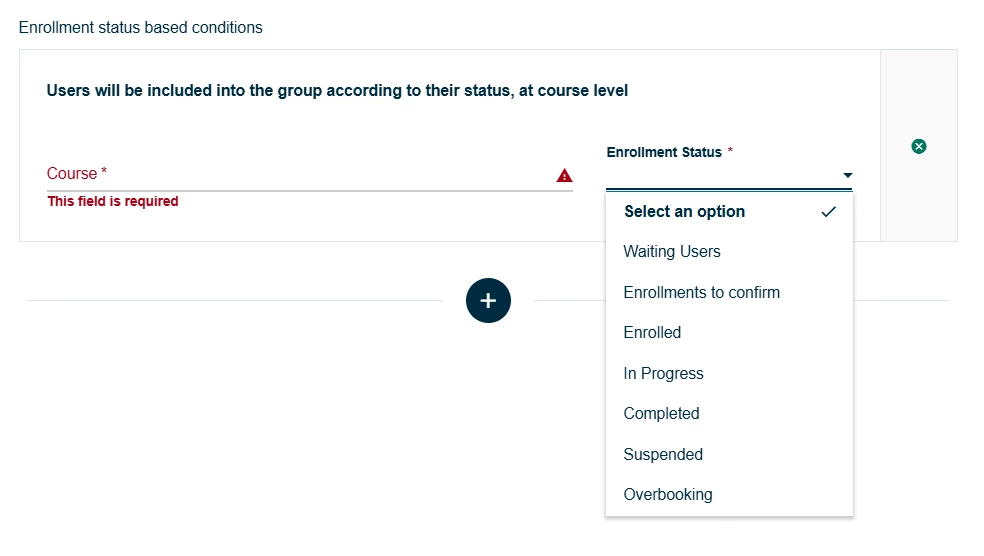
You need a starter Group: it’s either ALL users or users who meet XYZ criteria. It could be all users enrolled in the course Asbestos 2024. Use the Enrollment status based conditions to put the enrollment status of “Enrolled” in your “Asbestos 2024” course.

Automated Group - Enrollment status based conditions

Two

Then, you need Group(s) for your subsequent years: Absestos 2025, Absestos 2026…

Three

Create an Enrollment Rule that uses this Logic: “When user joins Asbestos 2025 Automated Group, Enroll user in Asbestos 2026.” You’ll need to ladder this effect across your sequence of courses.