

Issue when setting up notifications

  • April 18, 2025
  • 4 replies
  • 90 views

I’m new to Docebo and began setting up notifications this week. Hit one snag with the email notifications not coming through but our IT department fixed it by “whitelisting IPs in our anti-spoof ruleset for the email in the ‘From (email)’.”

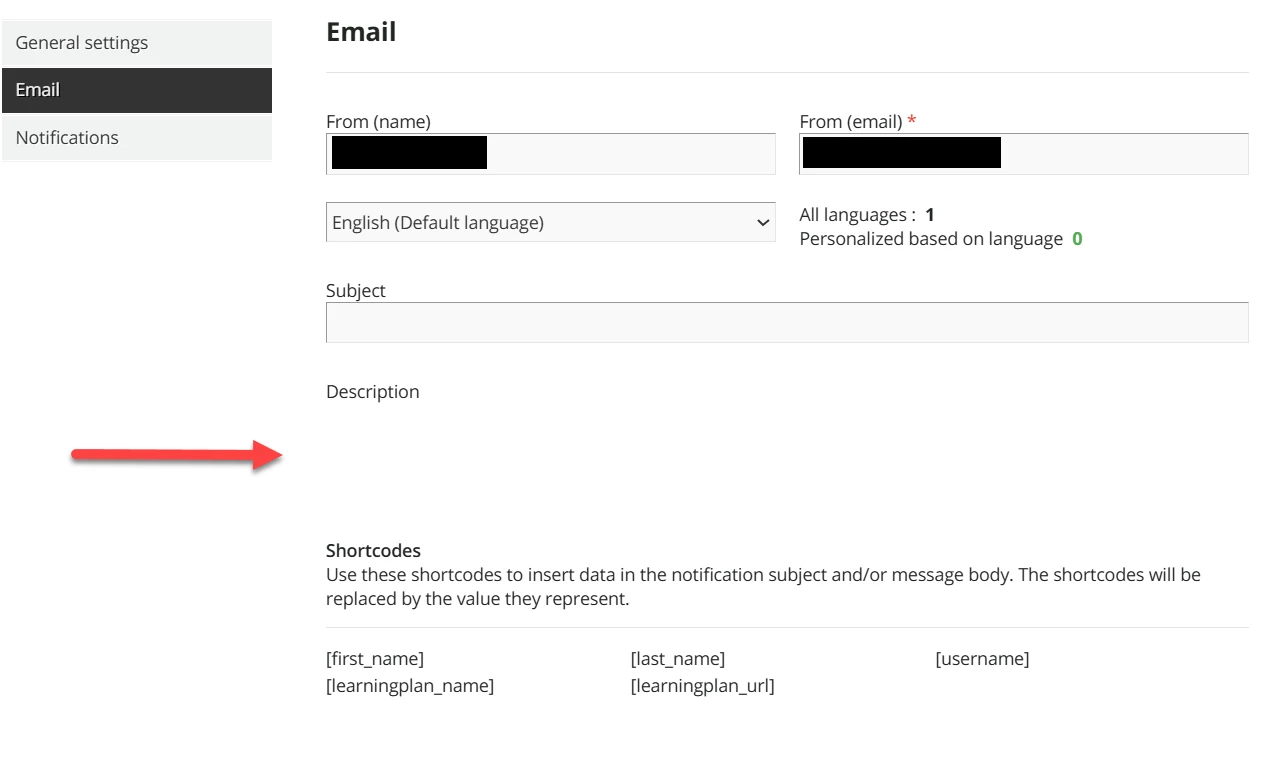
Today I’m running into this issue where the Description text box isn’t appearing in either the Email or Notifications tab. It did eventually pop up by closing out and coming back in. But I’ve been noticing other issues as well, like filling out the body for one (email or notification), going to the other one, going back to the first and the body is gone. Not sure what’s going on with the UI but just wanted to mention it.



4 replies

emily.mccarthy
Guide II
Forum|alt.badge.img+4

The current notifications is a legacy product that they are currently working on replacing. The new notifications enhancement was supposed to come out last week, but it was unfortunately delayed. I have also been seeing an uptick in these issues while waiting for the transition to occur. I would advise placing tickets with the Help Desk so they are aware of what is occurring in the platform.


  • Author
  • Novice II
  • April 21, 2025

Thank you! That’s good to know. I appreciate your feedback.


JZenker
Guide II
Forum|alt.badge.img+2
  • Guide II
  • April 21, 2025

The elements not appearing doesn’t seem related to the whitelisting for email delivery. It looks more like a caching bug. I would clear cache and/or temporarily try another browser/computer.


  • Author
  • Novice II
  • April 22, 2025

Thanks ​@JZenker! Yeah, that was two separate issues. I mentioned them both in my post but you’re right, they’re unrelated.



