

StickyBest Answer

How do we add team members to Docebo email comms?

  • March 30, 2022
  • 9 replies
  • 428 views

david.stock
Novice III
Forum|alt.badge.img

Hi

Sorry if this seems a dopey question but currently I’m the only member of our team who receives emails directly from Docebo.

We have two other team members who we’d like to get on the distribution list and both have tried ‘Subscribing’ to the Product Updates page as well as replying to @Adam Ballhaussen when I forward emails to them.

After a few months and several attempts, still no joy. What’s the best way to do this?

Thanks.
Best answer by Annarose.Peterson

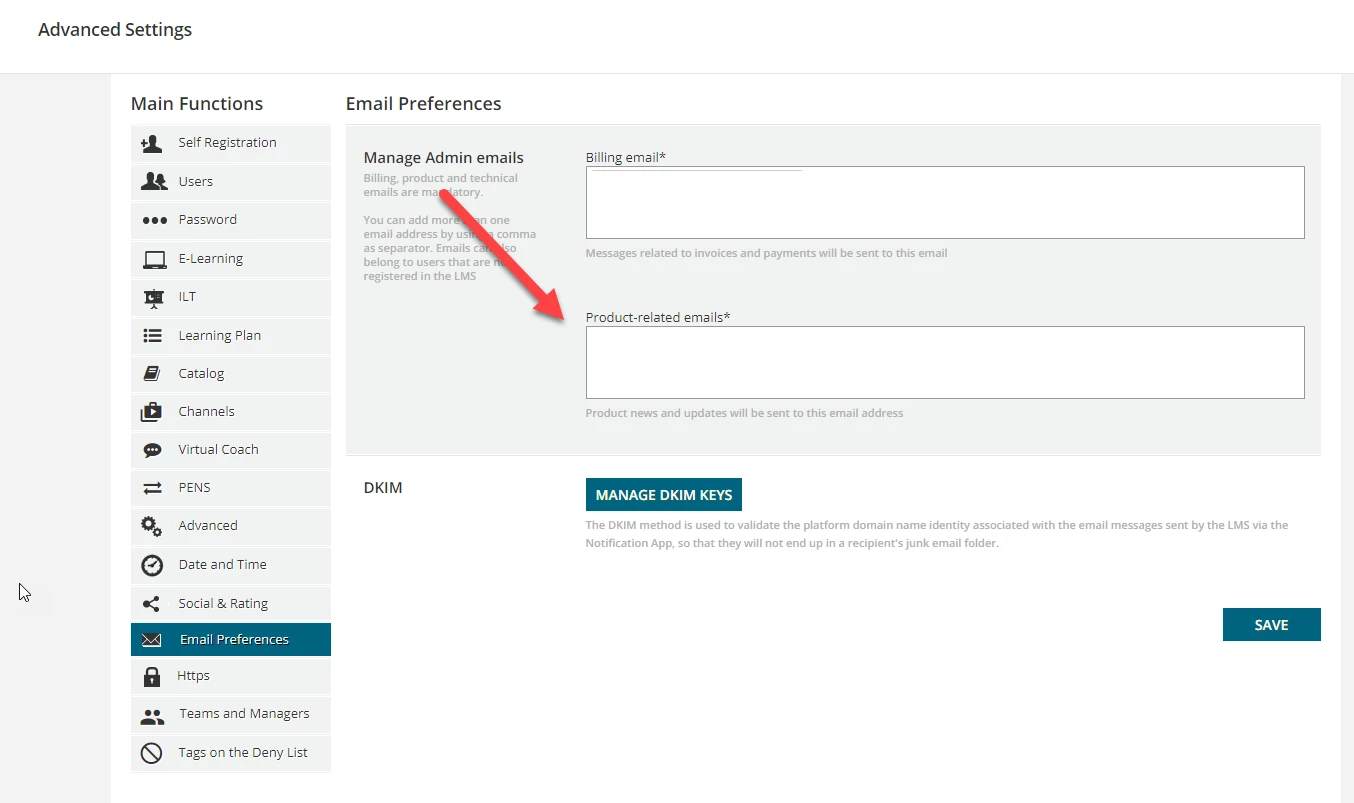
@david.stock you may need to add their email addresses under the Advanced Settings, then under the Email Preferences section.  Here is a screen shot:

If their emails are there, reach out in a ticket to make sure your users have not put themselves on a Do Not Subscribe list with Docebo.

9 replies

When we need to add users into tickets, open the ticket and just place their emails in the CC field

For updates and features emails, i believe your Docebo Customer Rep can set this up  for you. We email our rep and have users added when needed.


david.stock
Novice III
Forum|alt.badge.img
  • Author
  • Novice III
  • March 30, 2022

Thanks @Jeremy.DeLong 

No problem CC’ing them on the Support tickets, it’s getting on the distribution lists that is proving more challenging that we’d expected.

Thanks for the suggestion about requesting this from our Docebo Customer Rep.

Next order of business … find out who our Docebo Customer Rep is! 🤣


Annarose.Peterson
Hero III
Forum|alt.badge.img+7

@david.stock you may need to add their email addresses under the Advanced Settings, then under the Email Preferences section.  Here is a screen shot:

If their emails are there, reach out in a ticket to make sure your users have not put themselves on a Do Not Subscribe list with Docebo.


david.stock
Novice III
Forum|alt.badge.img
  • Author
  • Novice III
  • March 30, 2022

Thanks @Annarose.Peterson 

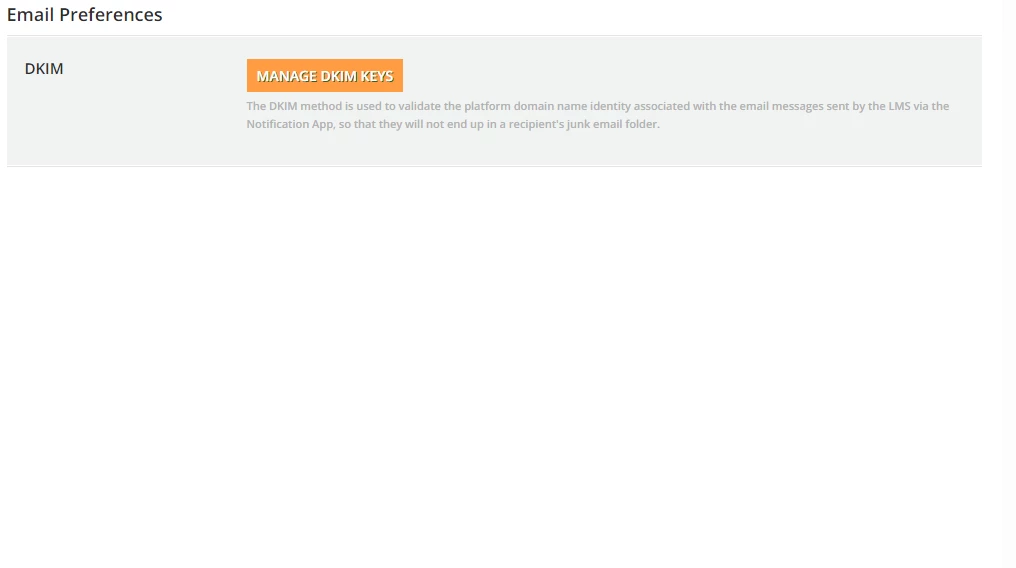
The plot thickens. We don’t have those options under our ‘Email Preferences’ tab. We only have the ability ‘Manage DKIM Keys’.

Sounds like we might need to take this up with someone at Docebo.


Adam Ballhaussen
Guide III
Forum|alt.badge.img+7

Thank you @Annarose.Peterson! You nailed it.


@david.stock I’d also add to check to make sure that your IT teams have whitelisted @docebo.com and @zoom.com domains as the majority of our webinar and product communications come from those two domains.


david.stock
Novice III
Forum|alt.badge.img
  • Author
  • Novice III
  • March 30, 2022

Hi @Adam Ballhaussen 

I’m getting all emails no problem so it doesn’t seem to be a problem with whitelisting the domains. And the two teams members in question definitely haven’t ‘unsubscribed’ as they’ve never received any emails from Docebo.

Per my reply to @Annarose.Peterson above, we don’t have those options available under the email preferences in our platform. Is there something we we can do to check the configuration?

On a more practical front in the short term, how do these individuals get ‘on the list’ for relevant comms?

Thanks.


Adam Ballhaussen
Guide III
Forum|alt.badge.img+7

Hey @david.stock, I’ll send you a DM here so that we can get this resolved.


Adam Ballhaussen
Guide III
Forum|alt.badge.img+7

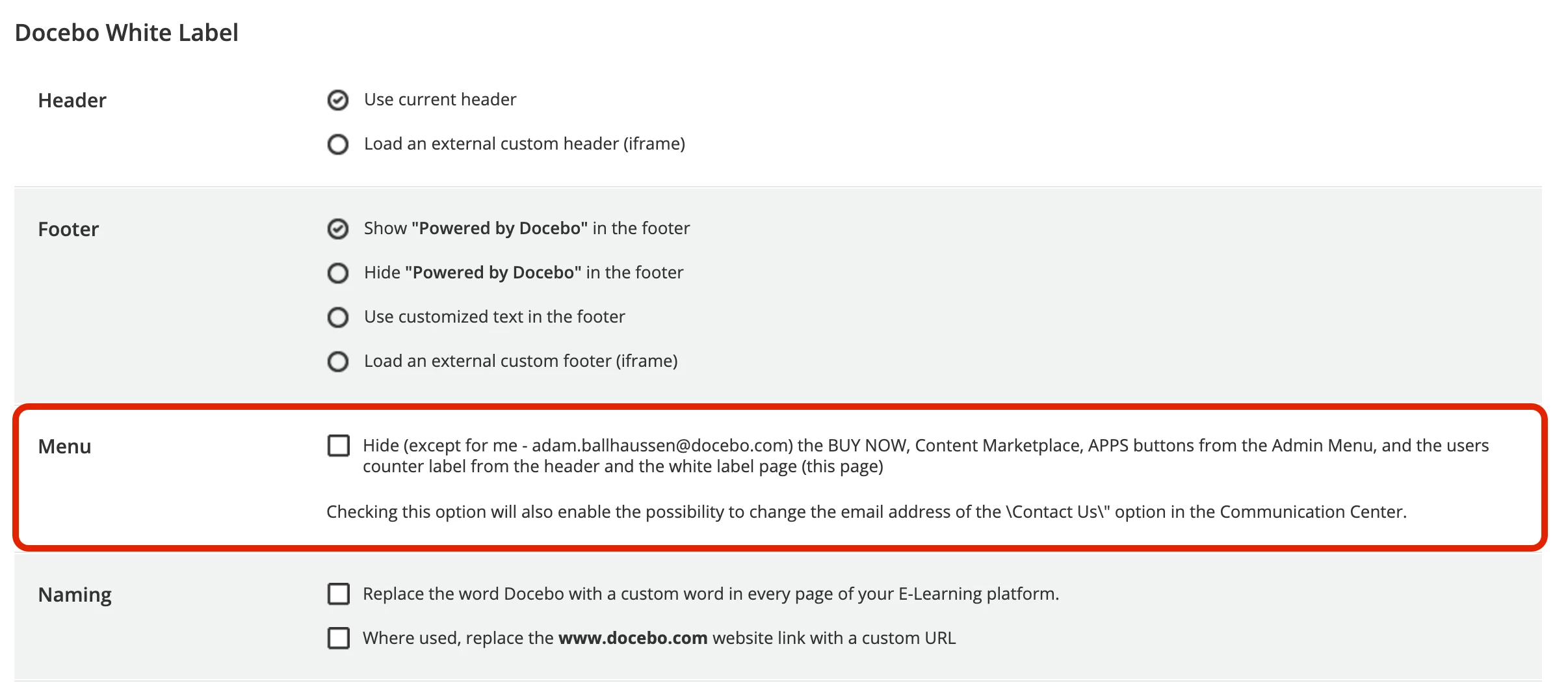
For those who might be experiencing issues viewing the Product-related emails section in their Email Preferences, please note the following:


There's a setting in Docebo White Label that limits all Superadmins other than the single Superadmin who activates the setting from updating the Email Preferences in Advanced Settings. I wonder if someone from your organization might have activated that setting.


The Hide button in the Menu section of the Docebo White Label page controls visibility of Email Preferences for Superadmins in your platform


You can learn more about the setting in this article.


If this setting is enabled in your platform, then that might be why you're unable to see the option to add specific email addresses to receive product-related emails. In this case, please reach out to the primary admin of your platform to ask them about toggling the Docebo White Label settings or to add you to the list.


TaiSaxty
Helper I
Forum|alt.badge.img
  • Helper I
  • July 5, 2022

Hi @Adam Ballhaussen 
This option is not ticked on my (new) site and I still don’t have the Manage Admin Emails  option on my site. I do have Extended enterprise enabled though, does this make a difference?
 

Menu not ticked
 
No email preferences available