Add an option to save a preferred view in the User Management

  • February 9, 2022
  • 10 replies
  • 234 views

It would be very useful to have a possibility to save a user preferred view in the User Management (e.g. I would like to see the user Level instead of the Expiration). In this way, we do not have to amend the view every time we open the page: 


10 replies

JeanetteMcVeigh
Hero III
Forum|alt.badge.img+7

Check out this idea and vote on it if you agree - 


Forum|alt.badge.img+4
  • Helper III
  • February 9, 2022

Hi @Ekaterina Hesse, I know if I select something different than the default, which I do select “Level” it does not change until I have to Log in as a user. Then when I switch back to myself and it goes back to the default setting and I have to change it back to the headers I want.


Exactly. Its quite annoying. I have upvoted the Idea @JeanetteMcVeigh  shared above. 


Gary Jarvis
Helper I
Forum|alt.badge.img+1
  • Helper I
  • February 9, 2022

It is a great idea, not just for the User Page but also the Course Management Page. I have to reconfigure both every time there is a system update. Quite annoying! There should be the ability to save your custom view and quickly redeploy it after a system update. Upvoted :relieved:

Gary


Forum|alt.badge.img

Yes! This and the course management view don’t remember your column selections and it’s very annoying! Would be great if it remembered the selection or if you could set a default at the organisation level too.


TaviaRitter
Helper I
Forum|alt.badge.img
  • Helper I
  • May 6, 2022

There are other posts out there that say that the selection is remembered until you impersonate someone, or clear cookies.. 

I think it would be idea if we could create and save multiple views in both the user and course management. 
This could be used for: 
Course Management: 

  • Filters for ecommerce courses
  • Any selection of columns we like
  • Filters for Elearning/ILT courses
  • Filters for Published courses
  • **Would also like to be able to filter courses based on additional fields the way we can for users


For Users: 

  • Any selection of columns we llike
  • Active Users
  • Any additional field we add


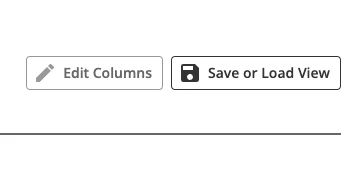
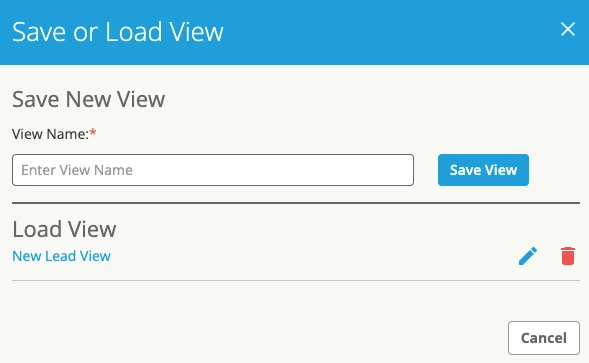
A potential idea like this already exists in other platforms, for example, screen shots from a CRM we use: 

Create the ability to save a few different views based on use case, then load that view in the same spot, as often as needed without going thru the column/filter selection process again


Add the ability to manage the views saved, edit them, and save with names based on use case. 

In our CRM, these views saved are unique to the users, however, I could see this being a valuable tool to be shared for all SuperAdmins in a platform, or for specific power user profiles.


  • Helper I
  • January 16, 2024

Yes please.


dwilburn
Guide III
Forum|alt.badge.img+4
  • Guide III
  • January 24, 2024

I agree this would be nice. I have an InPrivate, or Incognito browser session sitting open, or I open one if I need to login as a user. This does not impact my cookies so my view stays the same.


  • Novice II
  • August 13, 2024

We really do need to be able to set our preferred view (of column headers) as the default on several items. Can we please get this feature added to Course Management, User Management, and at the course level? It is too time-consuming and frustrating to have to reset the columns and/or filters every time you pick someone or something within your data set, then close the thing that was picked.


cgaither
Novice II
Forum|alt.badge.img
  • Novice II
  • August 23, 2024

I agree so much with this - I am so tired of changing this every time I open user management