Question

Assign Training material to channel without coach & share

  • September 18, 2024
  • 11 replies
  • 162 views

I’m wondering if anyone has attempted to get training material into a channel without needing a full course. Basically I have a PDF policy that I want to be available to users without the need to enroll them in a full course. The idea being that a user can jump into a policy channel and search for X policy and be presented with the PDF, HTML, etc without the need to enroll in a course. I think this is possible with Coach & Share, but we do not have that in our platform. Does anyone have any workarounds?

11 replies

kfontanini
Helper I
Forum|alt.badge.img
  • Helper I
  • September 18, 2024

I just started looking at this today, but haven’t played around too much. Have you reviewed this article? https://help.docebo.com/hc/en-us/articles/360020079840-Creating-and-managing-channels-without-Discover-Coach-Share


JEntis
Helper I
Forum|alt.badge.img+4
  • Helper I
  • September 18, 2024

To my knowledge this isn’t possible without having DCS (we have that in our platform and make some use of Channels), but curious what others have to say.


  • Author
  • Newcomer
  • September 18, 2024

I just started looking at this today, but haven’t played around too much. Have you reviewed this article? https://help.docebo.com/hc/en-us/articles/360020079840-Creating-and-managing-channels-without-Discover-Coach-Share

Yes, the basic management shows that you can add courses or learning plans which doesn’t fully meet my needs 😟
As JEntis pointed out it may not be possible without coach and share.


JEntis
Helper I
Forum|alt.badge.img+4
  • Helper I
  • September 18, 2024

@pseudonymMatt I got excited for a minute because I thought maybe we could get rid of DCS and still have Channels! lol. But no, looking at the article we’d be restricted to just existing courses and learning plans which wouldn’t work for us. We post a lot of individual PDFs and Videos in our Channels for our learners. 


  • Novice III
  • September 18, 2024

We explored this just recently for elective type courses for sales and other roles. Without DCS, courses are the best use of Channels. Will say that RISE 360 and their Microlearning feature isn’t a bad way to communicate policies. You can add some context, highlights, and links to more resources. Probably similar options with other authoring software. We have resulted in using ADP (HR management platform) for most policy acknowledgements. Others are covered in courses as needed. Good luck!


  • Author
  • Newcomer
  • September 18, 2024

I appreciate all the responses, basically what I’m trying to do is allow management to create documents on sharepoint that I can iframe into docebo so I don’t have to teach them how to manage courses if the policy needs to be modified. I guess the next thing I’ll try is just a “Policies only” course and iframe everything into that and see if that works as an alternative to a channel. I will let everyone know how it works!


ecc22
Novice III
Forum|alt.badge.img
  • Novice III
  • September 18, 2024

Do you need view tracking and other specific data for the file? If not, you have a couple of options, I think.

--You could iFrame the document directly into a page within Docebo

--You could use a third party site like HeyZine or Google Docs and link people away from Docebo and to this alternate online viewer by using a custom content box or a linked image within a Docebo page

I’ve used both of these options within our setup for one reason or another, and they do tend to work well as long as you don’t care about tracking specific view data (as in per user views, etc.)


  • Author
  • Newcomer
  • September 18, 2024

Do you need view tracking and other specific data for the file? If not, you have a couple of options, I think.

--You could iFrame the document directly into a page within Docebo

--You could use a third party site like HeyZine or Google Docs and link people away from Docebo and to this alternate online viewer by using a custom content box or a linked image within a Docebo page

I’ve used both of these options within our setup for one reason or another, and they do tend to work well as long as you don’t care about tracking specific view data (as in per user views, etc.)

Not sure why I hadn’t thought about pages! I don’t need to track accesses. I’m just trying to make things easier to find instead of people wading through a million sharepoint folders. I’ll definitely try this!


  • Contributor I
  • September 18, 2024

I appreciate all the responses, basically what I’m trying to do is allow management to create documents on sharepoint that I can iframe into docebo so I don’t have to teach them how to manage courses if the policy needs to be modified. I guess the next thing I’ll try is just a “Policies only” course and iframe everything into that and see if that works as an alternative to a channel. I will let everyone know how it works!

This is exactly what I was thinking of doing on our platform. I want information scattered throughout our company to be easily available in one place. I think it will be especially valuable for new hires.

Thanks for sharing your experience. Be sure to tell us how it goes!


Forum|alt.badge.img
  • Influencer I
  • September 18, 2024

Here are a couple of options outside of DCS. 

You could utilize the HTML Widget insert a link to the PDF via HTML. You would need to ensure everyone has access to where ever you stored it. 

There is also a possibility they could create an "External Page" in Docebo and insert the link to the PDF which would embed the PDF on an actual Docebo Page.…


Might be worth trying . 


caycocho
Influencer II
Forum|alt.badge.img
  • Influencer II
  • September 19, 2024

Hello,

This is just my two cents.

Content aggregation and curation is a function of DC&S

1..

But, I think Menus and Pages can be used for this.

Maybe, you can upload your documents to an external site, eg your FTP server or your Youtube Channel. You can try also Google Drive or One Drive.

Then, create a dashboard with the with the widget iFrame or HTML pointing to the external site. Of course, configure properly the widget to grant access to the site. The downside is searching documents will be done via the external site.

2.

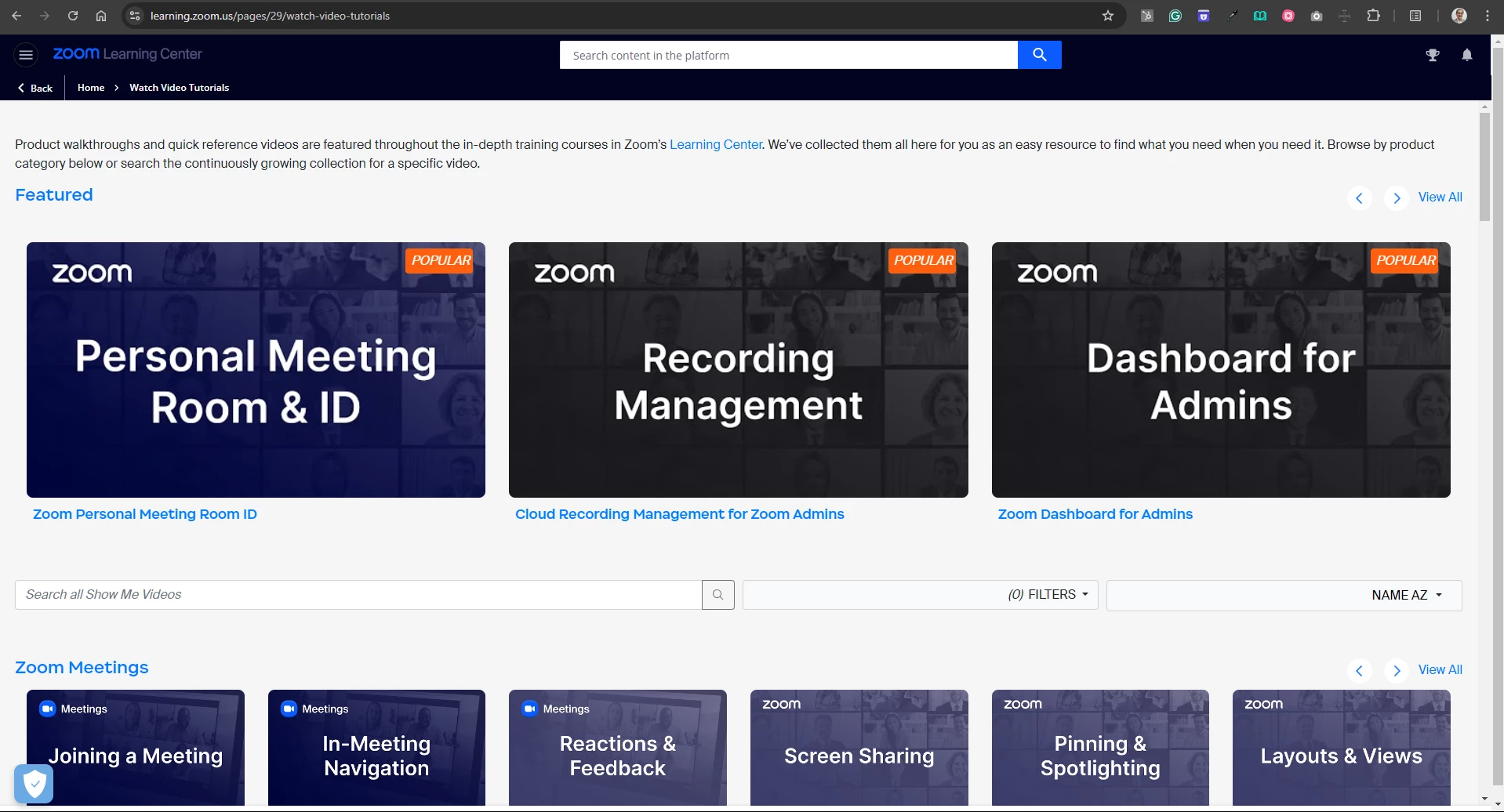
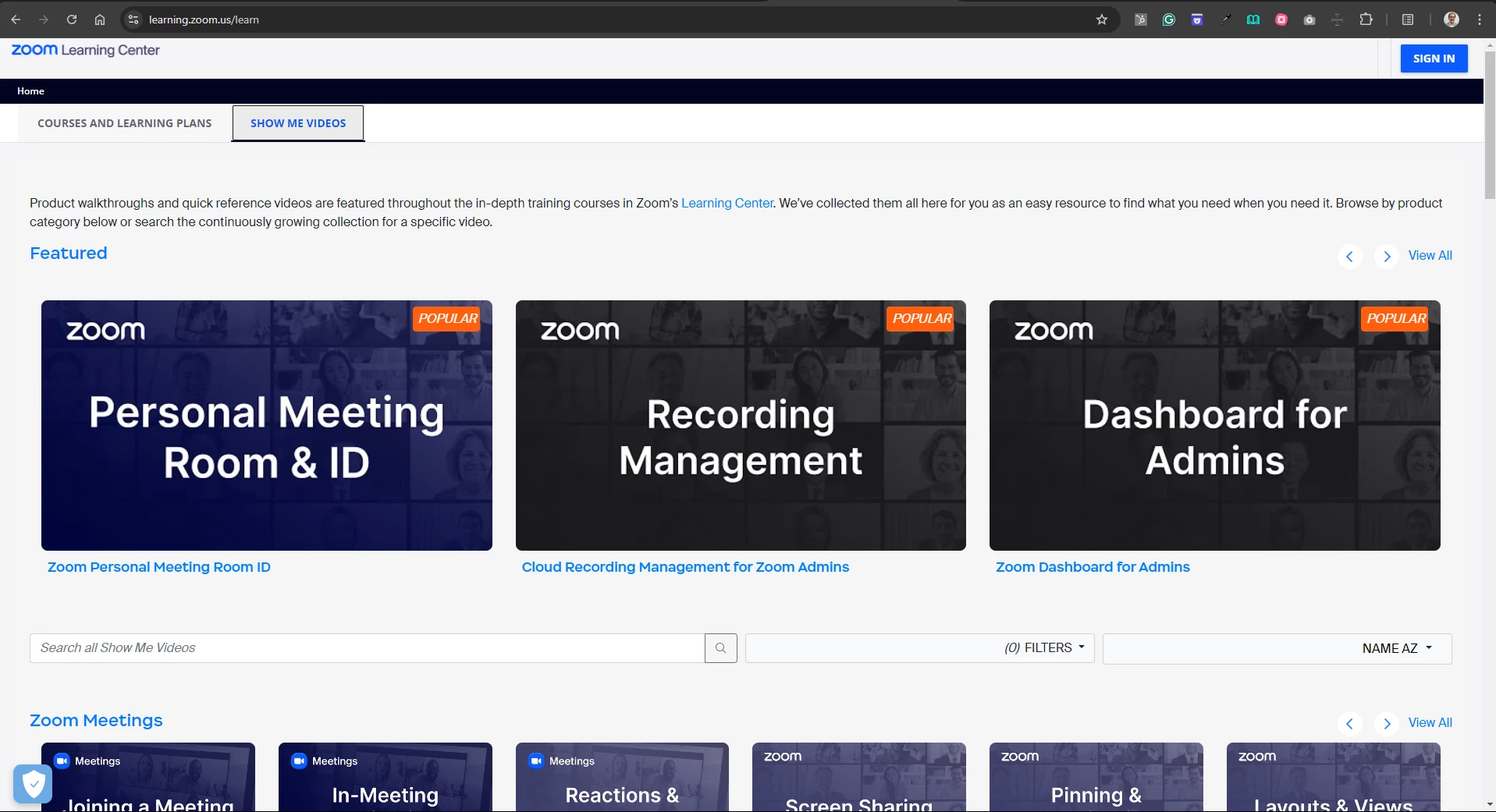
I also believe that the suggestion of @aempson about External catalogs can work since I saw that the Zoom Learning Center (learning.zoom.us) is also using this approach. I got several insights just by exploring their site.

I hope these helps.

Caesar


Dashboard

If you notice, the UI of the dashboard is the same as the external catalog.


External Catalog