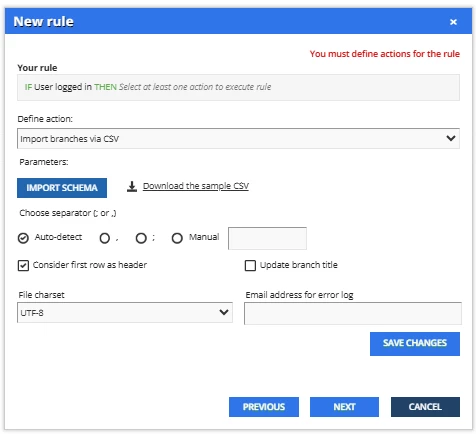
Could someone help me understand the Automation App and what it does when I select “Import users via CSV” and “Import branches via CSV”?
Problem: New employees log in via SSO, these users are not assigned to a branch (because that can’t be auto-populated like a group can). We have several enrollment rules that we want to base on branches so that they are heirarchical (all sub-branches to be included, rather than groups where we would have to capture every subgroup as a unique group), but because these users are not automatically placed in branches, they are missed for auto-enrollment rules and do not see courses that are required of them.
How I think I understand it: I’ve heard over and over that the automation app will do this, so I’ve used the “When user logs in” trigger and the “Import branches via CSV” and “Import users via CSV.” My challenge is that the documentation is not clear. I don’t need to import branches because I already have them defined. Will it assign the logged in user to the appropriate branch? Will it assign based on the user fields? I have something like 70 branches so manually assigning people is a headache. I can update them manually via user account update but that is usually too late to capture the new hires.
Do I need to maintain a “master” csv of every user and their current branch? Is that what it is doing?
I just need someone to explain exactly what is happening when I user these triggers and how I can use it to auto-assign to branches. Even if I could send everyone to a “new hire” branch or group when they create their account, that would be better than where we are now.