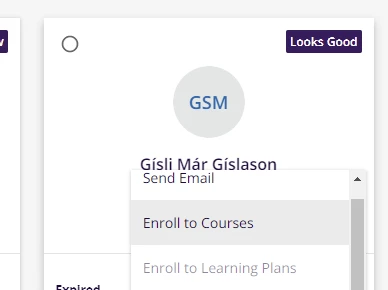
Is there a way to set up a notification that tells the learner that they were enrolled to a course but by who?
Instead of it being a general enrollment notice email that they are enrolled to a course, it can be: You were enrolled to Communications 101 by Sam Smith (the one that enrolled them) or by HR etc.
I can’t seem to figure it out.
Best answer by TaviaRitter
I was looking for something like this at our launch and couldn’t find it. We landed on turning on the general enrollment notification, but within a few months had to turn it off as it became ‘noise’ instead of notification, and didn’t really sever the purpose of saying ‘who’ enrolled the learner.
I was looking for something like this at our launch and couldn’t find it. We landed on turning on the general enrollment notification, but within a few months had to turn it off as it became ‘noise’ instead of notification, and didn’t really sever the purpose of saying ‘who’ enrolled the learner.
@TaviaRitter thank you for the comment! Your answer at least confirms that I did not miss a notification or a way to set it up. I can stop searching. :)
yes, our learners also struggle with the fact that they cant see at a glance if a training is mandatory or voluntary, or by whom they have been enrolled - that would be a great new feature and is sorely missed right now!
I guess as a workaround, you can create a mandatory enrollment additional fields which is not visible to users for self-enrollment. You can make this enrollment additional field as a free text to require type in the name of the person or admin doing the enrollment. Or make it as a drop-down list of people if you already know the admins and power users managing the courses.
Then you can create a report with this column of enrollment additional field.
But worst case, other admins might input different names on the field.
Is there a way to set up a notification that tells the learner that they were enrolled to a course but by who?
Instead of it being a general enrollment notice email that they are enrolled to a course, it can be: You were enrolled to Communications 101 by Sam Smith (the one that enrolled them) or by HR etc.
@choygannaban I am not sure how to set this workaround for the email notifications to include who enrolled a learner to a course from My Team. Is there an area for this? I only looked in Notifications in the Admin page.
@choygannaban I am not sure how to set this workaround for the email notifications to include who enrolled a learner to a course from My Team. Is there an area for this? I only looked in Notifications in the Admin page.
I believe that’s the only way we could do it through notification or audit trail I guess. Not sure thought if that’s possible in the system.
It’s not the exact scenario as your’s, but we recently struggled with how to send different ILT notifications depending whether the ILT was in-person only, Zoom only, or blended (in-person and Zoom). On the off chance there’s some overlap between what we worked out and what you’re trying to work out, here’s what we did.
Initially we thought you could display Course Additional Fields in notifications, but nope - that’s not possible today.
In light of that, our current workaround solution is to have 3 sets of notifications (in-person/Zoom/Blended), each contextualized to the delivery format.
We then created three “admin” Learning Paths (that are not visible to the learners. Since you can target Notifications based on Learning Path, that’s exactly what we do. If a class in in-person only, we add it to our in-person Learning Path, and learner’s get our in-person notification. Same for the other scenarios.
It’s very much a workaround, and we hope it’s only temporary until Notifications (hopefully one day) get the ability to include custom fields in them.
@dgladfelter thank you for the comment! We haven’t set up ILT yet but will in the future so this is good to know. We also have online and onsite training sessions.