Question

User name change

  • March 28, 2025
  • 3 replies
  • 124 views

Forum|alt.badge.img+1

Hi

How do I sync a user’s profile when they have a name change?

Under the historic profile the user has course status as completed but the new name profile shows the user is enrolled.

We have also had a HR update and migrated data has likely affected this.

3 replies

Ian
Guide I
  • Guide I
  • March 28, 2025

What are you using as the employee’s “username” in Docebo? At my workplace, we use their Workday ID, but at a previous job we used their work email address (before we had a working integration with our HRIS). The ID is good because it doesn’t change even when the employee’s name changes.

Let’s suppose you’re using the email address though, and now you have two profiles for one employee: the historical one with their old name and a bunch of course completions, and the new one with their new name and a bunch of incomplete enrollments.

The fix for porting the history from one user to the next is to Merge the users. There are knowledge base articles about how to do that. Once you’ve completed the Merge, the historical user will still be there but you can delete them because the new user now has their learning history.

I’d encourage you to speak to your Docebo rep about this however, because they’ll be more familiar with your LMS and user management than I am.


  • Novice III
  • March 28, 2025

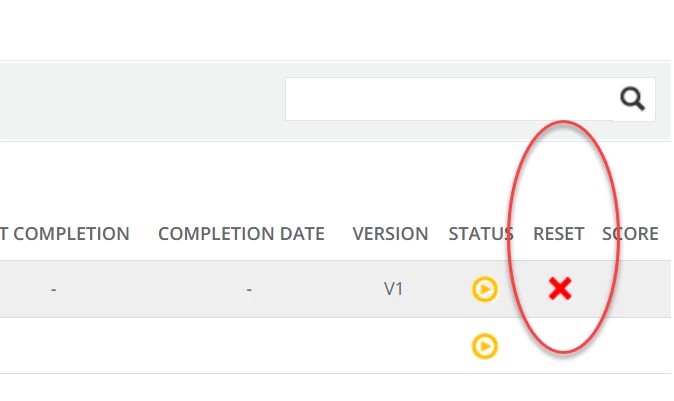
I had a similar issue happen due to having historical data with email address in the username and a second account that has the ID in the username. In order to fix my issue, prior to adding the correct user to the course, I reset the stat for the specific course, then I did the following below to the account that had the email address in the username field.

Go to the course → search for user ID→ the click on the ellipses at the end and select User stats. Once you are in that screen, scroll to the bottom and reset the course.
 

I hope that helps.


  • Novice III
  • March 28, 2025

If I understand correctly, you want to sync an older user account with a new user account, which represents a name change for the same individual. I have found the Merge User feature to be the best option for that. We use SSO and user accounts are provisioned when they log in with a valid email address (username), so we often get duplicate accounts due to name changes. From the Users page, select the three dots menu of the first user account (with the old name), and choose Merge users. The first user will be the Source, so you need to click on the Destination field and type the new user account (with the new name) and select it. (If necessary, you can swap the Source and Destination by clicking the arrows in the top center.) Then click Next and follow the steps making sure to verify the course records will merge correctly to the new account. Once you complete the merge (which cannot be undone), the old account should be deactivated, and the new account will have all the course history with both completions and/or new enrollments. I hope this is helpful!!