Best Answer

How to get a container to span the full area of a custom page?

  • April 22, 2024
  • 6 replies
  • 210 views

JZenker
Guide II
Forum|alt.badge.img+2

Having some trouble getting custom css containers outside of their restricted widget box settings. Even with css/html I’m not able to use the entire area of the page:
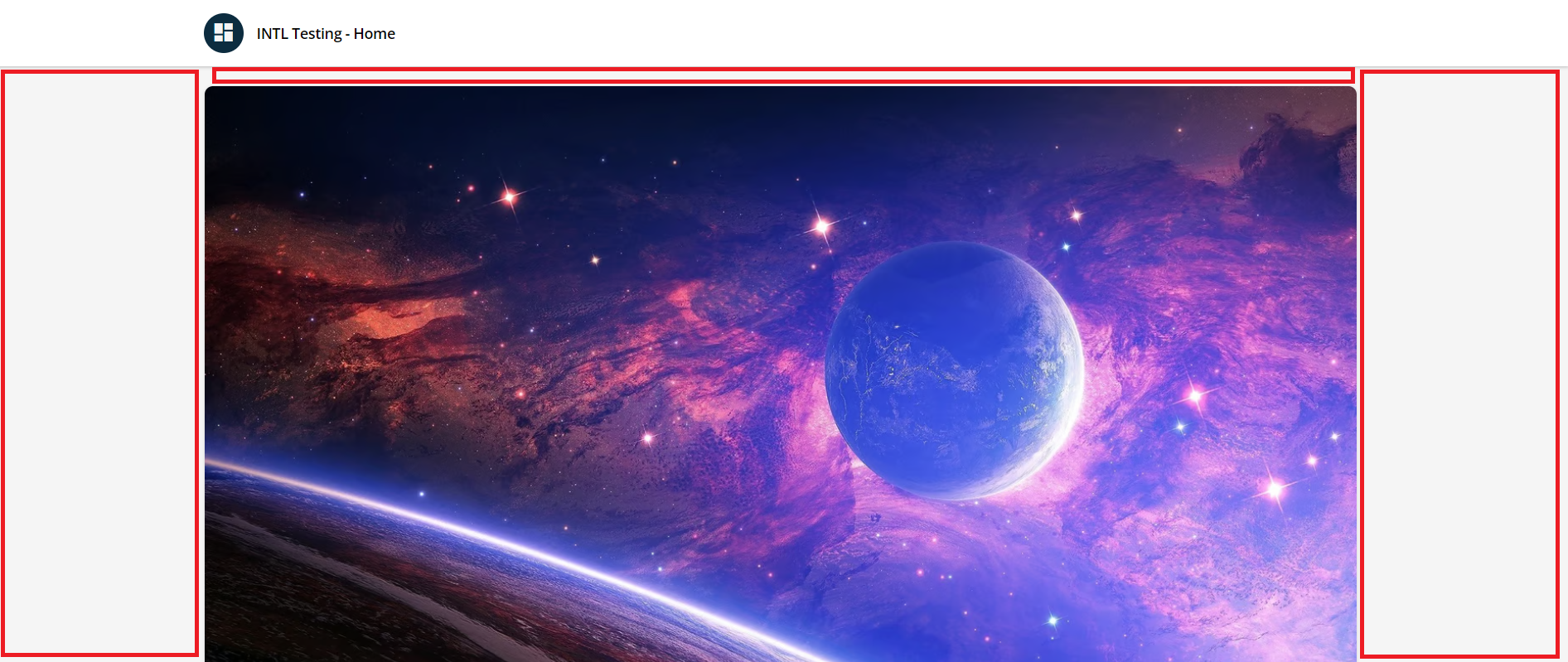


Looking to have the containers in my code to auto use all of the available space like this design:

https://info.fintechos.com/hubfs/Academy%20and%20Learning/Homepage.png


Best answer by JZenker

Ah hah! Found the built in style that was overriding my code and overrode that code! It worked! 

6 replies

JZenker
Guide II
Forum|alt.badge.img+2
  • Author
  • Guide II
  • April 23, 2024

Bump - my code is bound to the dimensions of what is allowed for a full length widget. Any ideas on using the full page?


JZenker
Guide II
Forum|alt.badge.img+2
  • Author
  • Guide II
  • Answer
  • April 23, 2024

Ah hah! Found the built in style that was overriding my code and overrode that code! It worked! 


Stephen.Barton
Guide II
Forum|alt.badge.img+2

Ah hah! Found the built in style that was overriding my code and overrode that code! It worked! 

What style/code did you discover and change @JZenker ?


JZenker
Guide II
Forum|alt.badge.img+2
  • Author
  • Guide II
  • April 24, 2024

Ah hah! Found the built in style that was overriding my code and overrode that code! It worked! 

What style/code did you discover and change @JZenker ?


It was .mdl-wrapper that was controlling the widget width, so I did:

#doc-page-575 .mdl-wrapper{
width: 100% !important;
height: 100%;
max-width: none !important;
padding: 0;

}

I added #doc-page-575 because I only wanted full width on that page for now


James A
Novice III
  • Novice III
  • January 29, 2025

I use this quite frequently now to achieve full-width designs. However, has anyone been able to incorporate a channel or catalogue and centre them on a page (with appropriate padding/margins) whilst retaining full-width widgets elsewhere? My understanding is that you can’t specify what widgets to make full-width (it’s all or nothing). Therefore, any channels or catalogues are also full-width and positioned right to the edge of the page and look odd.


Thanks ​@JZenker 


James A
Novice III
  • Novice III
  • January 29, 2025

After a bit of playing around, I’ve managed to achieve this using the following tags (insert your own “#doc-widget ID” by inspecting the widget once the page has been added to a menu and is visible):


/* This will control the positioning of the cards/assets within a channel */

#doc-widget-5496 .channels-content-wrapper {
    max-width: 1600px;
    margin: 30 auto !important;
    padding: 0 15px !important;
    box-sizing: border-box !important;
}


/* This will control the positioning of the filter and search bar above the channel */

#doc-widget-5496 .ui-data-browser-wrapper {
    max-width: 1600px;
    margin: 0 auto !important;
    padding: 0 15px !important;
    box-sizing: border-box !important;
}