
Question

Need the CSS to Force Expanded Syllabus Accordions

  • May 6, 2025
  • 2 replies
  • 55 views

markbrumley
Novice III

Hi, I have been trying all sorts of CSS to force expand the folders in a syllabus. No luck. I have tried many versions but similar to this: 
 

.ui-accordion-panel-header[aria-expanded="true"]
+ .ui-accordion-panel-divider
+ .ui-accordion-panel-content-wrapper
{
height: auto !important;
max-height: none !important;
overflow: visible !important;
visibility: visible !important;
opacity: 1 !important;
transition: none !important;
}

Does anyone have the trick? I want all the folders expanded showing all the sub-content in the syllabus. Thank you!

Mark

2 replies

lrnlab
Hero III
Forum|alt.badge.img+10
  • Hero III
  • May 6, 2025

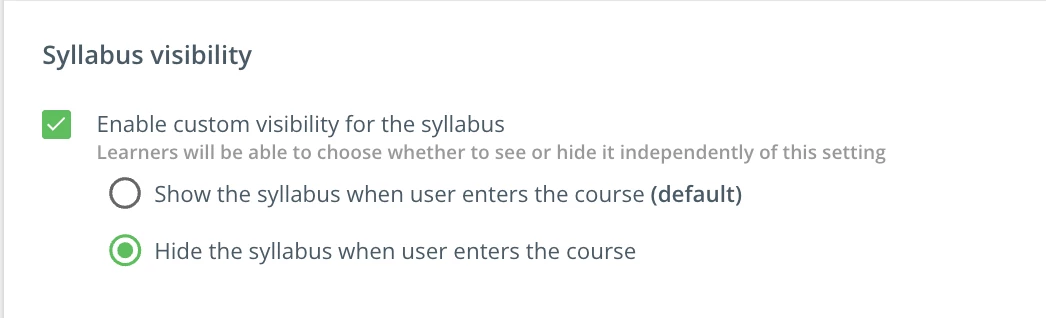
did you try these settings under the Player tab?

or do you need something more forceful ?


markbrumley
Novice III
  • Author
  • Novice III
  • May 7, 2025

I’m looking for something more forceful. 

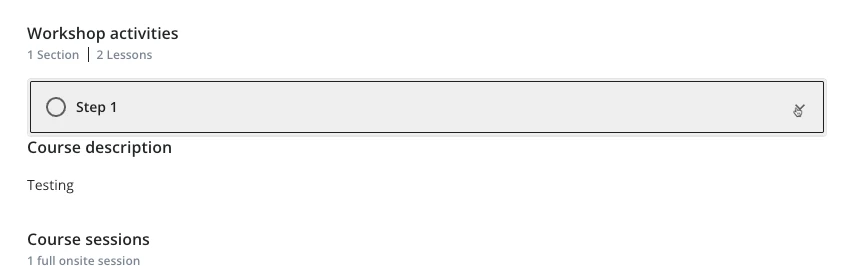
In an ILT course, the training materials display as an accordion if you have a folder structure. Here’s a simplified example with all the training materials tucked inside a “Step 1” folder.
 

Accordion closed


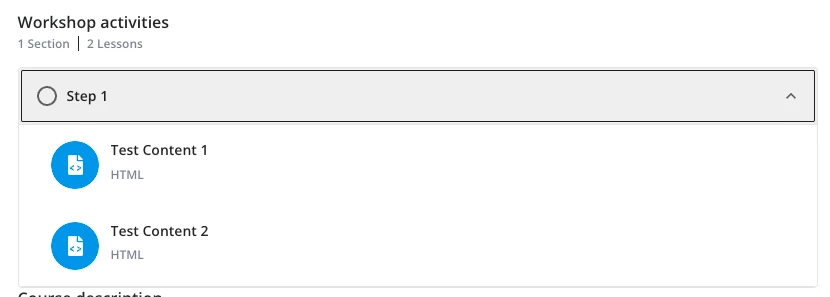
I prefer the accordions to be expanded by default like this:
 

Accordion open

I have tried all sorts of CSS, but it seems like the expanded content does not load at all until this accordion is clicked. I think some JavaScript fires when clicked, and then the content loads. So, CSS can’t help that situation. But, I’m not 100% sure. I thought this would be a piece of cake but I was wrong!