Can any provide assistance with CSS code to remove the “Expiration Date” column from Courses, within Activities? During data migration this field was populated with the end enrollment date in our past LMS. Being a new LMS, users are confused by this column and think the course is expired and needs to be renewed.

Best Answer
Remove Expiration Date from Courses
Best answer by gstager
I went ahead and enrolled myself in a couple courses to get an actual table to work with.
I decided to remove the User Status column for my test as it would be more visible.
It appears the header row is zero indexed which is why expiration date is c4
The table itself will not be zero indexed which means you’ll need :nth-child(5)
Here is my before and after.
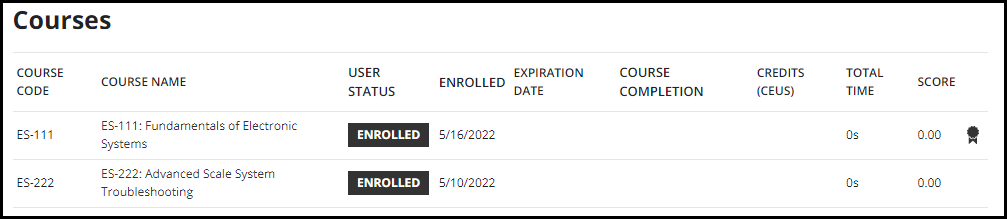

So you can see that it did pull out the data as well.
Here is the code
/** Remove column of data from table **/

#course-management-grid_c2 {
    display: none;
}

#course-management-grid tbody td:nth-child(3) {
    display: none;
}
For expiration date - just change c2 to c4 and :nth-child(3) to :nth-child(5)
Hopefully this does the trick.



Log in to Docebo Community
Enter your email address or username and password below to log in to Docebo Community. No account yet? Create an account
Docebo Employee Login
or
Enter your E-mail address. We'll send you an e-mail with instructions to reset your password.