Task List Widget CSS - Changing the Well Done Icon

  • August 29, 2023
  • 10 replies
  • 305 views

Hi CSS Gurus!

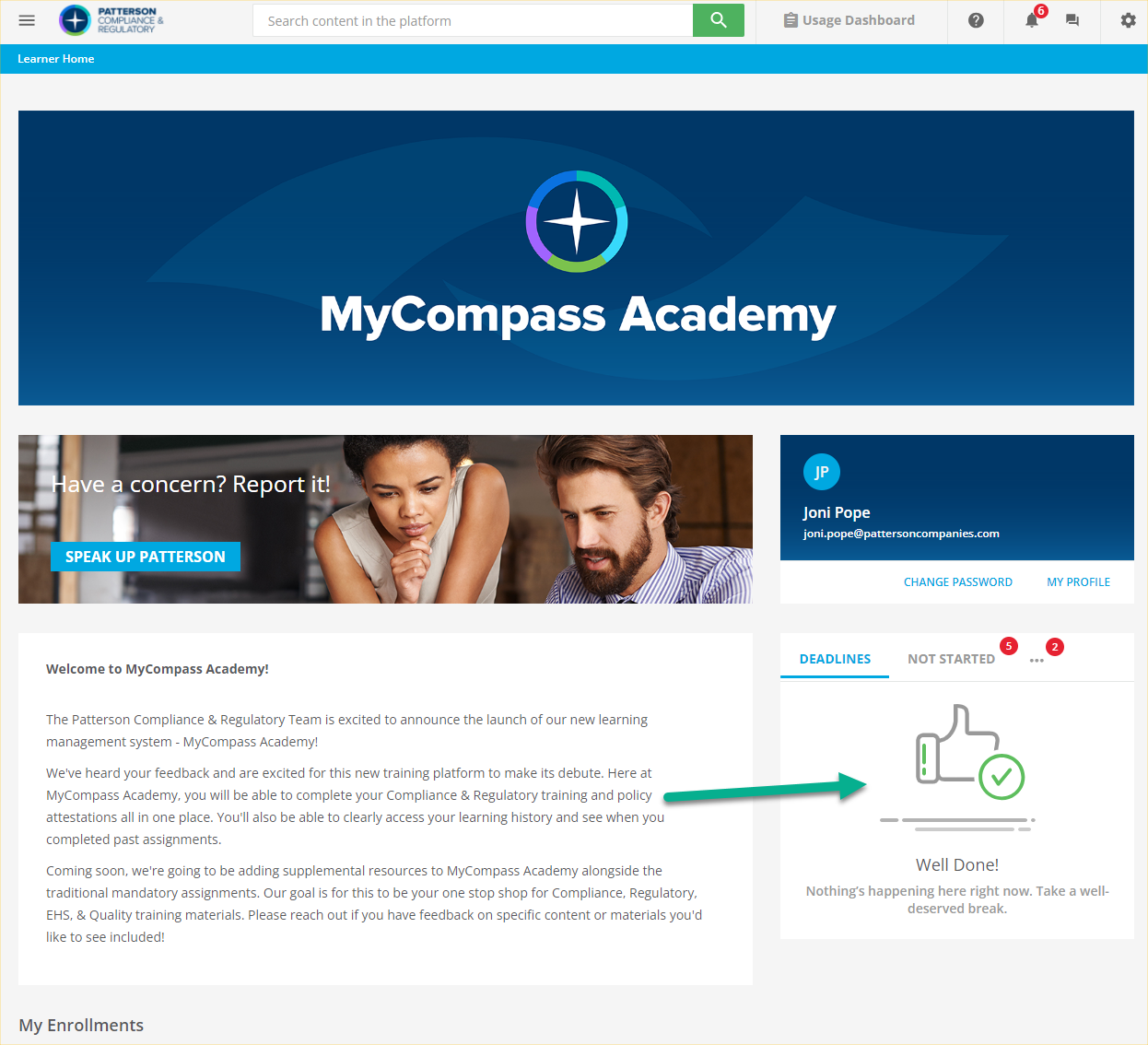
Would anyone by chance know if there’s a way to change the thumbs up icon in the Task List widget to an icon of our own choosing?

I keep thinking that this has to be do-able via CSS similarly to how we added our logo to our sign-in page with a little ::before styling of the right item and display:none on an item that needed to go away. I’m just having the worst time identifying that icon image.  

Any brainstorming or help is appreciated!

This is the area I’m trying to target - 
 

10 replies

treedy
Helper I
Forum|alt.badge.img
  • Helper I
  • October 5, 2023

Sorry, I don’t know the answer but I’d like to follow this post.  The thumbs up gives the learner the impression that they don’t have any overdue courses!  


Bfarkas
Hero III
Forum|alt.badge.img+6
  • Hero III
  • October 5, 2023

So couple things. FIrst, if you just want the straight solve here it is:

/* Change the image shown on the Task List widget when there are no tasks to be shown. */
task-list-widget .blank-slate-image img {
visibility: hidden!important;
}
task-list-widget .blank-slate-image {
background: url("https://m.media-amazon.com/images/I/51VXgNZFIoL._AC_SL1424_.jpg") no-repeat;
height: 75%;
background-size: contain;
max-width: 200px;
background-position: top;
margin: 0 auto;
}

Make sure to replace the URL ‘https://m.media-amazon.com/images/I/51VXgNZFIoL._AC_SL1424_.jpg’ with an image that is publically accessible or in your instance of Docebo.

That being said, shameless self-plug for managing this using the CSS Wizard on Fark.tools, this is an option there, and you can do things like control it on different pages if you want, as well as many other settings you might be interested in. The CSS Wizard is free and always will be, so might want to check it out :)


treedy
Helper I
Forum|alt.badge.img
  • Helper I
  • October 6, 2023

Bfarkas, I just checked out the CSS Wizard on Fark.tools, and I’m blown away - incredibly helpful!  Thank you!!  


Bfarkas
Hero III
Forum|alt.badge.img+6
  • Hero III
  • October 6, 2023

Bfarkas, I just checked out the CSS Wizard on Fark.tools, and I’m blown away - incredibly helpful!  Thank you!!  

Glad it can help, let me know if there are things missing you might find useful, no promises, but we are always open to add new things if they are safe and supportable.


  • Author
  • Novice I
  • October 6, 2023

So couple things. FIrst, if you just want the straight solve here it is:

/* Change the image shown on the Task List widget when there are no tasks to be shown. */
task-list-widget .blank-slate-image img {
visibility: hidden!important;
}
task-list-widget .blank-slate-image {
background: url("https://m.media-amazon.com/images/I/51VXgNZFIoL._AC_SL1424_.jpg") no-repeat;
height: 75%;
background-size: contain;
max-width: 200px;
background-position: top;
margin: 0 auto;
}

Make sure to replace the URL ‘https://m.media-amazon.com/images/I/51VXgNZFIoL._AC_SL1424_.jpg’ with an image that is publically accessible or in your instance of Docebo.

That being said, shameless self-plug for managing this using the CSS Wizard on Fark.tools, this is an option there, and you can do things like control it on different pages if you want, as well as many other settings you might be interested in. The CSS Wizard is free and always will be, so might want to check it out :)

Fark Tools looks awesome! We’re planning more changes, and I’ll keep this in mind as we work through improvements :)

Thanks for the CSS help!!!


Bfarkas
Hero III
Forum|alt.badge.img+6
  • Hero III
  • October 6, 2023

@JPope glad it could help!


chris z
Novice III
  • Novice III
  • August 1, 2025

Hi all, 

Our platform received the update Task List widget this month. Based on the inspector this updated the coding and this css does not appear to be working based on the changes. 


Would anyone know the updated CSS to remove the stock image when empty ? I checked Fark.tools (which is awesome!), but it appears to still render the code for the old widget? 


dwilburn
Guide III
Forum|alt.badge.img+4
  • Guide III
  • August 13, 2025

@chris z - we too are trying to find a solution for this.


dwilburn
Guide III
Forum|alt.badge.img+4
  • Guide III
  • August 28, 2025

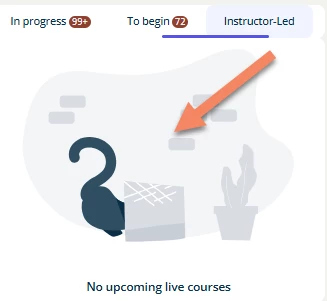
The CSS below worked for me to get rid of the cat tail image

/** Hide Cat Butt Image **/
/** Target the element by its data attribute **/
[data-illustration-name="empty_bin"] {
display: none !important;
}


  • Newcomer
  • October 6, 2025

Here you go !


lmn-blank-slate.ng-star-inserted {

 background: url("Your image") no-repeat;

 height: 80%;

 background-size: contain;

 max-width: 300px;

 background-position: top;

 margin: 0 auto;

}