Question

API Call File Upload

  • March 9, 2025
  • 2 replies
  • 56 views

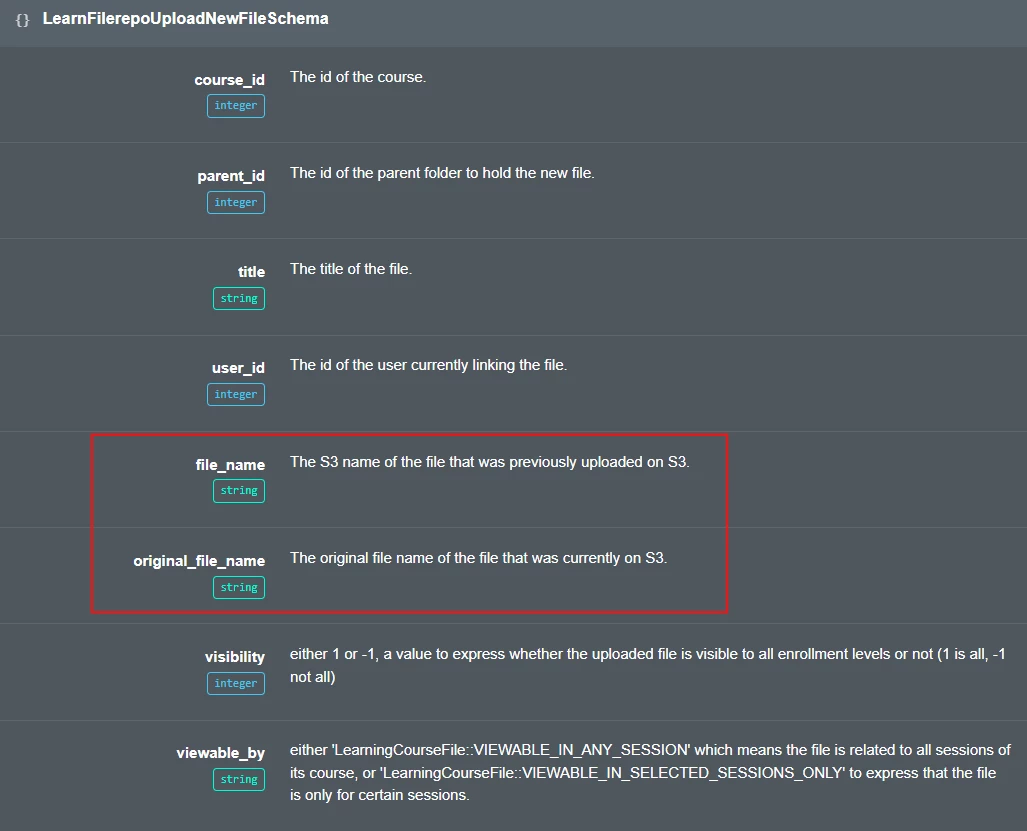
I am trying to call /learn/v1/filerepo/uploadNewFile from C# code to upload a file to a course. We are creating a custom page for users to upload attachments to a course. No matter what user I use I get a 403 forbidden error coming back. I have tried everything and don’t know what the requirements for this Api call is since the documentation isn’t very helpful. Can anybody help with this on how to successfully upload a file to a course and what might this is how I fill out the body.

var attachment = new AttachmentModel
{
    CourseId = submission.CourseId,
    ParentId = 0,
    Title = formattedFileName,
    UserId = int.Parse(currentUser.userId),
    FileName = formattedFileName,
    OriginalFileName = formattedFileName,
    Visibility = 1,
    ViewableBy = "LearningCourseFile::VIEWABLE_IN_ANY_SESSION",
    FileData = fileBytes //  Store file data as bytes
};

Thanks for the help!

 

2 replies

  • Novice I
  • October 28, 2025

Any news about this? Did you finally succeed?


Forum|alt.badge.img+1
  • October 29, 2025

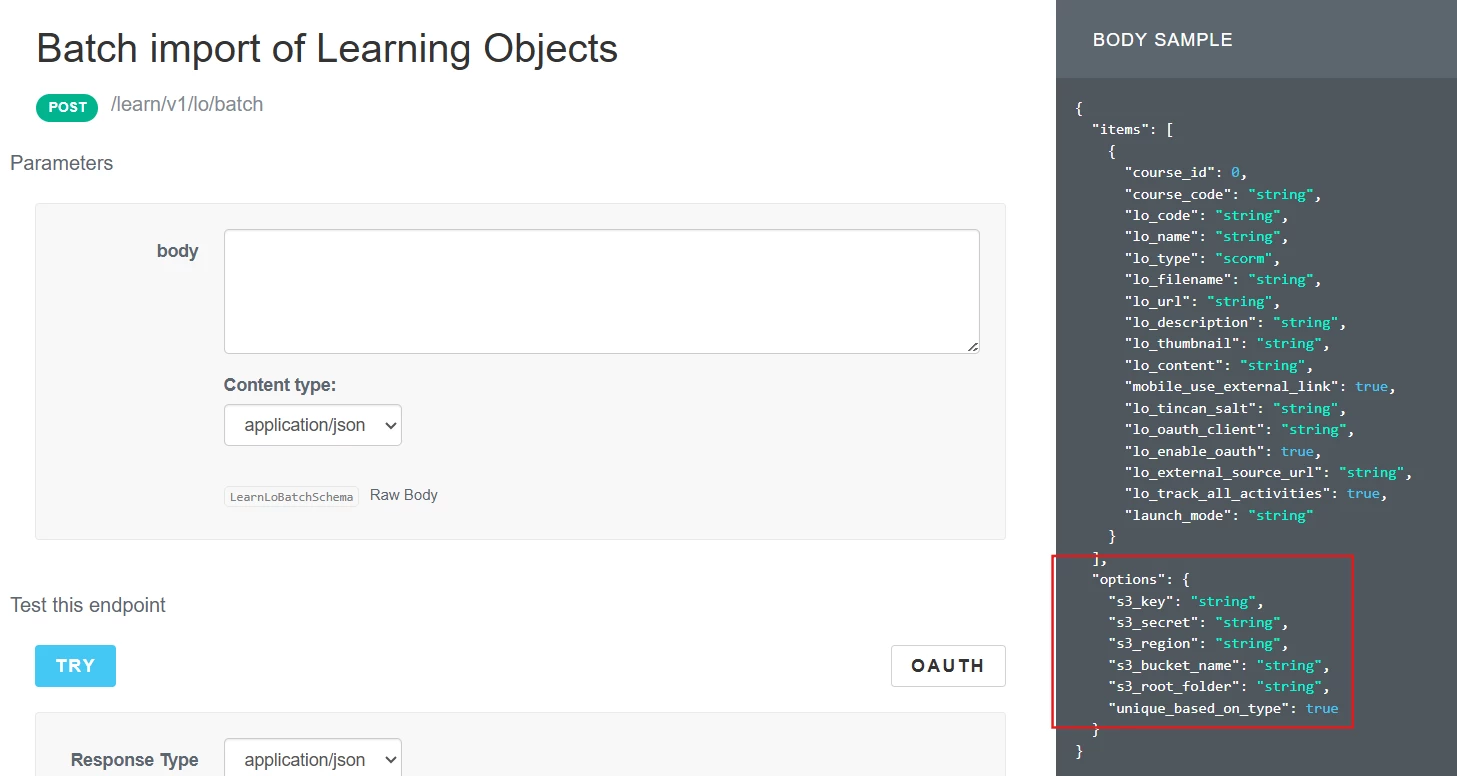
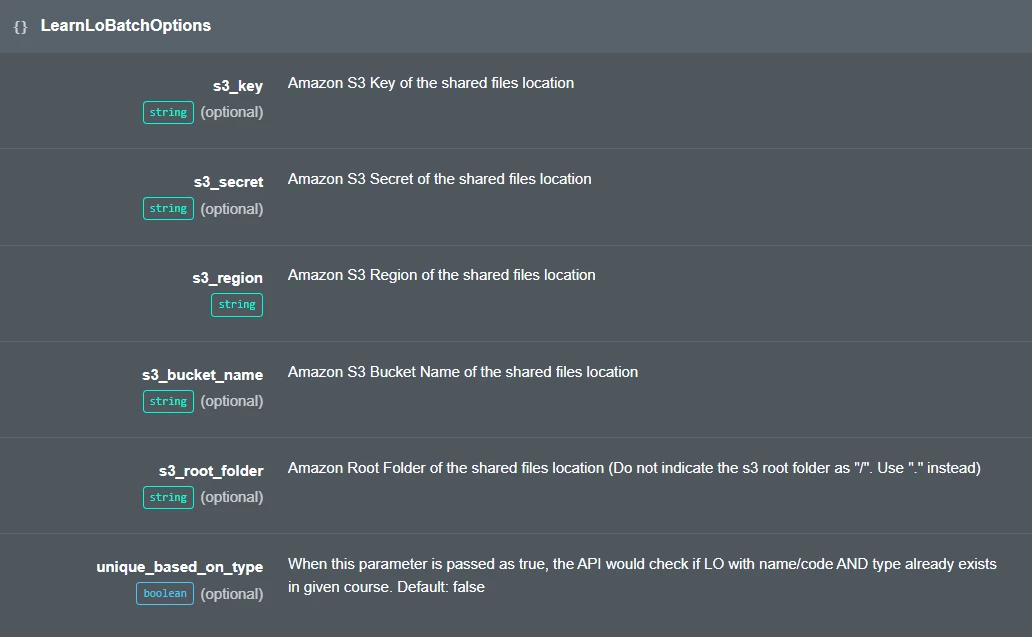
For files to be uploaded via API they must be located in an AWS S3 bucket. For example to import training materials (learning objects) the API endpoint requires configuration of where your S3 bucket is located, creds, etc. 


The endpoint you are attempting to use does have a couple of references to S3 filenames but does not include these additional configs.


I have not used the endpoint you are referring to so cannot help with what is needed to make it work. I would suggest reaching out to your Docebo support or CSM for assistance. Also keep in mind there are some API endpoints that show in the browser but aren’t actually available for public use-only Docebo employee use. Docebo support should be able to help you in determining if this is the case or not and how to fix if it is available.