Question

Courses with xAPI (TinCan) external content via URL

  • March 18, 2025
  • 3 replies
  • 71 views

Hello All,

I am looking for practical cases of people who have experienced the creation of courses with xAPI content (TinCan) via URL.

We connected the content of one of our vendors via an xAPI URL, our learners go through our docebo platform to access the platform of our vendors via a course that we have set up with TMs and each TM represents a module in the platform of the vendor (25 TM).

The problem is that when the learner completes the course it is marked as completed in the platform of the vendors but not in our Docebo platform, it always appears in progress.

  • The link to our vendor's platform is correctly iframed in the advanced settings.
  • We have created an application in our docebo platform from which we have retrieved the client id and the client secret in the parameters of our vendor's platform.
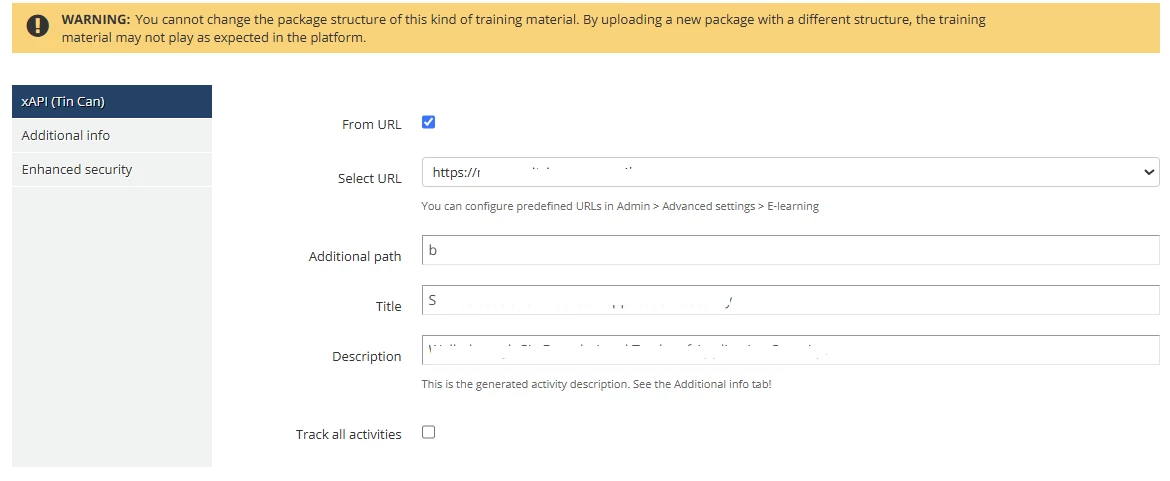
  • Here is how we set up each TM: 
  • And here we added the application that we created:

 

Any advice on the subject, maybe we missed a parameter, I would be delighted to have your feedback. Thank you


3 replies

Hi,

You might want to adjust your setup to handle completion statements.....You will have to ensure that Docebo is configured to use its built-in LRS and is set up to listen for specific xAPI verbs to mark the course completion. 


Forum|alt.badge.img+1
  • March 21, 2025

I’d recommend clicking the checkbox on the setup to track all activities. Once you have the “track all activities” enabled, you should be able to see the main xAPI statements coming back to Docebo. Once a learner has completed the training material, go to the course>reports>then click and drill into the xAPI training material. There you should see the statements. If you don’t, then...

Consider/check how the content was published. Depending on the authoring tool, there are typically publish settings where you can adjust to send statements to a custom LRS. If this has been enabled the xAPI statements may not be getting communicated to Docebo but instead to another LRS. In this case the content publisher would want to leave those settings as default instead.

The platform identifies Tin Can content as completed when learners press the Close button (also named Exit or Submit). Failing to press this button may result in the learning progress not being sent from the Tin Can package to the platform and in the Tin Can content not being marked as completed. For this reason, it is highly suggested to include a completion screen in your Tin Can packages to be displayed when the Tin Can package confirms that tracking data has been transferred and to show the Close button on this screen.


  • Newcomer
  • November 5, 2025

i’m curious if you created the TM’s manually or through the API?  We are trying to do so through the API and if you happened to have figured out the secret sauce there I would love the advice.  I have been able to update the completion status of manually created TM’s through the API and if you can’t get the internal xAPI completions to work that could be an option as well.