Question

How to add apps in the Admin Menu?

  • December 13, 2024
  • 6 replies
  • 31 views

Forum|alt.badge.img+1

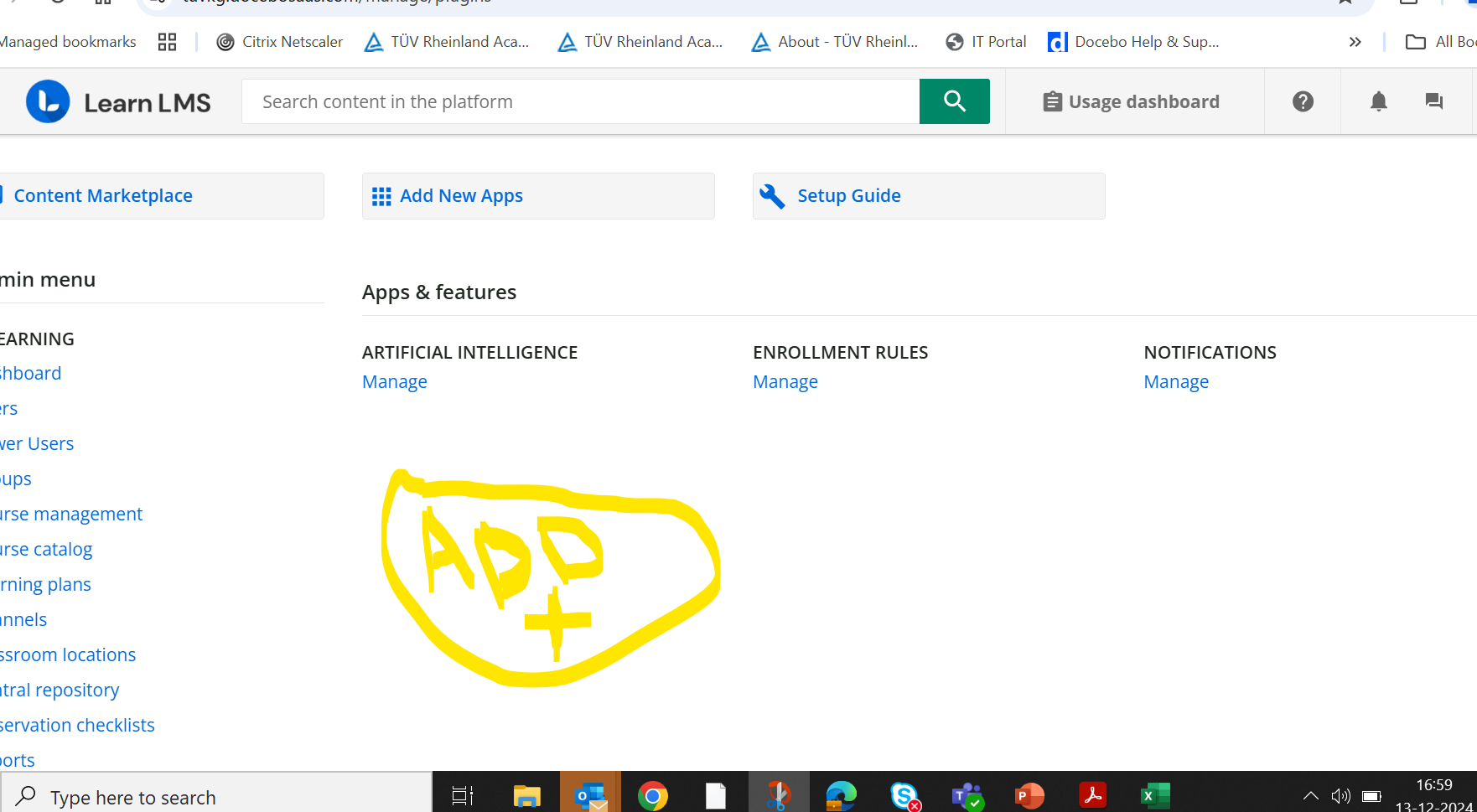
How to add apps in the Admin Menu? I can activate or deactivate the app but I am not able to add them to the admin menu like API & SSO app!-

 

6 replies

lrnlab
Hero III
Forum|alt.badge.img+10
  • Hero III
  • December 13, 2024

When you activate the app, it should show up. You may need to log out and back in to see them. It should be almost instant. If you do not see them, please open a ticket with support .


lrdeardoff
Novice III
Forum|alt.badge.img
  • Novice III
  • November 13, 2025

Is there anyway to deactivate apps? This page is so busy now, full of apps we don’t use. Makes it difficult to quickly find what I want. I figure if anyone would know, ​@lrnlab would have a trick for hiding these apps. 


Forum|alt.badge.img+4
  • Helper II
  • November 13, 2025

@lrdeardoff if you go into Add Apps on the My App tab each row (most rows anyway) have a Deactivate option.


lrdeardoff
Novice III
Forum|alt.badge.img
  • Novice III
  • November 13, 2025

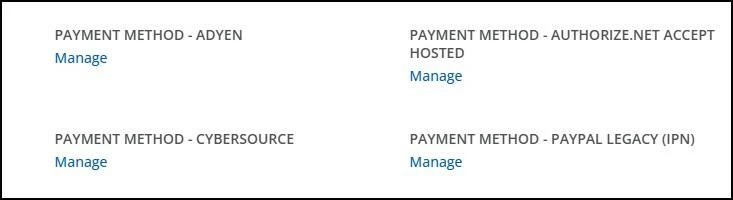
Apologies, I should have been more specific. I am referring to the payment gateways that are no longer in the Apps section, but are somehow all showing in the Admin Menu. They used to be in the Apps area, and we could activate / deactivate, but I no longer have that option. Do you see the same? 


lrnlab
Hero III
Forum|alt.badge.img+10
  • Hero III
  • November 13, 2025

@lrdeardoff had a look around and could not find any way to deactivate those apps now that they updated the eCommerce and app options. I would recommend you ask support to remove them if they are of no use. Inside the apps, only option is to turn them off.


lrdeardoff
Novice III
Forum|alt.badge.img
  • Novice III
  • November 13, 2025

Thanks for looking!