


Question

Adding an Emoji to the Course Details Text Box Erases Content

  • March 18, 2025
  • 6 replies
  • 50 views

jcellitti
Influencer I
Forum|alt.badge.img+1

Is this a known issue? See attached gif (videos cannot be uploaded here).
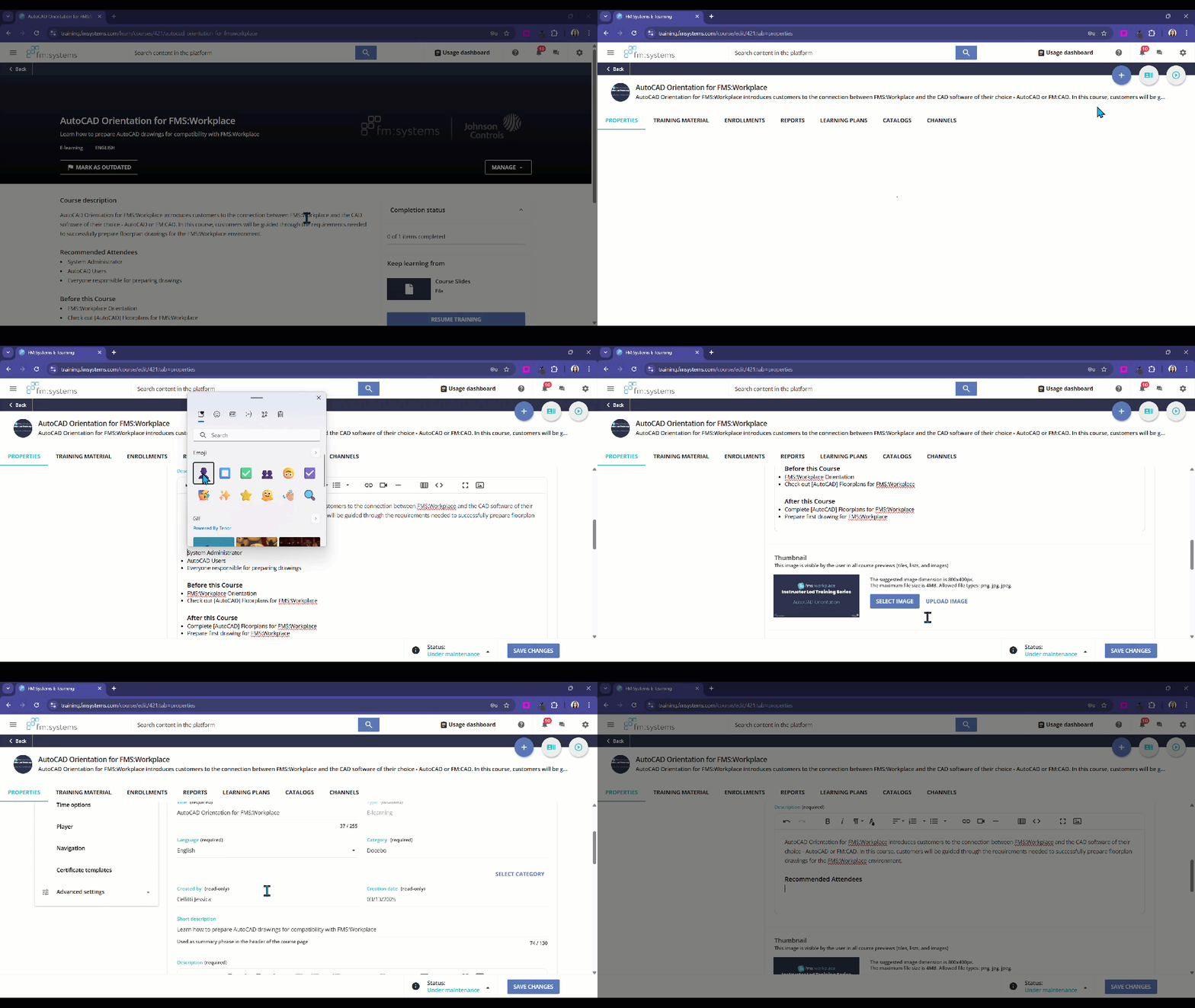
This occurs when you edit the content within a text box in course management in the details text editor box. If you add an emoji, even just one, all of the text within the box will erase, even after the confirmation window appears that it saved successfully.

I did open a ticket but out of curiosity, I am wondering if anyone else has experienced this?

It took me a little while to pinpoint exactly what was erasing the content as there are not any character limits or warnings but after a little testing, I realized it happened after adding even just one emoji.


6 replies

lrnlab
Hero III
Forum|alt.badge.img+10
  • Hero III
  • March 18, 2025

yup, just tried it and I get the same results ...nice catch...Will open a ticket as well as this seems to be something breaking when adding an emoji. Looking at the code view it seems that the emoji is pasted as is (not coded) which is likely why the text following the emoji is not displayed. Tried using the HTML code and it behaves the same way.


jcellitti
Influencer I
Forum|alt.badge.img+1
  • Author
  • Influencer I
  • March 18, 2025

Thanks for confirming, ​@lrnlab


lrnlab
Hero III
Forum|alt.badge.img+10
  • Hero III
  • March 18, 2025

Support is testing this now. 😀


anassi
  • Newcomer
  • May 16, 2025

I’ve encoutered this as well but when creating an HTML page in the course’s training material. I opened a support case and was informed that using emojis is not supported (personally, I think it should be), but I haven’t really received much feedback about the “removal of all content after the emoji” part of the issue. 

Did you get any further information on your case, ​@lrnlab?


lrnlab
Hero III
Forum|alt.badge.img+10
  • Hero III
  • May 16, 2025

@anassi the update implemented essentially blocks the use of emojis all together. You might be able to get away with it in the HTML widget if using the ASCII codes but I haven't tried that. The issue we had was mainly about the course descriptions


Forum|alt.badge.img+1
  • Novice II
  • December 4, 2025

I’m curious if any updates happened in the months since this was posted. I ran into the same issue while formatting text additional fields for an ILT session to be included in an Outlook invite. I thought it might be fixed because it had allowed the hourglass ⏳but then proceeded to truncated text if I used any other emoji.