
Best Answer

/api-browser/#!/skill/Courses/Courses_skill_v1_courses_skills

  • May 8, 2024
  • 18 replies
  • 106 views

Lucy.blake
Helper II

I cannot get this api to work I keep getting bad request, syntax error. The course ID is a number so I’m inputting the course id number but should it be the UUID? The skill I’m writing the name of as it is a string in the JSON code but should it be the skill ID number or another string. I get the same error if I put in the skill ID number as well as the code. The course_id works for other api’s so I can’t see what I’m doing wrong any help much appreciated. 

{
  "items": [
    {
      "skill_code": "Coaching skills",
      "course_id": 856

    }
  ]
}
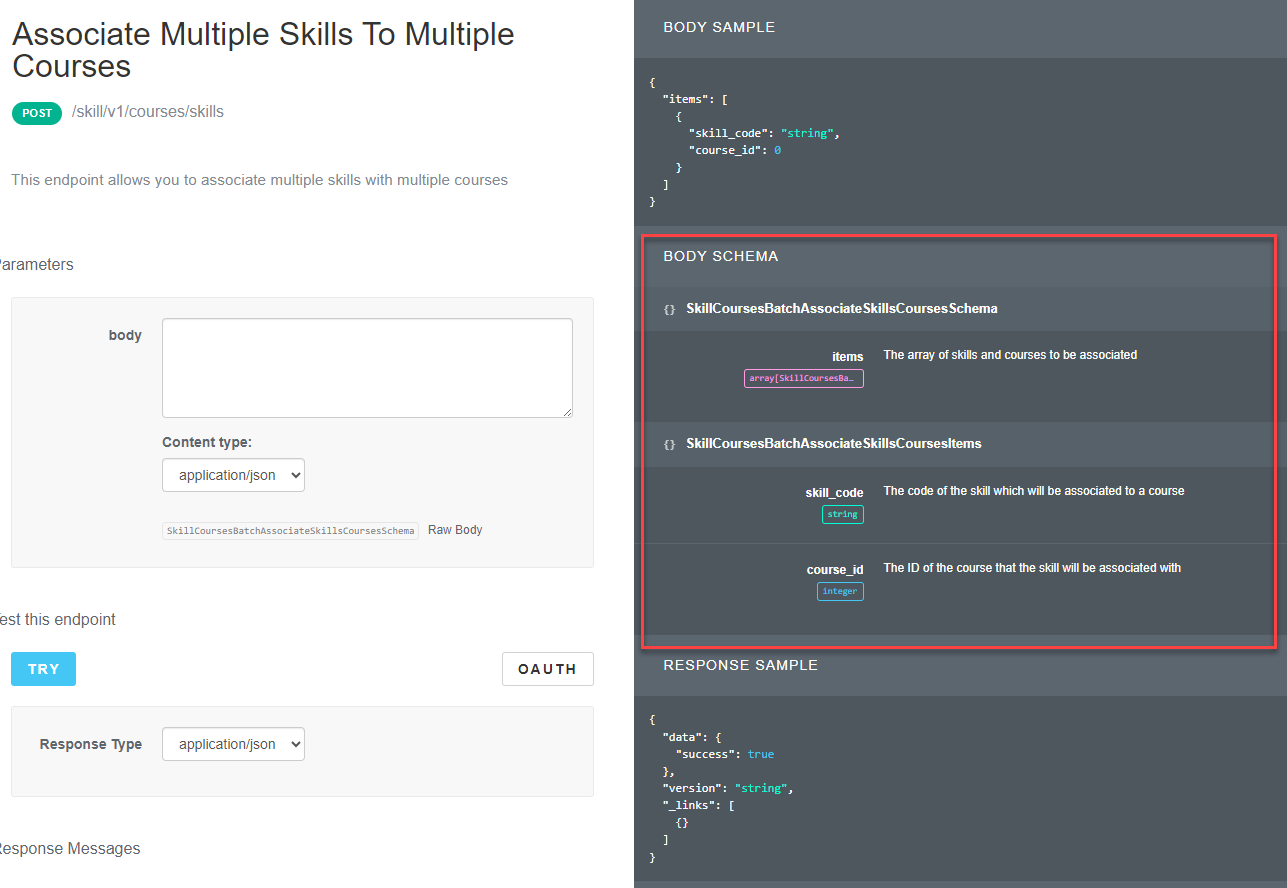
Best answer by dwilburn

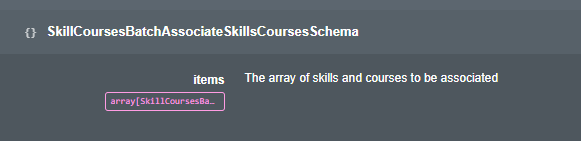
It is easy to miss the Body Schema, it shows exactly what is needed. Looks like you need the Skill code.


18 replies

dwilburn
Guide III
Forum|alt.badge.img+4
  • Guide III
  • Answer
  • May 8, 2024

It is easy to miss the Body Schema, it shows exactly what is needed. Looks like you need the Skill code.


Lucy.blake
Helper II
  • Author
  • May 8, 2024

Thank you I knew that was there as well from the last time I did this but completely forgot about it. Now I just have to work out what the items needs to be. 


dwilburn
Guide III
Forum|alt.badge.img+4
  • Guide III
  • May 8, 2024

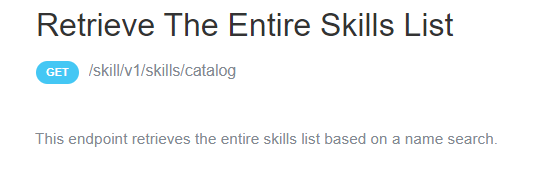
This should give you the codes you need. We do not use Skills but when I run this it comes back with 3 digit ID numbers for each skill.


Lucy.blake
Helper II
  • Author
  • May 8, 2024

I have this list, which is where I’m getting the numbers from. and they work when I retrieve a single skill information. So it must be somewhere else in the code that I’m missing something.


dwilburn
Guide III
Forum|alt.badge.img+4
  • Guide III
  • May 8, 2024

The “string” in skill_code should be 202 or whatever your sill code is, not “Coaching Skills”


Lucy.blake
Helper II
  • Author
  • May 8, 2024

{
  "items": [
    {
      "skill_code": "683",
      "course_id": 856
    }
  ]
}
}


This still gets the syntax error. I think the “items” needs to be changed rather than the codes


dwilburn
Guide III
Forum|alt.badge.img+4
  • Guide III
  • May 8, 2024

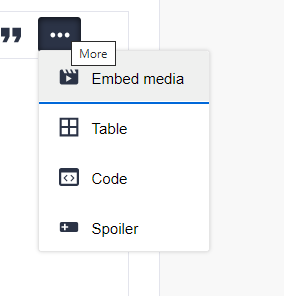
When you post, if you hit the 3 dots in the upper left hand corner of the editor and select code you can post the code in syntax.


dwilburn
Guide III
Forum|alt.badge.img+4
  • Guide III
  • May 8, 2024

Is the skill enabled/published?


Lucy.blake
Helper II
  • Author
  • May 8, 2024
{
"items": [
{
"skill_code": "683",
"course_id": 856
}
]
}
}

Yes, it has been published and enabled for some people.


dwilburn
Guide III
Forum|alt.badge.img+4
  • Guide III
  • May 8, 2024

I got the following in my sandbox, I sent the info below.

{
"items": [
{
"skill_code": "12",
"course_id": 61
}
]
}

I received the following

{
"name": "Bad Request",
"message": [
"Invalid parameter: items"
],
"code": 1001,
"status": 400
}


dwilburn
Guide III
Forum|alt.badge.img+4
  • Guide III
  • May 8, 2024

@Bfarkas is developing some stuff for skills management and is looking for participants. 

Looking for community help testing: Skills Management! | Community (docebo.com)


dwilburn
Guide III
Forum|alt.badge.img+4
  • Guide III
  • May 8, 2024

{
  "items": [
    {
      "skill_code": "683",
      "course_id": 856
    }
  ]
}
}


This still gets the syntax error. I think the “items” needs to be changed rather than the codes


“items” is a container for you do be able to do multiple skills. It would look like this for multiple skills. The key element is the placement of commas. The last “item” in the array does NOT have a comma. All items before the last item need to have a comma.

{
"items": [
{
"skill_code": "12",
"course_id": 61
},
{
"skill_code": "42",
"course_id": 61
}
]
}

@Bfarkas virtual events on APIs is really helpful on this.

The first 2 are very helpful about the browser.

https://community.docebo.com/events?tab=past&type=Virtual%20Workshop


Lucy.blake
Helper II
  • Author
  • May 14, 2024

Thanks @dwilburn I’ve tried so many permutaions of the code and funnily enough I’ve already watched both of those videos. Great minds think alike? I’ve ended up putting in a servide desk request as I’ve tried every permutaion of code and I’m getting weirder and weirder error messages. The skills code is not the ID, it’s something else entirely. 


dwilburn
Guide III
Forum|alt.badge.img+4
  • Guide III
  • May 14, 2024

Hi @Lucy.blake - I was looking through the post related to the second session and Brian got into some discussions on skills with the users. You may want to take a look at that.

After the Community Coaching Session: Using Postman | Community (docebo.com)

I am going to put up a post on removing assets from Power User provisioning, but it was a batch activity. Here is what it looks like in the body that is sent with multiple items. There is a comma after each “item” except for the last one.

{
"items": [
{
"id": 8,
"type": "coursepath"
},
{
"id": 9,
"type": "coursepath"
},
{
"id": 26,
"type": "coursepath"
},
{
"id": 36,
"type": "coursepath"
}
]
}


Lucy.blake
Helper II
  • Author
  • May 14, 2024
{
"items": [
{
"skill_code": "esco_skill_16b1f191-eafd-4821-a08a-9f0cc4e5a71a",
"course_id": 630
},
{
"skill_code": "09cb2845-d1b0-4ddb-989b-2df891336a01",
"course_id": 630
},
{
"skill_code": "0e0a39bc-0acb-4121-a4dd-3f9b19599533",
"course_id": 630
},
{
"skill_code": "esco_skill_183134a2-3f8e-4a38-9e81-35c2bec0272b",
"course_id": 630
}
]
}

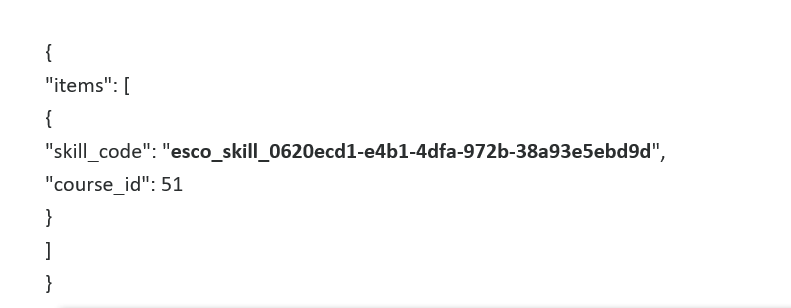
This is the correct code that works, the “Skill code” comes from the API download of skills and only the last one doesn’t have a comma after it.


dwilburn
Guide III
Forum|alt.badge.img+4
  • Guide III
  • May 14, 2024

@Lucy.blake - it is working now?


Lucy.blake
Helper II
  • Author
  • May 14, 2024

Yes, it is.


dwilburn
Guide III
Forum|alt.badge.img+4
  • Guide III
  • May 14, 2024

Awesome!!! Are you using Postman or just the API browser?