Apply Background Image to Entire Portal

  • January 16, 2024
  • 4 replies
  • 157 views

Forum|alt.badge.img

Hello, all! Is it possible to add a simple background image to the portal? We are going to try and make some subtle changes to user interface by adding a simple background image each month or two, based on upcoming holidays, etc.


For winter, I’m thinking it’ll be a light blue bg with small snowflakes. I cannot find anything in the Help Files or Community. Has anyone done something like this?


4 replies

lrnlab
Hero III
Forum|alt.badge.img+10
  • Hero III
  • January 16, 2024

system settings only allow for a cloud change so you probably need to look at using CSS to make those type of changes + you might need an image you can pull from a server somewhere as I don't think you can add/upload any assets like a picture via CSS. you might be able to draw from an image you uploaded elsewhere by capturing the URL from the Docebo server where that image is stored. I was successful with that in the past.


Bfarkas
Hero III
Forum|alt.badge.img+6
  • Hero III
  • January 17, 2024

Heres a video from around the community on how to host images of you want:

Also, there are a bunch of examples of folks inserting images in the background around the CSS area, might want to take a look:

https://community.docebo.com/html-css-49


Forum|alt.badge.img
  • Author
  • Contributor III
  • January 17, 2024

I’ve got an image loaded using the share.vidyard.com video.


I’m looking through the community links provided and cannot find anything about doing the background for the portal. I’m fairly intermediate with CSS/HTML, so unsure why I’m not seeing or possibly understanding what I’m looking at. 


sherxannax
  • Newcomer
  • July 17, 2025

I’ve got an image loaded using the share.vidyard.com video.


I’m looking through the community links provided and cannot find anything about doing the background for the portal. I’m fairly intermediate with CSS/HTML, so unsure why I’m not seeing or possibly understanding what I’m looking at. 


Hello Jason!

I got a same question and i changed background photo by using CSS styling and page ID.

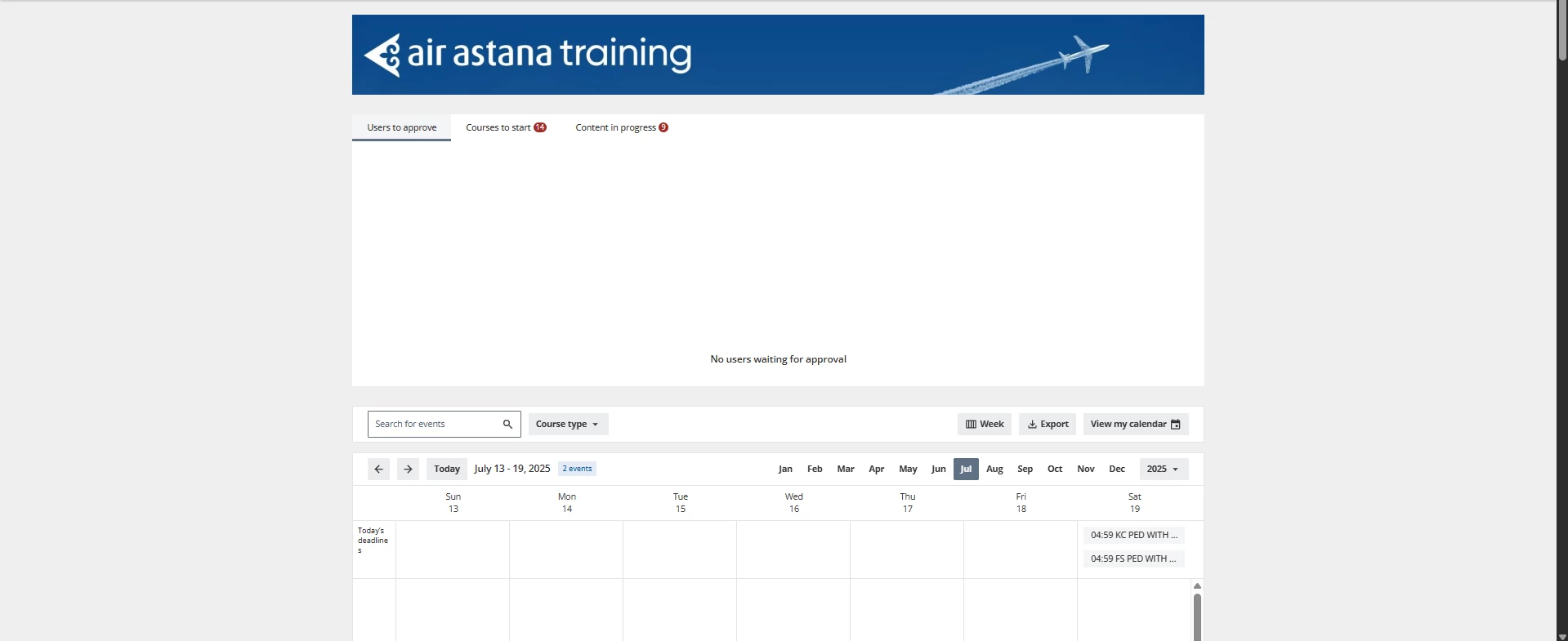
One of the pages looks like this:

Default page background

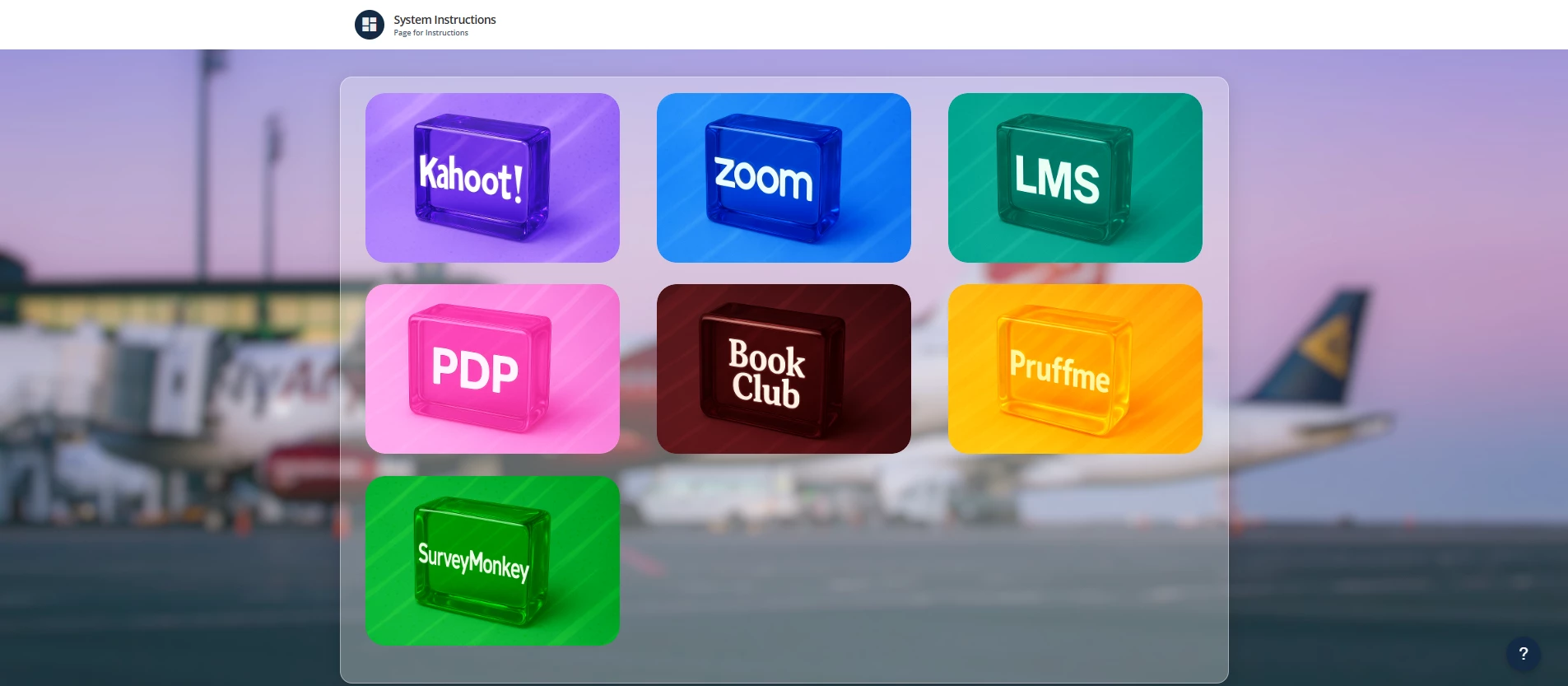
And i tried to customize only 1 page by using page ID and CSS, and got something like this:
 

Page i changed
/* Стайлинг для страницы System Instructions с фоновым изображением */

/* Основной контейнер страницы */
#doc-page-105 {
background-image: url('Your picture URL');
background-size: cover;
background-position: center center;
background-repeat: no-repeat;
background-attachment: fixed;
min-height: 100vh;
padding: 20px 0;
position: relative;
overflow: hidden;
}

/* Создаем overlay для лучшей читаемости контента */
#doc-page-105::before {
content: '';
position: absolute;
top: 0;
left: 0;
right: 0;
bottom: 0;
background: rgba(255, 255, 255, 0.1);
z-index: 0;
}

/* Контейнер с виджетами */
#doc-page-105 .widget-render {
background: rgba(255, 255, 255, 0.3);
border-radius: 20px;
padding: 25px;
box-shadow: 0 8px 32px rgba(0, 0, 0, 0.15);
border: 1px solid rgba(255, 255, 255, 0.4);
position: relative;
z-index: 1;
animation: slideInDown 0.8s ease-out;
}

/* Улучшенные виджеты - убираем бесконечные анимации */
#doc-page-105 .htmlwidget.root.wrapper-shadow {
box-shadow: 0 12px 35px rgba(0, 0, 0, 0.2);
border-radius: 15px;
transition: all 0.4s cubic-bezier(0.175, 0.885, 0.32, 1.275);
overflow: hidden;
position: relative;
animation: fadeInUp 0.8s ease-out;
background: rgba(255, 255, 255, 0.95);
}

/* Анимация появления виджетов с задержкой */
#doc-page-105 .single-widget:nth-child(1) { animation-delay: 0.1s; }
#doc-page-105 .single-widget:nth-child(2) { animation-delay: 0.2s; }
#doc-page-105 .single-widget:nth-child(3) { animation-delay: 0.3s; }
#doc-page-105 .single-widget:nth-child(4) { animation-delay: 0.4s; }
#doc-page-105 .single-widget:nth-child(5) { animation-delay: 0.5s; }

/* Эффект при наведении на виджеты */
#doc-page-105 .htmlwidget.root.wrapper-shadow:hover {
transform: translateY(-8px) scale(1.02);
box-shadow: 0 20px 50px rgba(0, 0, 0, 0.3);
}

/* Анимированная рамка при наведении */
#doc-page-105 .htmlwidget.root.wrapper-shadow::before {
content: '';
position: absolute;
top: 0;
left: 0;
right: 0;
bottom: 0;
background: linear-gradient(45deg, #42a5f5, #90caf9, #42a5f5);
border-radius: 15px;
padding: 2px;
z-index: -1;
opacity: 0;
transition: opacity 0.3s ease;
}

#doc-page-105 .htmlwidget.root.wrapper-shadow:hover::before {
opacity: 1;
}

/* Стилизация изображений в виджетах */
#doc-page-105 .htmlwidget img {
border-radius: 10px;
transition: all 0.4s ease;
filter: brightness(1.05) contrast(1.1);
}

#doc-page-105 .htmlwidget img:hover {
transform: scale(1.05);
filter: brightness(1.1) contrast(1.15);
}

/* Анимированные колонки */
#doc-page-105 .widget-render-column {
padding: 0 15px;
animation: slideInFromSide 1s ease-out;
}

#doc-page-105 .widget-render-column:nth-child(1) {
animation-delay: 0.2s;
}

#doc-page-105 .widget-render-column:nth-child(2) {
animation-delay: 0.4s;
}

#doc-page-105 .widget-render-column:nth-child(3) {
animation-delay: 0.6s;
}

/* Улучшенные отступы между виджетами */
#doc-page-105 .single-widget {
margin-bottom: 35px;
animation: bounceInUp 0.8s ease-out;
}

/* Анимации появления */


/* Добавляем тонкую анимацию для всей страницы */
#doc-page-105 {
animation: pageLoad 1.5s ease-out;
}

@keyframes pageLoad {
0% {
opacity: 0;
}
100% {
opacity: 1;
}
}

/* Отзывчивый дизайн для мобильных устройств */
@media (max-width: 768px) {
#doc-page-105 {
padding: 15px 0;
}

#doc-page-105 .widget-render {
padding: 20px;
margin: 15px;
}

#doc-page-105 .widget-render-column {
padding: 0 10px;
}

#doc-page-105 .single-widget {
margin-bottom: 25px;
}
}

You can find your page id in the URL of the web-site. And, dont forget to change picture URL. 

If you have questions about code, feel free to ask!