Answer

Changing text on course tiles

  • May 2, 2024
  • 18 replies
  • 220 views

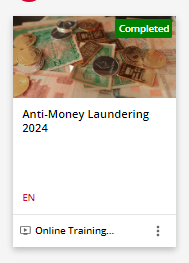
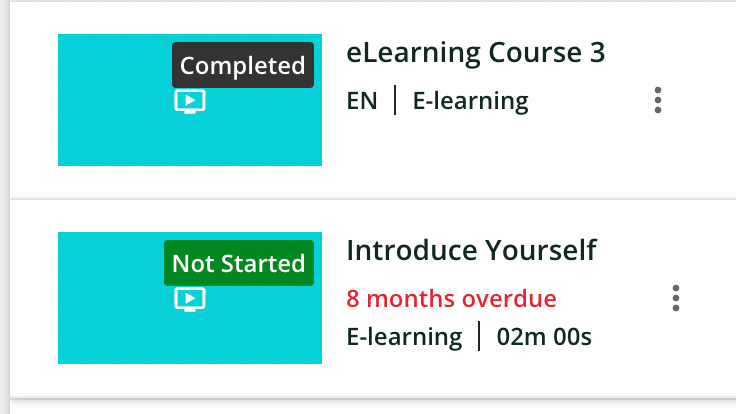
Has anyone tried or had any luck with changing the text that appears on the course tiles?
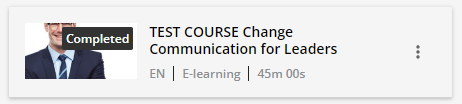
 

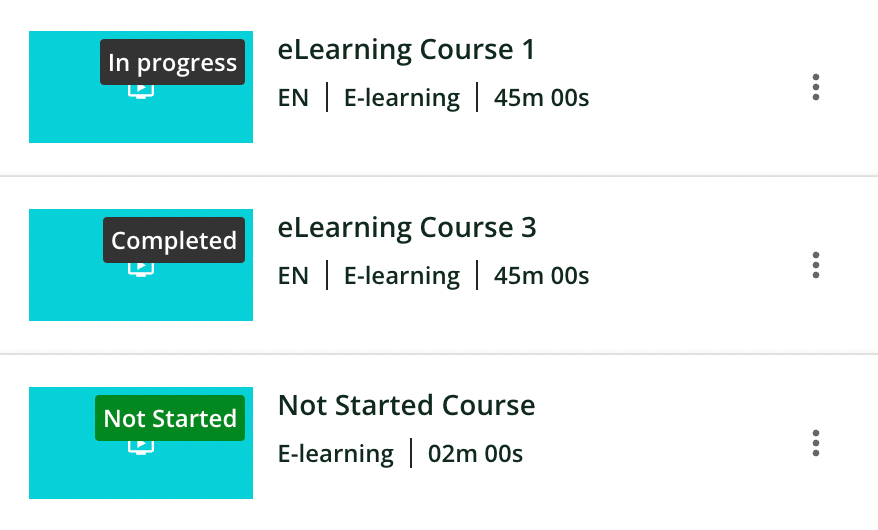
We only offer our courses in English, so we are wondering if we can remove the EN from every course. In addition, we are hoping to change “E-learning” to a different name. I tried using the localization tool and it did not adjust or update E-learning in the course tiles.


If anyone has tried CSS for this, I would love to learn how you did it as well.  

Best answer by DPatel

Final follow-up - 

This CSS should allow you to hide the Language Code and Seperator when using Lists.

/* Hides the languages code and seperator on Course Lists START */
.ui-list-item-language,
.ui-list-item-language+.ui-list-item-separator {
display: none !important;
}
/* Hides the languages code and seperator on Course Lists END */

The suggestion is that if you have a Sandbox/Stage environment, you test this out and ensure all pages display as required once implemented. Once you are happy with CSS, then deploy this to the Production Environment.

18 replies

Stephen.Barton
Guide II
Forum|alt.badge.img+2

Hi @MelissaKustra 

if you change the standard e-Learning (with an uppercase L) that should work.


Hi @Stephen.Barton That’s great, thank you! Can I ask, how did you remove the EN language from appearing in your course tile? 


Stephen.Barton
Guide II
Forum|alt.badge.img+2

I was wondering that too 😃

is it because I have used the Courses and Learning plans widget perhaps?


Stephen.Barton
Guide II
Forum|alt.badge.img+2

I see it in Channels ?


Stephen.Barton
Guide II
Forum|alt.badge.img+2


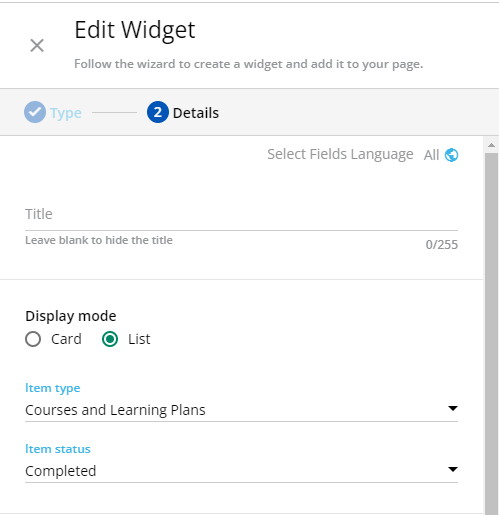
@Stephen.Barton That’s what I am using as well. What are your language settings set to in that widget? These are what mine are set to. I’ve tried messing with it, but it doesn’t seem to change it. 


KMallette
Hero II
Forum|alt.badge.img+9
  • Hero II
  • May 2, 2024

@Stephen.Barton  @MelissaKustra 

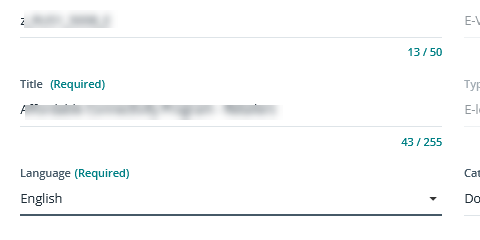
I know that the EN comes from the language designation in the Properties of the course shell. EN changes to PT (for example) when I publish my courses in Portuguese.

As you can see, however, the field is a required field, so how Stephen got it to go away is still a mystery. I don’t believe there is any connection to the Course/LP widget.


Stephen.Barton
Guide II
Forum|alt.badge.img+2

sorry, my setup looks the same as yours, I have no CSS code affecting this and no idea why mine has no language indication.


@Stephen.Barton @KMallette Thank you both for taking a look and helping me understand this a bit more, I appreciate it!


Forum|alt.badge.img+2
  • Novice II
  • May 5, 2024

Hi there,

When using the list this will show the language and the course type (eLearning/ILT).


If the Estimated Average Time is used for the course, it will then push out the language for this additional metadata.

If you require the CSS to remove the language code and separator when using ‘Course Cards’ - the following CSS should help. This will not remove the language code/separator when using ‘List’ display mode.

/* Hides the languages code and seperator on Course Cards START */

.ui-card-language,
.ui-card-language+.ui-card-separator {
display: none !important;
}

/* Hides the languages code and separator on Course Cards END */


Forum|alt.badge.img+2
  • Novice II
  • May 5, 2024

Hi all,

Just following up on this - 

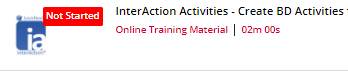
It seems as though the language code does not show when the course is ‘Not Started'

Bit of a bizarre one!


Forum|alt.badge.img+2
  • Novice II
  • Answer
  • May 5, 2024

Final follow-up - 

This CSS should allow you to hide the Language Code and Seperator when using Lists.

/* Hides the languages code and seperator on Course Lists START */
.ui-list-item-language,
.ui-list-item-language+.ui-list-item-separator {
display: none !important;
}
/* Hides the languages code and seperator on Course Lists END */

The suggestion is that if you have a Sandbox/Stage environment, you test this out and ensure all pages display as required once implemented. Once you are happy with CSS, then deploy this to the Production Environment.


@DPatel Thank you!


Isram
Influencer III
Forum|alt.badge.img+1
  • Influencer III
  • June 4, 2024

Thank you  @DPatel   

Now, they added MANDATORY 

Do you happen to have the CSS code to hide these two….. ??? THANK YOU

@Stephen.Barton @MelissaKustra 


Forum|alt.badge.img+2
  • Novice II
  • June 4, 2024

Hi @Isram 

This should remove the text of ‘Optional’ or Mandatory’

/* Hides whether the course is Optional/Mandatory in Learning Plan START */
.flat-vertical-list-item-type-mandatory-separator {
    display: none !important;
}
/* Hides whether the course is Optional/Mandatory in Learning Plan END */


Isram
Influencer III
Forum|alt.badge.img+1
  • Influencer III
  • June 4, 2024

Thanks @DPatel I tried it , but it didnt work 


Hi @Isram I do not know of any CSS code that would hide this, I’m sorry. I ended up giving up on trying to hide the English code, because I am very new to CSS and don’t understand where to place the CSS code to make it work. Optional and Mandatory hasn't shown up on our platform yet (I really hope it doesn’t, there needs to be easier ways to customize what we want to show to learners). 


  • Novice III
  • March 10, 2025

The course language indicator (e.g. EN) on a course tile is problematic for us because we provide both English and French versions in each course, with end object markers attached to both of them. The language field in the course profile is mandatory and does not allow blanks or multiple values. The workaround I found is to change the course language to a non-activated language on our platform. Using the Localization section, we set our courses to Dutch (which is just above English in the list so easy to select). Dutch is not an activated language for us, and the result is that the language indicator and separator bar just disappear on the course tiles. I checked with our technical resource at Docebo and she did not foresee any negative impacts. Just make sure you  let your superadmins in on this so they don’t end up scratching their heads in confusion.