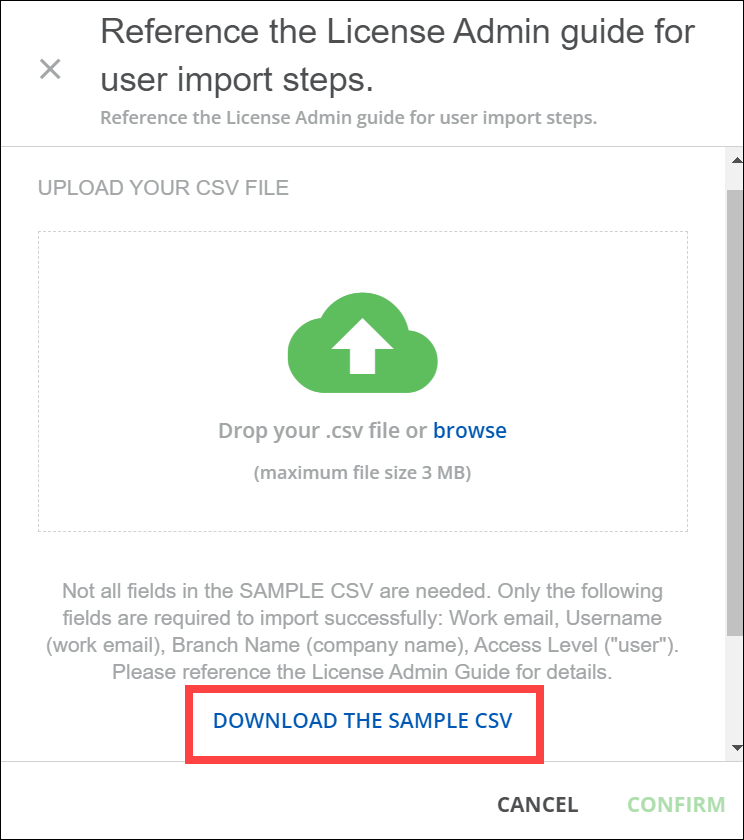
Is there an option to upload our own or change the sample csv file that is shown when uploading users?



 +1
+1Is there an option to upload our own or change the sample csv file that is shown when uploading users?
Best answer by lsippell
Found out after contacting Support and our CSM that there is no option to change the Sample but below is so CSS to hide it. It was also suggested I add this as an idea so here is the post for that if anyone else comes across this issue and wants to go upvote:
/* Hides Sample CSV link */
#doc-layout-main > seven-common-parts > rightpanel-component > div > div.mdl-rightpanel.ui-shadow-md.bg-white.ng-trigger.ng-trigger-isVisible.ng-tns-c1689210972-3.has-description.ng-star-inserted > div.ng-tns-c1689210972-3.mdl-rightpanel__body.text-grey-dark.border-grey-light > dcl-wrapper > csv-data-source > form > div > div.csv-file-upload > div.samples-wrapper {
display: none;
}
Enter your email address or username and password below to log in to Docebo Community. No account yet? Create an account
Enter your E-mail address. We'll send you an e-mail with instructions to reset your password.