Question

Course / Learning Plan/Catalog Report

  • July 16, 2025
  • 5 replies
  • 100 views

Hello DC,


I would like a (in theory) very simple report that just lists out the names of every course we have in one column, and then in the next column the learning plans and/or catalogs that course belongs to.  I am essentially wanting to identify any courses that have not been assigned to a learning plan or catalog.  But it would also be useful to have a list of courses and any learning plans and catalogs the course is in.


Does anyone know if this is possible?


Thanks in advance,

Mike Magnus

5 replies

lrnlab
Hero III
Forum|alt.badge.img+10
  • Hero III
  • July 16, 2025

Yes. It’s not a simple report but you export all your courses data and see where they are being used.

  • Goto Course Management
  • Select ALL courses
  • on the bottom right, select, Choose Action > Export Course Data
  • Choose the output format and click Next
  • Select what course details you want in the first block
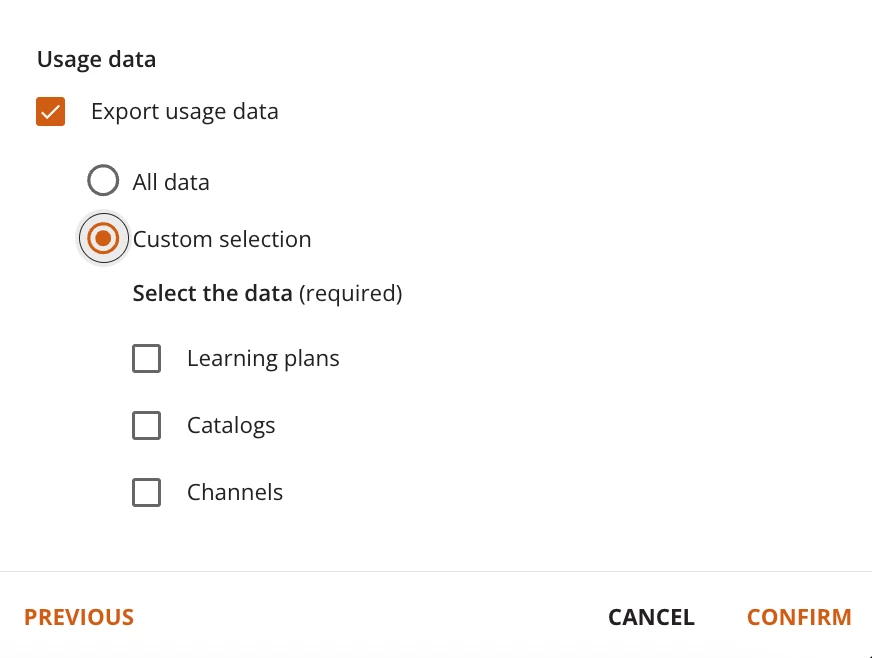
  • Scroll down to Usage Data and check the box. Choose all details or Custom


  • Author
  • Novice II
  • July 17, 2025

@lrnlab Thank you much!  Very helpful.  I appreciate the time and effort you put into your answer.  You just save me a lot of work!


lrnlab
Hero III
Forum|alt.badge.img+10
  • Hero III
  • July 17, 2025

happy to help


@lrnlab there’s no similar view for Learning Plans, is there? I can see associated catalogs using the same method as you showed above, but doesn’t appear that this is available for LPs. Any thoughts on getting these details, along with LP custom fields, through the UI or API?


lrnlab
Hero III
Forum|alt.badge.img+10
  • Hero III
  • May 16, 2026

Sadly, no. Only direct way I know of is using an API to extract that info. 

Tried this one: 

GET/learn/v1/catalog_content/internal

with some success but it’s a lot of data rot parse through. You can retrieve only learning plan data but it does not state what catalogs they are so only way to got it working is to gather my catalogue IDs first and then query one by one; so not a great option unless you can write a script to extract this for all catalogues.