
Question

Deadlines and Overdue confusion

  • May 27, 2025
  • 5 replies
  • 63 views

Sleigh353
Novice I

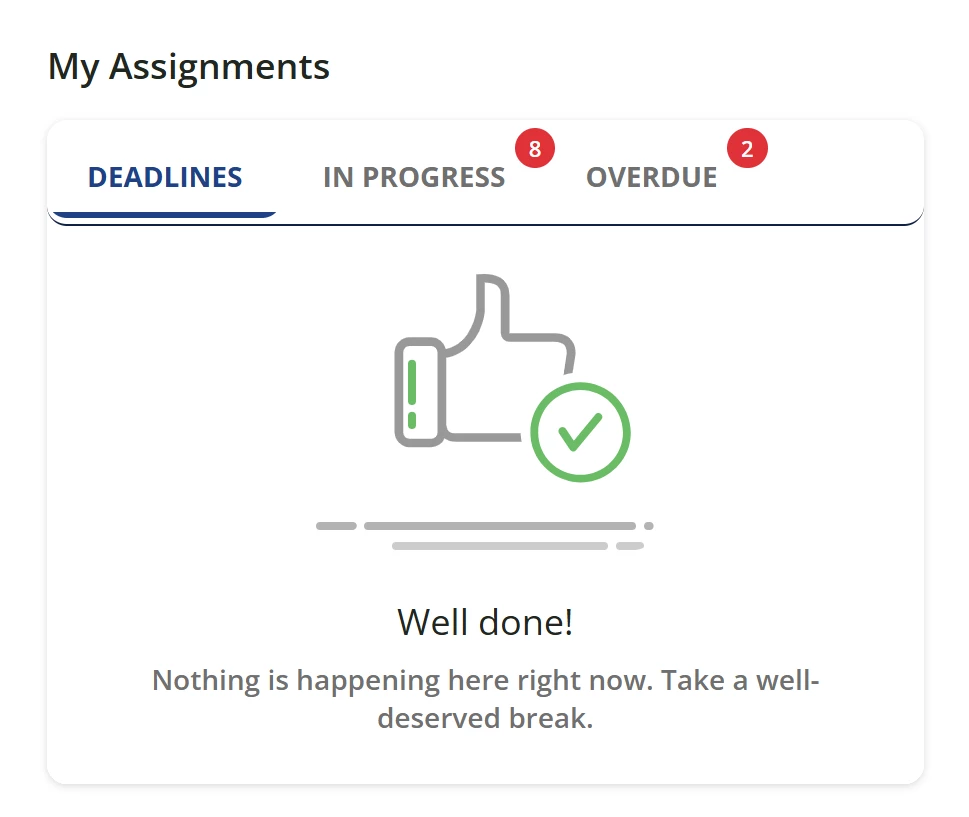
How can I best avoid this confusion. I had some deadlines (course assignments) that became overdue. But when I look at “My Assignments” I am greeted with a "Well done!" message. That is confusing. 

Obviously, I can see I have the overdue assignments but a thumbs up indicates that maybe I don’t have to do them. (BUT I ABSOLUTLEY DO!  I don’t deserve a break; these are compliance courses.) 

Does anyone have a suggestion for this?

 

5 replies

lrnlab
Hero III
Forum|alt.badge.img+10
  • Hero III
  • May 27, 2025

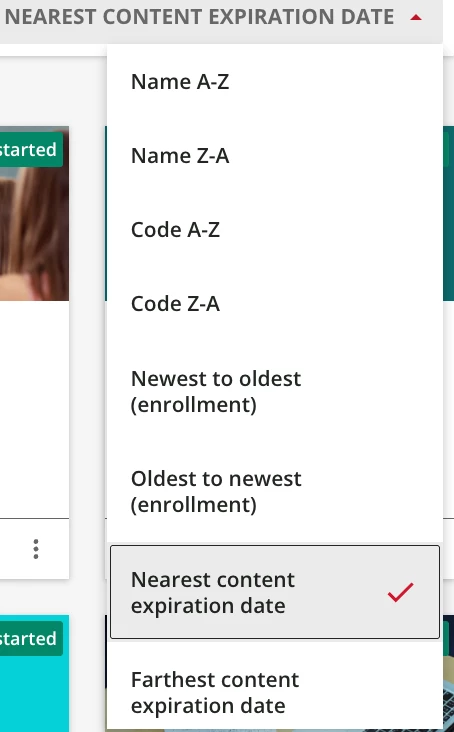
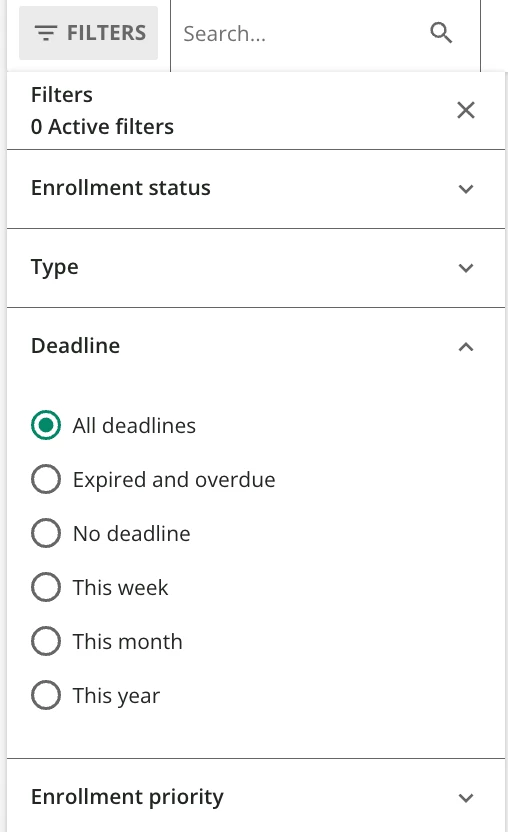
hard to say without seeing your instance...do you have some screen shots you can share? There are some new filters available for the My courses and LP page

and the existing ones as well:

you can create a dynamic link to these pre-filtered pages, it would look like this:

[your_domain].docebosaas.com/learn/mycourses?mclp0=v-"deadline_asc"

they  change depending on the filter options you choose. Perhaps using this option would have your user land on page that shows what’s due next?


Sleigh353
Novice I
  • Author
  • Novice I
  • May 27, 2025

This is what I am seeing: 


lrnlab
Hero III
Forum|alt.badge.img+10
  • Hero III
  • May 28, 2025

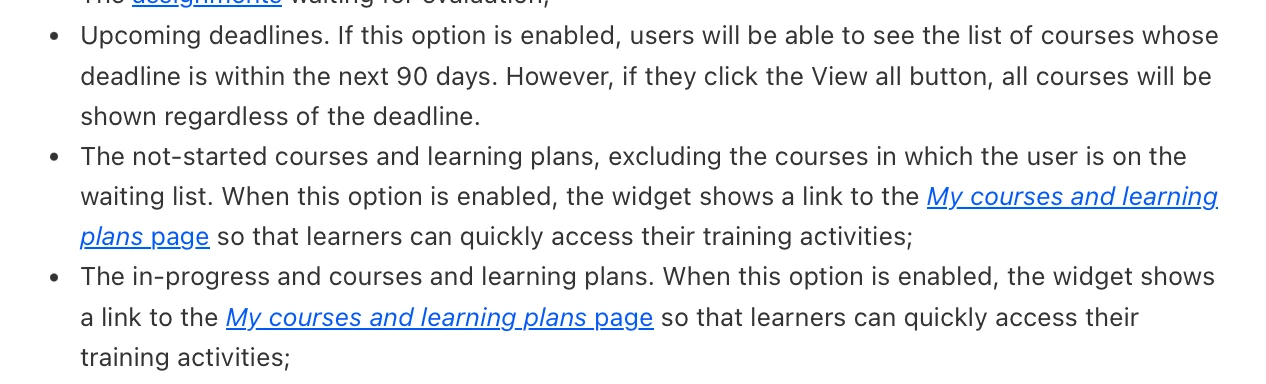
OK so that’s the Task list widget...are you saying you have courses that have upcoming due dates and should appear on the “Deadlines” tab? Looks like your deadline needs to be within the next 90 days.

https://help.docebo.com/hc/en-us/articles/360020127159-List-of-widgets-for-custom-widget-pages#h_01HAYHQ8HCD4XXVM1VZJS1XT4W


Maybe all you need is a label change to make that tab name a little more explicit? You can change most labels under the Localization app on the admin menu.

hope this helps.


Sleigh353
Novice I
  • Author
  • Novice I
  • May 28, 2025

Thank you! I appreciate the suggestions and the link. I was not aware that the tab names could be changed. 


lrnlab
Hero III
Forum|alt.badge.img+10
  • Hero III
  • May 28, 2025

My pleasure...Note that they can be difficult to find sometimes since you can potentially see several labels with the text. To find the text, I usually add letter or number to each label I find in the localization app (ex: Deadline A, Deadline B, etc.) so you easily find the right one and not affect any other labels you don't want to change.

Also consider creating a log of your changes in case you ever need to change it or revert it. I track the label name, original text and add a reason for the change.