When a user is enrolled in a Learning Plan, their default ‘My Courses and Learning Plans’ screen shows the tile for the Learning Plan AND the tiles for all of the individual courses within that plan.
Is there a setting that will automatically hide the Course tiles and just display the single Learning Plan tile? (The default is very confusing to our users who are, by definition, new to our company and Docebo at the time these onboarding plans are assigned.)

Best Answer
Display Learning Plan tile only when a User is enrolled?
Best answer by lrnlab
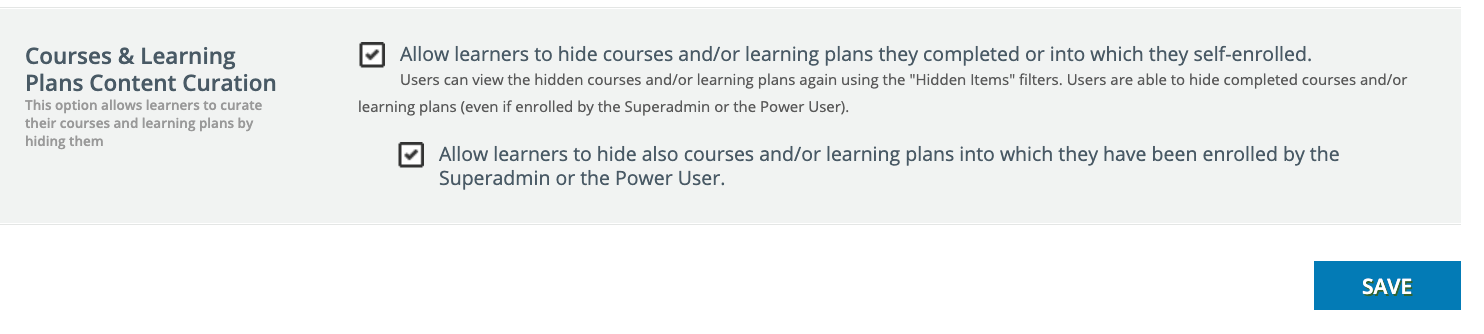
as far as I know only the user can hide these and only if this setting is enabled
Advanced Settings > eLearning > navigate to the bottom of the page



Log in to Docebo Community
Enter your email address or username and password below to log in to Docebo Community. No account yet? Create an account
Docebo Employee Login
or
Enter your E-mail address. We'll send you an e-mail with instructions to reset your password.