Answer

Enrollment rules - Required v. Mandatory

  • November 13, 2024
  • 8 replies
  • 376 views

jburris
Novice I

What is the difference between Required and Mandatory for the enrollment rules?

Best answer by cheyenne.carpenter

Hi ​@jburris

Happy to help provide some clarity 😊 

The new “Enrollment attributes” feature is designed to organize, communicate about, and report on enrollments based on priority status. The four levels and their meanings are below:

  • Mandatory: User is required to complete for legal and/or compliance reasons. Not completing these courses may have impacts to the business and/or individual (think professional qualifications, legal and/or industry audits and surveys, or certifications). Tied to external regulations/requirements.
  • Required: User is required to complete, as per the organization - not necessarily external regulatory bodies. For example, a Code of Conduct course required each year by the organization. Not optional, must be completed, yet not tied to external requirements.
  • Recommended: Suggested for completion and highly encouraged to complete, but not required. Possibly recommended by a manager or beneficial for professional development and/or growth. 
  • Optional: Entirely voluntary and completely up to the user. Elective course. 

I believe additional documentation will be coming soon. I hope this helps in the meantime! 


Kindly, 

Cheyenne

8 replies

lrnlab
Hero III
Forum|alt.badge.img+10
  • Hero III
  • November 13, 2024

🤣 I’m with you...this is supposed to explain it - I really don't know….


cheyenne.carpenter
Docebian
Forum|alt.badge.img

Hi ​@jburris

Happy to help provide some clarity 😊 

The new “Enrollment attributes” feature is designed to organize, communicate about, and report on enrollments based on priority status. The four levels and their meanings are below:

  • Mandatory: User is required to complete for legal and/or compliance reasons. Not completing these courses may have impacts to the business and/or individual (think professional qualifications, legal and/or industry audits and surveys, or certifications). Tied to external regulations/requirements.
  • Required: User is required to complete, as per the organization - not necessarily external regulatory bodies. For example, a Code of Conduct course required each year by the organization. Not optional, must be completed, yet not tied to external requirements.
  • Recommended: Suggested for completion and highly encouraged to complete, but not required. Possibly recommended by a manager or beneficial for professional development and/or growth. 
  • Optional: Entirely voluntary and completely up to the user. Elective course. 

I believe additional documentation will be coming soon. I hope this helps in the meantime! 


Kindly, 

Cheyenne


  • Novice II
  • November 26, 2024

Hi ​@jburris

Happy to help provide some clarity 😊 

The new “Enrollment attributes” feature is designed to organize, communicate about, and report on enrollments based on priority status. The four levels and their meanings are below:

  • Mandatory: User is required to complete for legal and/or compliance reasons. Not completing these courses may have impacts to the business and/or individual (think professional qualifications, legal and/or industry audits and surveys, or certifications). Tied to external regulations/requirements.
  • Required: User is required to complete, as per the organization - not necessarily external regulatory bodies. For example, a Code of Conduct course required each year by the organization. Not optional, must be completed, yet not tied to external requirements.
  • Recommended: Suggested for completion and highly encouraged to complete, but not required. Possibly recommended by a manager or beneficial for professional development and/or growth. 
  • Optional: Entirely voluntary and completely up to the user. Elective course. 

I believe additional documentation will be coming soon. I hope this helps in the meantime! 


Kindly, 

Cheyenne

Could you also clarify roughly when this will be rolled out for use in live platforms? I couldn’t see it mentioned in the product release schedule as one which is Ready for Release? 


lrnlab
Hero III
Forum|alt.badge.img+10
  • Hero III
  • November 26, 2024

@Anya B Should be next week some time...think it is Dec 2 - 4


Dgski
Novice III
Forum|alt.badge.img
  • Novice III
  • December 12, 2024

I’ve noticed that for courses with self-enrollment, enrollment priority will be set to “none” when a user self-enrolls. For the purpose of using enrollment priority in reports, It’s important to be able to set a default enrollment priority for self-enrollments.


lrnlab
Hero III
Forum|alt.badge.img+10
  • Hero III
  • December 12, 2024

I’ve noticed that for courses with self-enrollment, enrollment priority will be set to “none” when a user self-enrolls. For the purpose of using enrollment priority in reports, It’s important to be able to set a default enrollment priority for self-enrollments.

Agree...you would have to open a new Idea to ask Docebo for this option. I kind of get why there is no default but it would be nice to have the option.


Dgski
Novice III
Forum|alt.badge.img
  • Novice III
  • December 12, 2024

Thanks for the suggestion. I’ve created this idea here:


Adrian
  • Newcomer
  • February 9, 2025

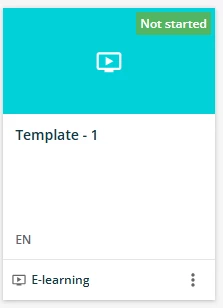
What does this look like in the system? I would like to know if I am able to assign a Required or Recommended tag to each individual course tile, under my courses and learning plans.