Best Answer

Footer on LMS pages

  • February 9, 2022
  • 4 replies
  • 701 views

Cindy McElhinney
Helper II
Forum|alt.badge.img+4

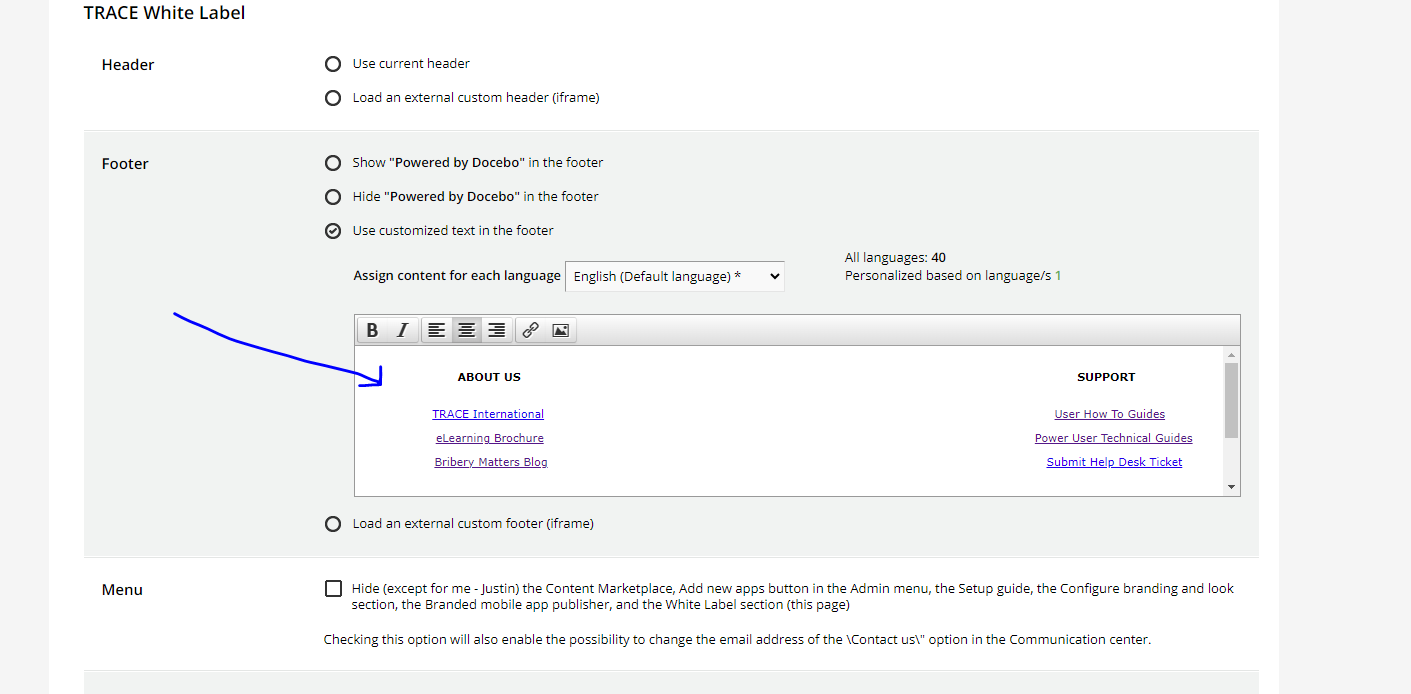
I am being asked to put a footer on the bottom of our lms pages that’s the same as the footer on our website with all the various links to organization specific content. I’ve played around with the custom footer but that doesn’t really do it so I guess I have to use the external iframe thingy?? Has anyone done this? Would you be willing to share a few bullets on how to set this up. Would you be willing to share a screen shot of your footer? Thanks!

Best answer by alekwo

After lot’s of tweaking the footer editor (including replacing the content in the raw HTML using the browser’s “Inspect” mode) I was able to get to what I wanted… not sure why Docebo made it so hard.


 

4 replies

alekwo
Guide III
Forum|alt.badge.img+1
  • Guide III
  • Answer
  • February 9, 2022

After lot’s of tweaking the footer editor (including replacing the content in the raw HTML using the browser’s “Inspect” mode) I was able to get to what I wanted… not sure why Docebo made it so hard.



JZenker
Guide II
Forum|alt.badge.img+2
  • Guide II
  • June 5, 2024

After lot’s of tweaking the footer editor (including replacing the content in the raw HTML using the browser’s “Inspect” mode) I was able to get to what I wanted… not sure why Docebo made it so hard.

 

Hey @alekwo , curious how you got HTML to work here? Mind doesn’t seem to accept html


alekwo
Guide III
Forum|alt.badge.img+1
  • Guide III
  • June 6, 2024

Hi @JZenker as I wrote earlier, the standard footer editor doesn’t accept HTML, and uploading an HTML footer requires some developer-level adjustment of the page code.

On a high level. I added some text to the editor, then edited the page code in the Developer Console's Document Object Model (DOM) replacing the value containing the text from the editor widget with the HTML code I wanted, and then submitted the form to save the changes. This wasn’t straightforward as the page code made it a bit difficult to find the right element to make the edits, but eventually, it worked. 

I’m sorry, I can’t provide you with more details, but I changed jobs and I no longer have access to any working Docebo instance.

You’ll need to work with someone with front-end development skills.


JZenker
Guide II
Forum|alt.badge.img+2
  • Guide II
  • June 6, 2024

Hi @JZenker as I wrote earlier, the standard footer editor doesn’t accept HTML, and uploading an HTML footer requires some developer-level adjustment of the page code.

On a high level. I added some text to the editor, then edited the page code in the Developer Console's Document Object Model (DOM) replacing the value containing the text from the editor widget with the HTML code I wanted, and then submitted the form to save the changes. This wasn’t straightforward as the page code made it a bit difficult to find the right element to make the edits, but eventually, it worked. 

I’m sorry, I can’t provide you with more details, but I changed jobs and I no longer have access to any working Docebo instance.

You’ll need to work with someone with front-end development skills.

Wish you all the best - thanks for the help